

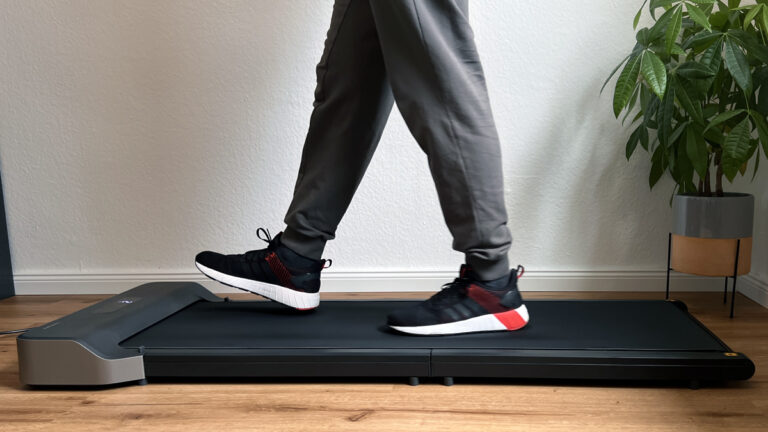
Z1, P1 and A1 Pro are the three compact WalkingPads from KingSmith built purely for walking at the desk: all three run up to 6 km/h (3.7 mph), fold in the middle and fit flat under a bed or sofa. That is exactly why they end up side by side in almost every buying decision. I used all three in my home office, with the 10,000-step test, noise measurement and desk check. Here is the direct comparison.
In short
The Z1 is the best choice for most people: the lightest, the quietest with no audible fan, and it has a display. The A1 Pro is the pick for heavier users up to 136 kg (300 lb), but it has a clearly audible fan. The P1 is the affordable folding classic without a display that switches on a quiet fan after a while.
The three models at a glance
| WalkingPad Z1 | WalkingPad P1 | WalkingPad A1 Pro | |
| Speed | 1 – 6 km/h | 0.5 – 6 km/h | 0.5 – 6 km/h |
| Motor | brushless, 550 W | motor type not specified, 746 W | brushless, 932 W |
| Running surface | 121 × 40 cm | 120 × 41.5 cm | 120 × 41.5 cm |
| Max. user weight | 110 kg (243 lb) | 100 kg (220 lb) | 136 kg (300 lb) |
| Weight of the unit | 23 kg | 28 kg | 27 kg |
| Height unfolded | 10.6 cm | 12.9 cm | 12.9 cm |
| Folded size | 81 × 56 × 13.8 cm | 82.2 × 54.7 × 12.9 cm | 82.2 × 54.7 × 12.9 cm |
| Fan | no audible fan | quiet fan, switches on after a while | loud fan, kicks in quickly |
| Display | yes (time, speed, distance, calories) | no, controlled via app and remote | yes (incl. steps) |
| Stated noise level | under 65 dB | under 65 dB | under 65 dB |
| My rating | 4.7 / 5 | 4.6 / 5 | 4.4 / 5 |
WalkingPad Z1 Review The Perfect Walking Pad for Most People!
Advertising: The product was provided to me for testing. My review remains unbiased and is based solely on my own experience and…
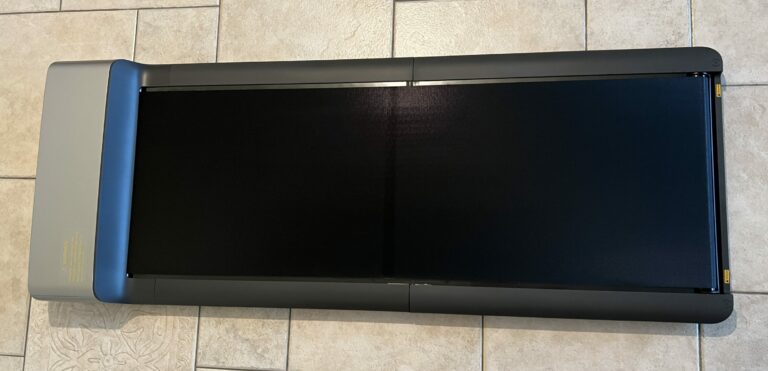
WalkingPad P1 Review A Reliable Folding Treadmill for the Desk!
Advertising: The product was provided to me for testing. My review remains unbiased and is based solely on my own experience and…
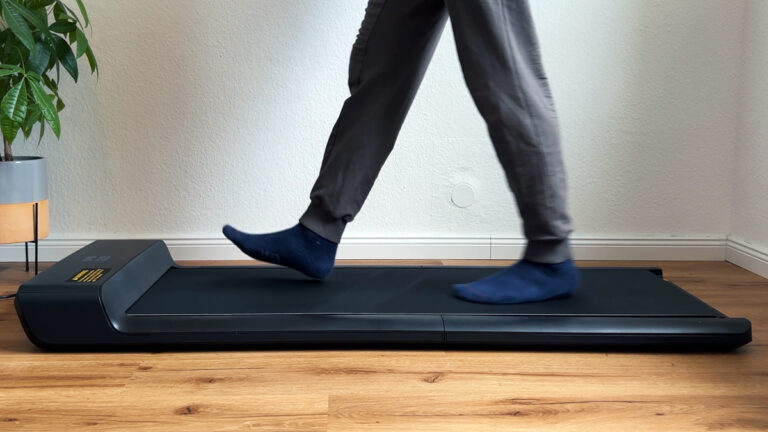
WalkingPad A1 Pro Review The most robust desk treadmill! (US+UK)
Advertising: The product was provided to me for testing. My review remains unbiased and is based solely on my own experience and…
Noise: the fan makes the difference
When walking at 3 to 4 km/h, all three motors are quiet. The difference is the fan. The Z1 has none at all, so you only hear the belt rolling. On the P1 a quiet fan switches on after a while and raises the noise only minimally. On the A1 Pro the fan kicks in quickly and is clearly audible. With headphones that does not matter, in video calls or a quiet office it does. If you want the quietest device, take the Z1.
On top of that, all three produce footfall noise, the sound of your feet landing on the belt. In a rented apartment a floor protection mat helps more than any difference between the motors.
Load capacity and walking feel
The A1 Pro carries the most at 136 kg and also feels the most robust when walking. It is the right choice for heavier users and for anyone who wants a particularly sturdy build. The Z1 is rated up to 110 kg and, at 23 kg, is the lightest of the three. Its running surface is the narrowest at 40 cm and sits a little higher, which is why I do not recommend it for jogging. At a maximum of 6 km/h that is not the goal anyway. The P1 sits at the lower end with 100 kg.
One limitation of the Z1 you should know: after about an hour of operation the manufacturer recommends a break because of the overheating protection. In a home office with interruptions you hardly notice it, in very long sessions in one go you do.
Controls: display or app
The P1 has no display on the unit. You see the values on the remote or in the KS Fit app, and it is controlled by remote or app as well. The Z1 shows time, speed, distance and calories directly, the A1 Pro also shows the step count. Both can also be operated via app and remote, and all three have a child lock. I found the A1 Pro’s automatic mode, which adjusts the speed to your foot position, unintuitive in the test and did not use it.
Space and storage
All three fold in the middle to a good 80 cm in length and slide flat under a bed or sofa. The Z1 is the flattest at 10.6 cm, which also lowers the required desk height by a good 2 cm. On the folded Z1 the belt is exposed, so do not drag it over edges when transporting it. P1 and A1 Pro can only be stored lying down, they do not stand safely upright.
Which model for whom?
| You are … | My recommendation | Why |
| A home office user who wants it quiet | WalkingPad Z1 | No audible fan, display, only 23 kg, flattest build |
| Heavier than 110 kg or focused on robustness | WalkingPad A1 Pro | Up to 136 kg, sturdiest build, step counter; fan bearable with headphones |
| Price-conscious and happy with the app | WalkingPad P1 | Affordable folding classic, quiet fan, but no display and only 100 kg |
My verdict
If I could keep only one of the three, it would be the Z1: light, flat, no audible fan and with everything you need at the desk. The A1 Pro wins only on load capacity but loses through its loud fan exactly where walking pads are used most, while working. The P1 remains a solid, affordable choice if the missing display does not bother you. You can find all tested models in my walking pad reviews.
Frequently asked questions about Z1, P1 and A1 Pro
Which is quieter: WalkingPad Z1 or A1 Pro?
The Z1. I could not hear a fan on it, while the fan on the A1 Pro kicks in quickly and is clearly audible. The P1 sits in between with a quiet fan.
Which WalkingPad carries the most weight?
The A1 Pro is rated up to 136 kg (300 lb), the Z1 up to 110 kg (243 lb) and the P1 up to 100 kg (220 lb).
Does the WalkingPad P1 have a display?
No. The P1 is controlled via remote or the KS Fit app, where you see the values. Z1 and A1 Pro have a display on the unit.
Can I jog on the Z1, P1 or A1 Pro?
No, all three are limited to 6 km/h and built for walking at the desk. For jogging you need models such as the Z3 Hybrid+, X214 or MC11.
More walking pad guides
- 10,000 Steps at Your Desk: How to Get Them on the Side with a Walking Pad
- Floor Mat for Your Walking Pad: What It Does Against Footfall and What to Look For
- Walking Pad Without Electricity: Does It Exist? Manual Treadmills, Running Costs and Alternatives
- Walking Pad and Desk Height: How High Does the Desk Need to Go? Deck Heights of All Models
- Walking Pad Power Consumption: What Does an Hour of Walking Really Cost? Measured Values
- How to Oil, Centre and Maintain a Walking Pad: The Guide from Eleven Tests
- Walking Pad Speed: 6, 12 or 18 km/h? Which Pace You Really Need
- Foldable Walking Pads: Which Design Fits Your Home? All Folded Dimensions from My Tests
- Walking Pad Weight Limit: Which Models Carry 120, 135 or 136 kg (300 lb)?
- Walking Pad Noise: How Loud Are Under-Desk Treadmills Really? Measurements from My Tests
More guides
- Eye Massager: What Does It Really Do? Benefits, Limits and What to Look For
- Massage Devices for Home Use: Which Device Helps with Which Complaint? Nine Devices from My Tests
- Air Purifier Buying Guide: CADR, Room Size, Noise and Filter Costs Explained Simply
- Ergonomic Home Office Setup: Desk, Chair, Monitor and Movement from My Tests
- Robot Vacuum, Cordless Stick or Mattress Vacuum? The Right Combination for Your Home