Ad disclosure: Affiliate links (*). As an Amazon Associate, eBay Partner Network affiliate and member of other partner programs, I earn from qualifying purchases.
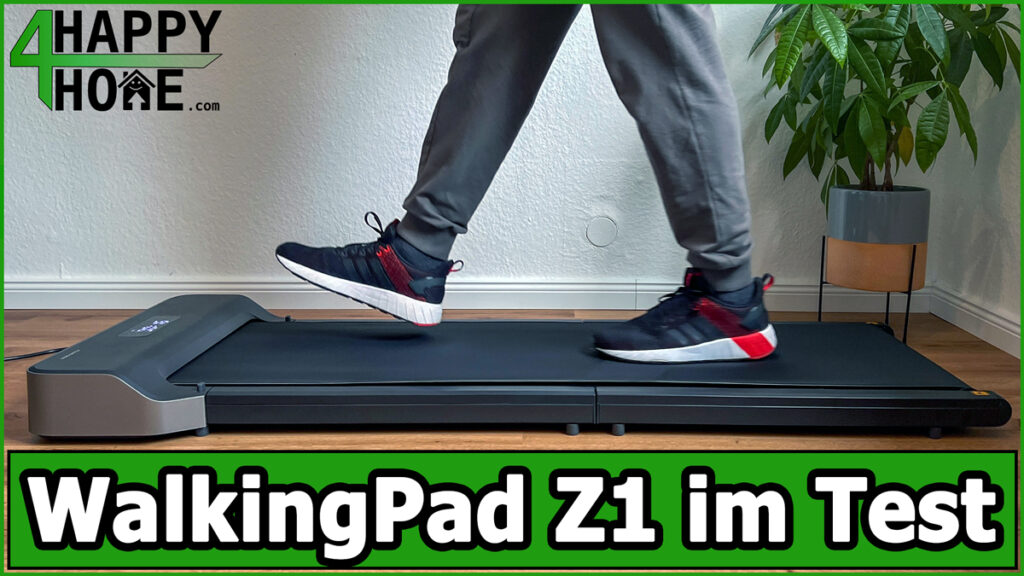
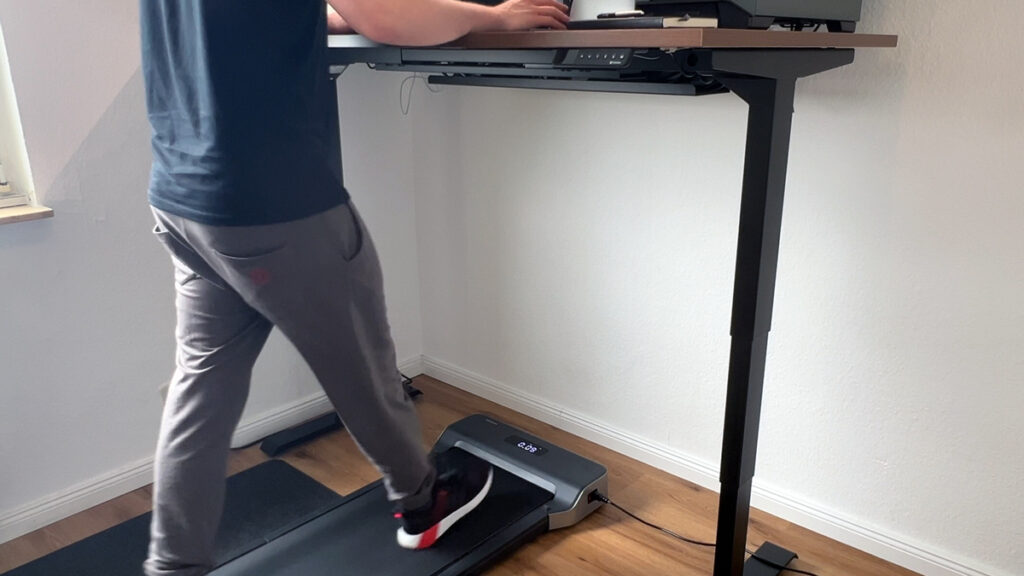
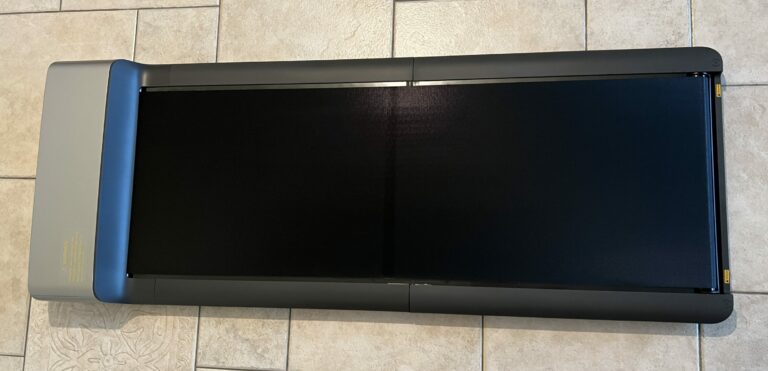
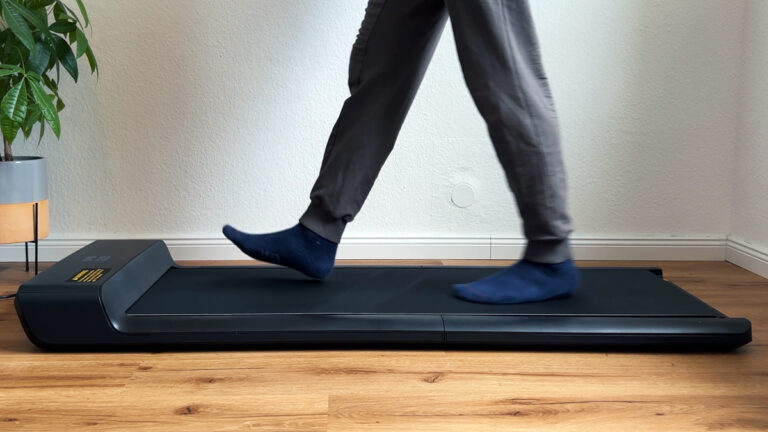
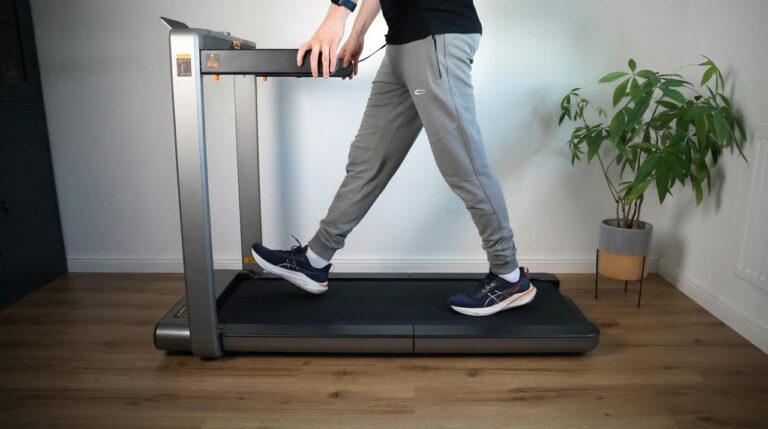
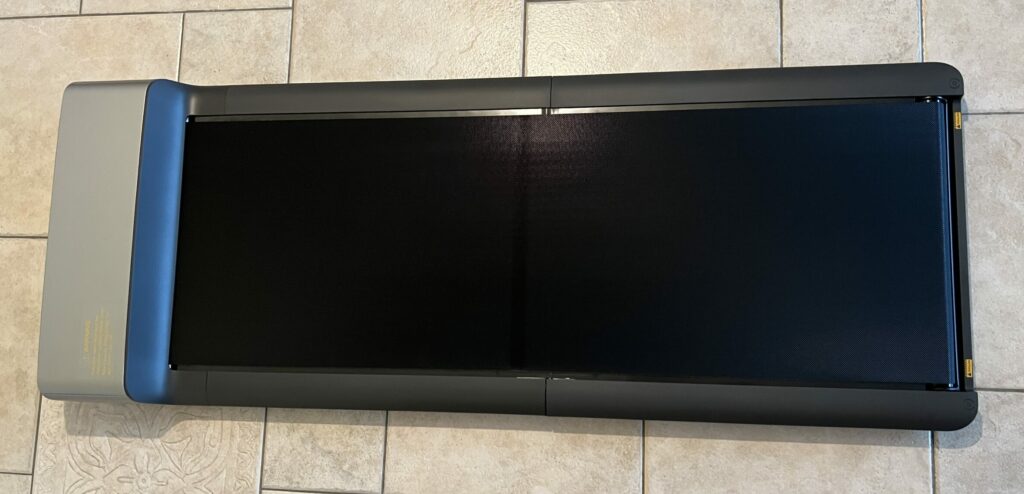
The WalkingPad Z1 is a folding under-desk treadmill from Kingsmith and impresses with its light weight, easy handling and quiet operation with no audible fan. With speeds of up to 6 km/h and a maximum load of 110 kg, it is ideal for home use and working at a desk. There are minor weaknesses in storage and when jogging at top speed.
My review video 🎥
Watch the review video for an overview and my personal verdict!
The video was recorded in German; YouTube offers an automatically dubbed English audio track (gear icon > Audio track).
Specs
Manufacturer: Kingsmith
Colour: Dark grey
Motor type: Brushless motor
Motor power: 550 W
User weight: 110 kg (242 lb)
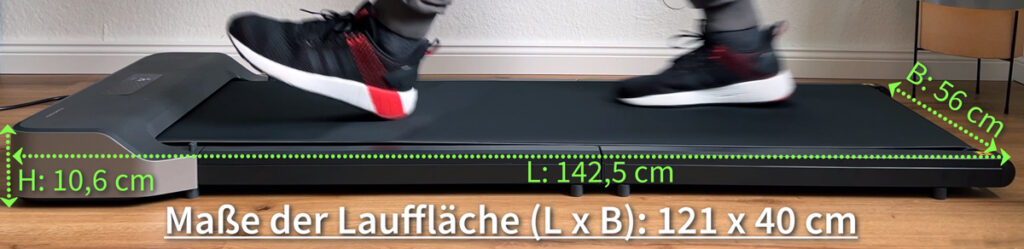
Running surface: 121 x 40 cm
Speed range: 1 – 6 km/h (0.6 – 3.7 mph)
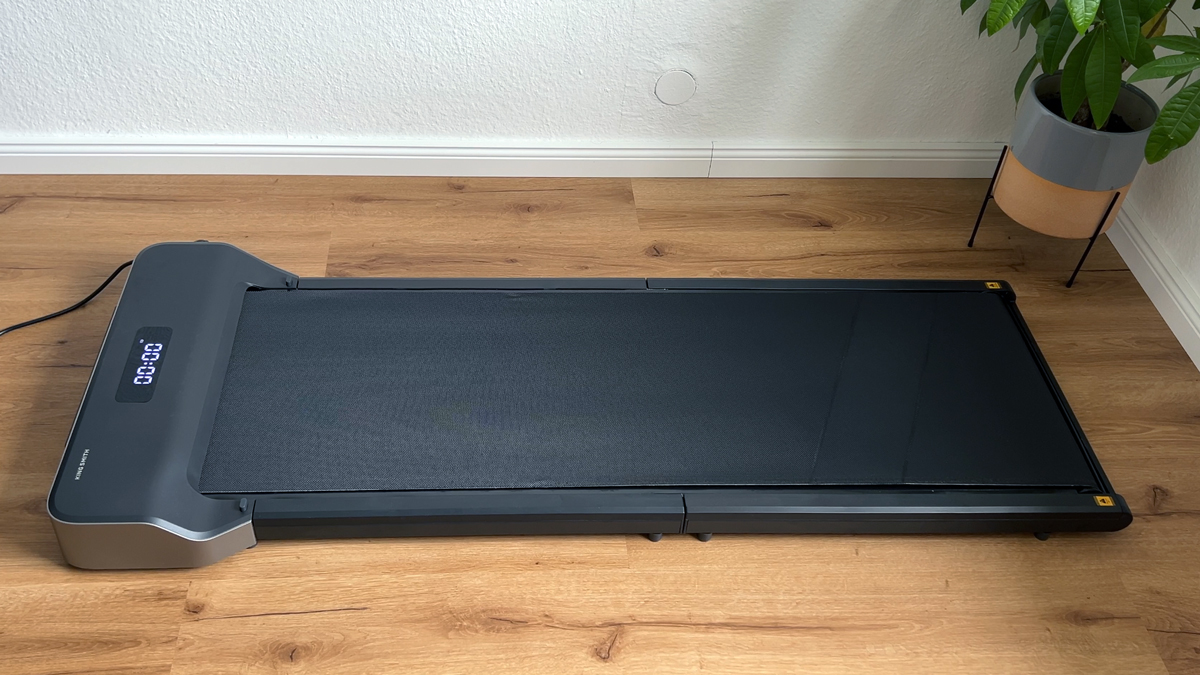
Unfolded dimensions: 142.5 x 56 x 10.6 cm
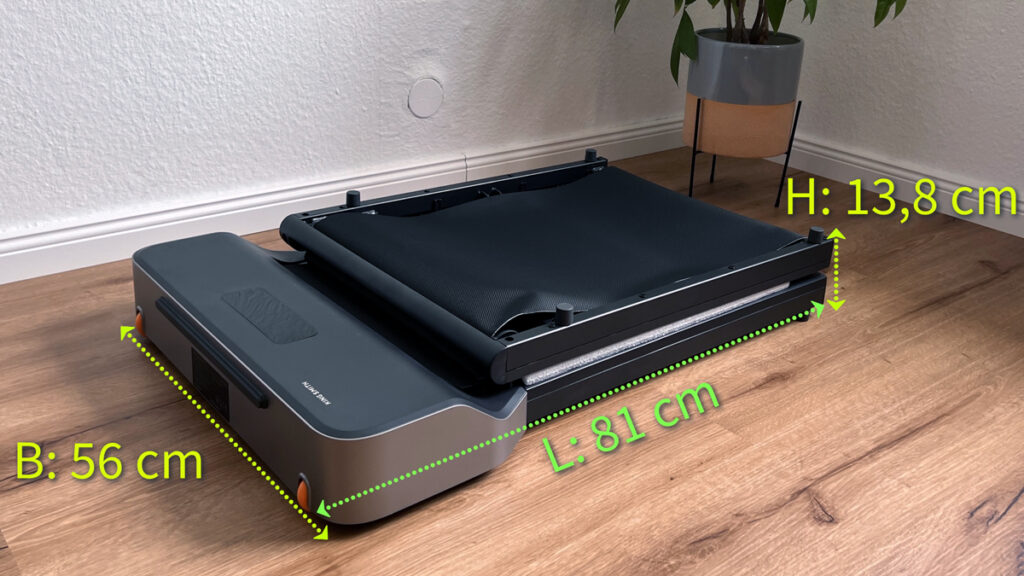
Folded dimensions: 81 x 56 x 13.8 cm
Gross weight (packed): 27.5 kg
Net weight: 23 kg
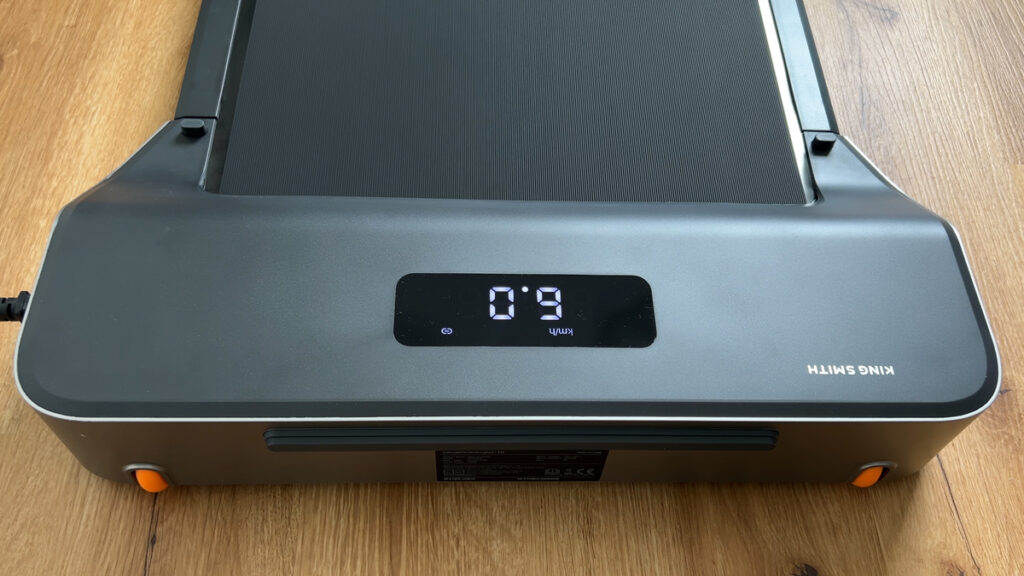
Displayed data: Time, speed, distance and calories
Pros
Very well suited to walking
Light weight
Very quiet
Easy to operate
No audible fan
Compact design
Easy transport and upright storage possible
Child lock
Cons
Belt is exposed when folded, more prone to damage during transport
Not ideal for jogging at top speed because of the higher and narrower running surface
Less plastic, which could slightly affect robustness
After 1 hour of training, breaks are required because of the overheating protection
WalkingPad Z1 Review
Introduction
Hello everyone, for this review I was able to try out the WalkingPad Z1. It is a folding under-desk treadmill from the WalkingPad series and supports users up to 110 kg (242 lb).
This is a single review. You can find all my other walking pad and treadmill reviews in the walking pad category.
The essentials at a glance
Up to 6 km/h (3.7 mph), 110 kg (242 lb) max. user weight, 550 W brushless motor, no audible fan: one of the quietest walking pads in my tests.
23 kg (50.7 lb) and folds in the middle to 81 cm (31.9 in), can be stored lying flat or upright.
Deck height 10.6 cm (4.2 in), good for use under a desk. Remote control and KS Fit app.
Ideal for walking up to 5 km/h (3.1 mph); for jogging there are better models.
Design & build quality ★★★★☆ (4.6/5)
The WalkingPad Z1 comes in a slim, modern design. Thanks to the reduced use of plastic, it looks minimalist and fits into any living space.
Category
Rating
Comment
Material quality
4.5/5
High-quality materials, but less plastic
Design
4.7/5
Modern and space-saving design
Build quality
4.6/5
Clean finish, but the belt is exposed when folded
Portability
4.6/5
Light at 23 kg, easy to move
Functionality ★★★★★ (4.7/5)
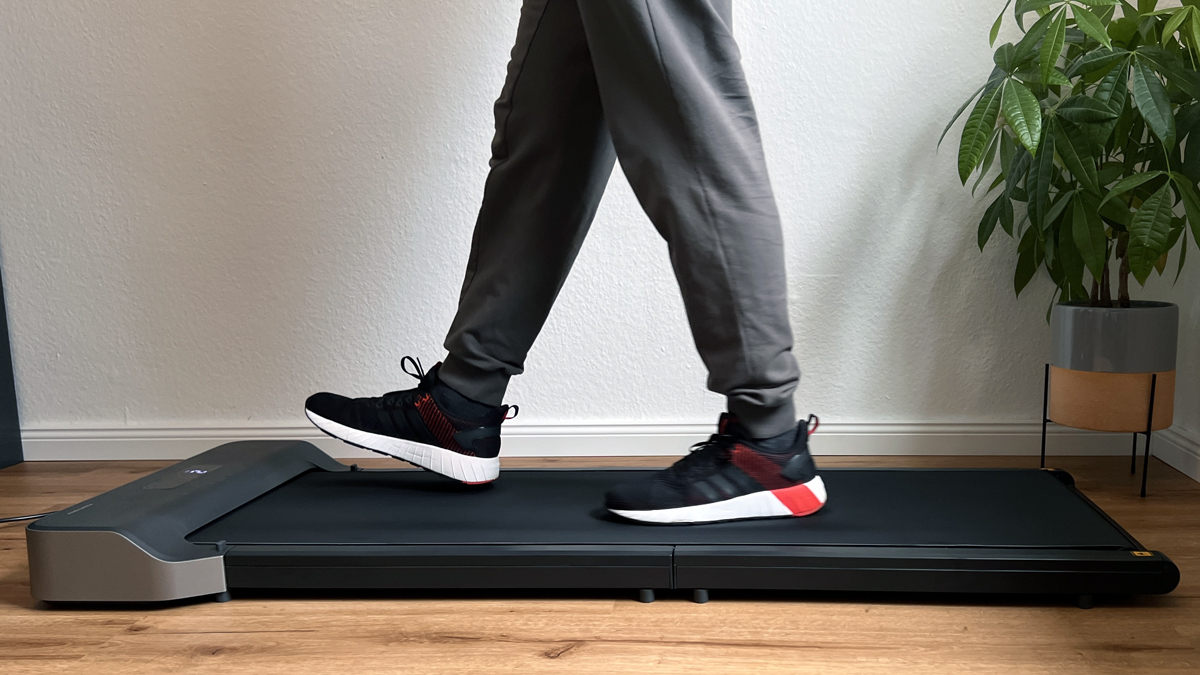
The treadmill offers speeds from 1 to 6 km/h (0.6 to 3.7 mph) and can be controlled via remote or app. The brushless motor runs quietly; I could not hear a fan in my test.
Category
Rating
Comment
Speed range
4.5/5
1 to 6 km/h, ideal for walking
Control options
4.7/5
Remote and app control, easy to use
Safety features
4.6/5
Child lock and adjustable “no-load stop”
Display
4.8/5
High-quality, easy-to-read LED display
Ease of use ★★★★★ (4.8/5)
Handling the WalkingPad Z1 is extremely user-friendly. No assembly is required, and the unit is ready to use immediately.
Category
Rating
Comment
Setup
4.9/5
No assembly needed, ready to go
Operation
4.8/5
Intuitive control via remote and app
Mobility
4.7/5
Easy to move thanks to its low weight
Maintenance
4.8/5
No lubrication needed, low maintenance
Performance ★★★★☆ (4.5/5)
The running feel on the WalkingPad Z1 is pleasant, especially at speeds up to 5 km/h. For jogging at top speed, however, there are better alternatives.
Category
Rating
Comment
Running feel
4.6/5
Pleasant and even when walking
Motor power
4.5/5
550 W brushless motor, efficient and quiet
Stability
4.4/5
Good stability when walking, slight limitations when jogging
Load capacity
4.5/5
Max. 110 kg, sufficient for most users
Noise ★★★★★ (4.8/5)
A big plus of the Z1 is its low noise level. The brushless motor works quietly, and I could not hear a fan in my test.
Category
Rating
Comment
Belt noise
4.8/5
Very quiet, ideal for use in flats
Motor noise
4.9/5
Barely audible thanks to the brushless motor
Vibration
4.7/5
Little vibration thanks to taller rubber feet
Overall impression
4.8/5
Low-noise, perfect for working at a desk
Value for money ★★★★☆ (4.5/5)
The WalkingPad Z1 offers excellent value for money, especially thanks to its high-quality features and quiet operation.
Category
Rating
Comment
Price
4.4/5
Reasonable price for the performance offered
Performance
4.6/5
High quality and functionality
Durability
4.5/5
Robust construction, brushless motor extends lifespan
Room for improvement
4.4/5
Minor weaknesses, but very good overall
WalkingPad Z1: What’s in the box and setup
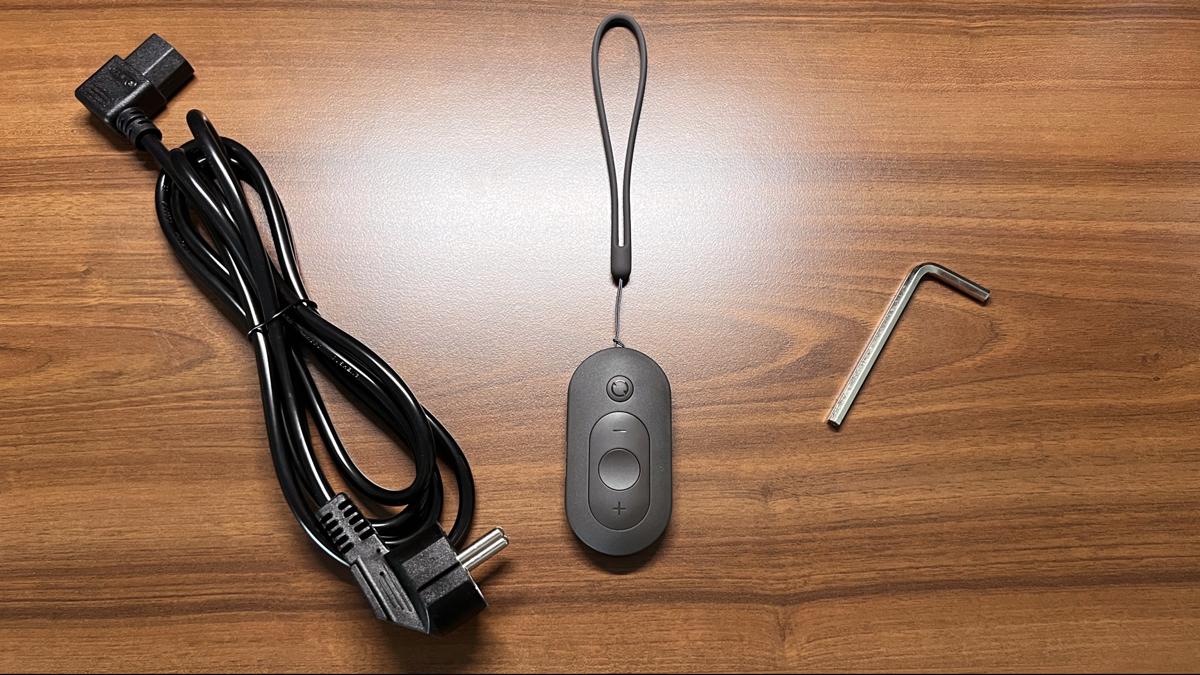
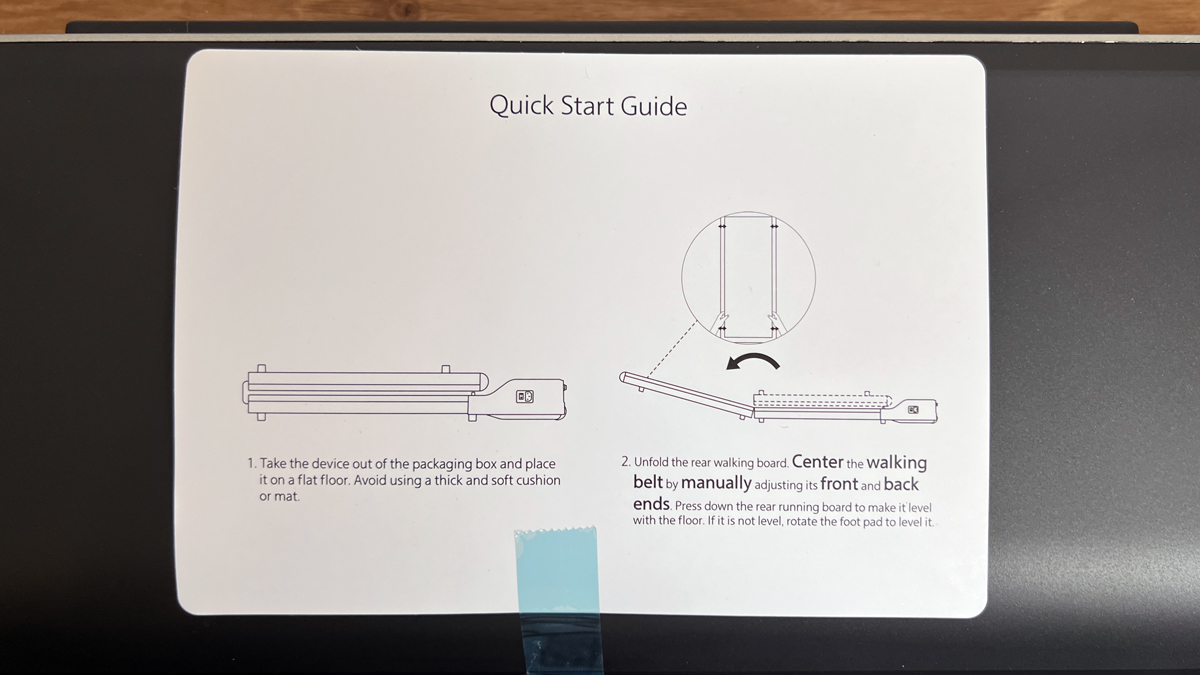
The Z1 arrives fully assembled: unpack it, unfold it, plug in the power cable, and you’re ready to walk. In the box I found:
the fully assembled treadmill
a power cable
a remote control with a strap and battery already inserted
an Allen key to tighten or loosen the belt if needed
What wasn’t included this time: a small bottle of lubricating oil. It’s part of the accessories on the other WalkingPads, but it’s missing on the Z1, and the manual doesn’t mention oiling either. I explain below, in the maintenance section, why that isn’t an oversight.
Keep this in mind from the start: always unplug the unit from the mains before folding it, otherwise you risk an electrical fault.
WalkingPad Z1: Motor, speed and walking feel
The Z1 runs on a 550 W brushless motor. This design is quieter than a motor with carbon brushes, has no brushes that wear down, and needs less power and less maintenance. How fine the speed steps are depends on what you use to control it:
What
On the Z1
Speed range
1 to 6 km/h (0.6 to 3.7 mph)
Step size, remote
0.5 km/h (0.3 mph)
Step size, KS Fit app
0.1 km/h (0.06 mph)
My average in the 10,000-step test
3.4 km/h (2.1 mph)
My recommended range
up to 5 km/h (3.1 mph), i.e. brisk walking
For everyday use the remote is enough, since I adjust the speed to whatever task I’m doing anyway. If 0.5 km/h jumps feel too coarse because you’re most comfortable somewhere between two steps, you can fine-tune the speed in the app.
When jogging at top speed, the Z1 is less comfortable than the P1 or the A1 Pro, because its running surface sits higher and is narrower.
WalkingPad Z1: Controls, display and the KS Fit app
In everyday use I start the belt with the remote control. You don’t need the app to get walking, but it unlocks features that aren’t available on the unit itself. To connect, tap the plus sign in the KS Fit app; it finds the powered-on pad via Bluetooth right away.
This can only be set in the app:
Speed in 0.1 km/h steps instead of 0.5
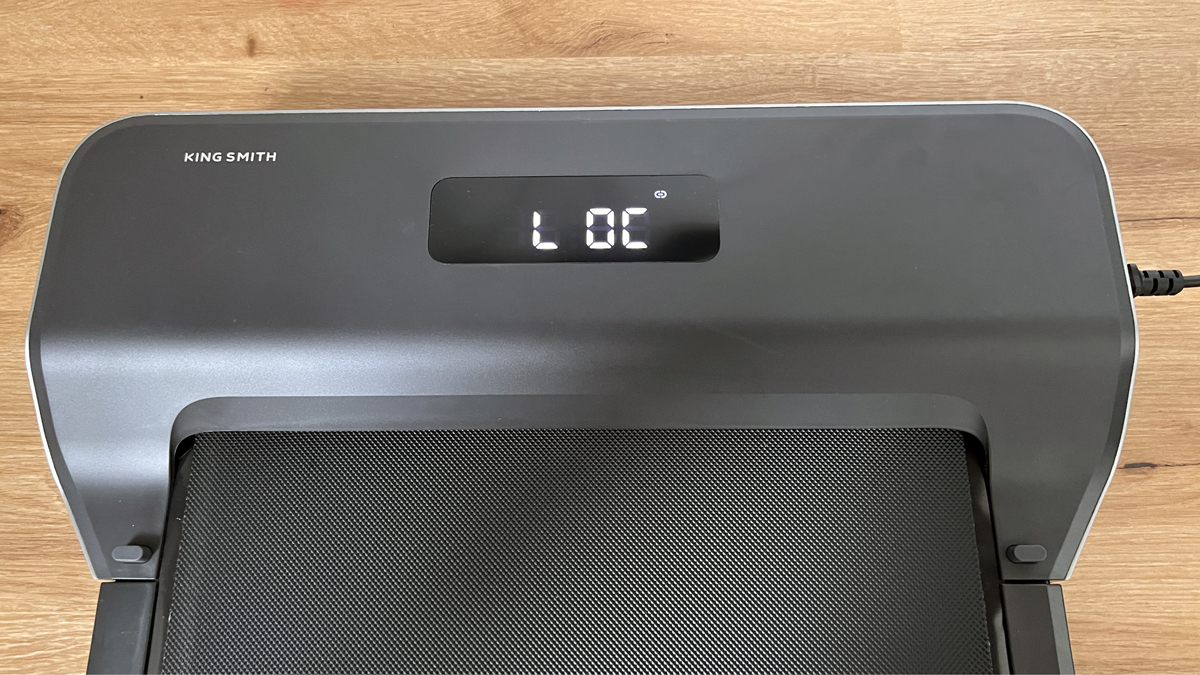
Child lock: the pad can no longer be started from the remote; the display then shows “LOC”.
No-load stop with a selectable wait time in seconds: the belt stops automatically if no one is walking on it.
A goal by distance, time or calories burned
Go button: the belt starts after three seconds
Nothing more can currently be adjusted, and that’s worth knowing before you buy. After your workout, the data goes to your health app; for me that’s Apple Health.
A tip from my 10,000-step test
Don’t use your fitness tracker to count steps. When you’re working, your arm often rests on the desk, so your wrist registers too few steps. I rely on the treadmill’s own numbers instead: at an average of 3.4 km/h, I reached 10,000 steps in under two hours while working. You’ll find out how to fit that into your workday in the guide 10,000 Steps at Your Desk.
WalkingPad Z1: Noise in everyday use
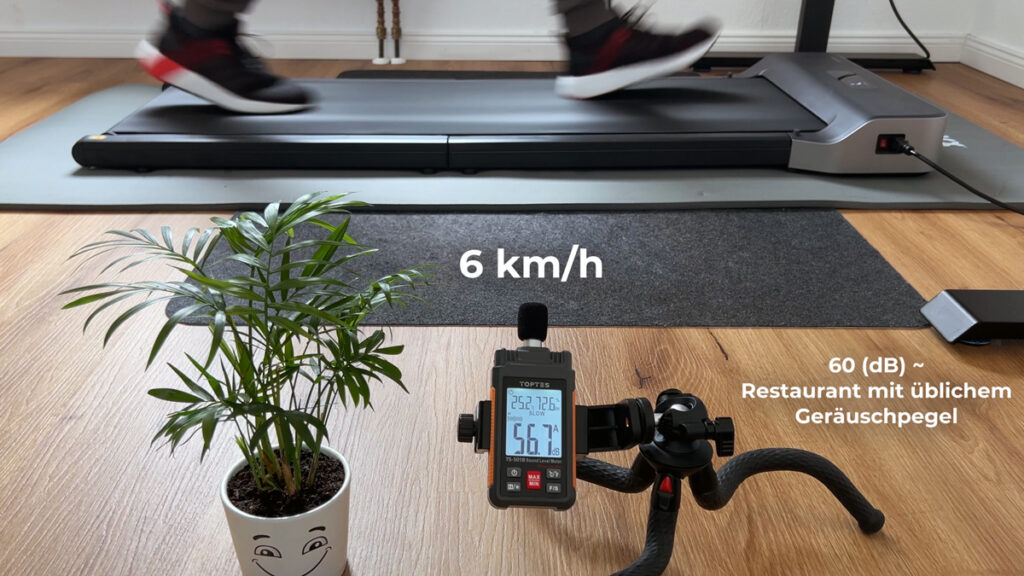
The most common question about the Z1 was whether a fan kicks in once the belt has been running for a few minutes, exactly the kind of thing that’s annoying with other models while you’re working. So I let it run for eight minutes straight, and I can reassure you: I could not hear a fan during that time. To me, that’s its biggest advantage, more important in daily life than any number on the spec sheet. The manufacturer states a noise level under 65 dB in its maximum test without load. Measured from one metre away at the top speed of 6 km/h, I got around 56.7 dB; at a slow walking pace at the desk it’s lower still. What you hear is the belt rolling and your own footsteps.
About the mat: for every walking pad review I place a rubber mat underneath so the conditions stay comparable. On the Z1, a thinner floor-protection mat is enough, because the taller rubber feet transmit little vibration to the floor. If you only walk at the desk, you can go without a mat entirely. Which one makes sense when is covered in the guide Floor mat for your walking pad.
WalkingPad Z1: Storage and transport
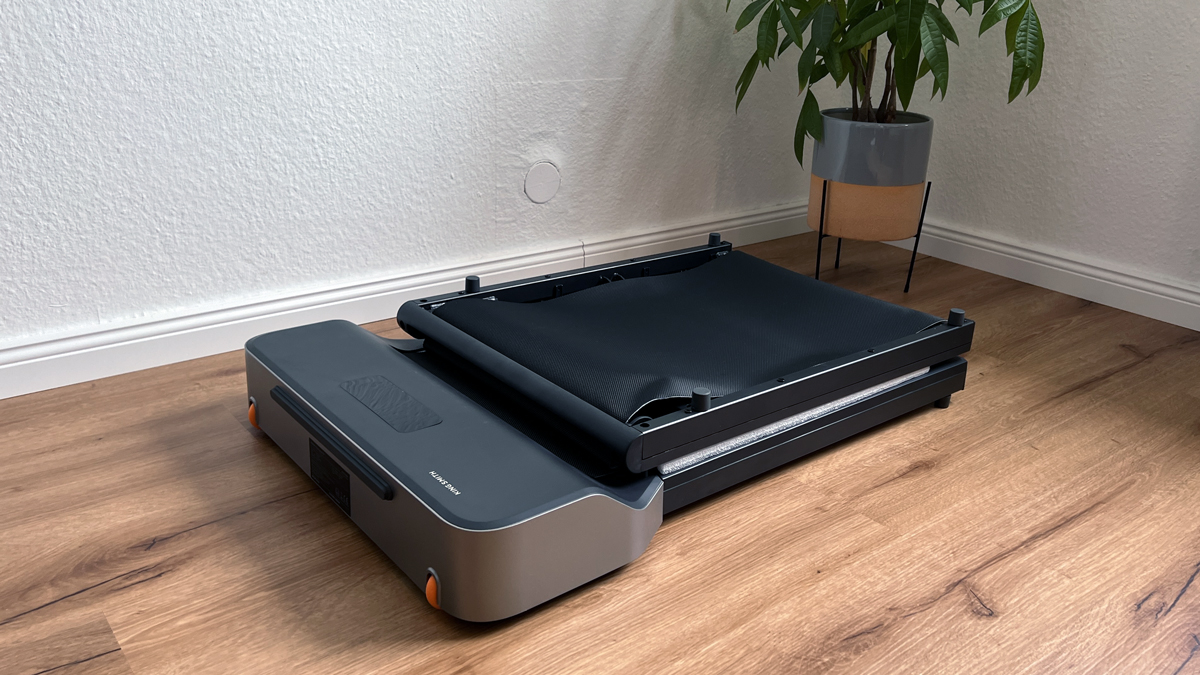
The Z1 folds in the middle to a length of 81 cm (31.9 in). The height then grows to 13.8 cm (5.4 in), because the rubber feet end up on top. One detail I really like: there’s a hard rubber pad at the front. That means you can not only slide the folded Z1 under a bed or sofa, but also store it standing up, for example behind a door or in a corner.
The low weight makes the difference in everyday use: 23 kg (50.7 lb) is light for a walking pad, and combined with the large transport wheels, I can move the Z1 between rooms without help.
There is one catch when it comes to transport: Kingsmith uses less plastic on the Z1, which is good for the weight. In exchange, the belt is exposed when folded. That’s not an issue when rolling it around the flat, but I’d cover the belt for shipping or in a car boot. The folded dimensions of the other models are in the guide Foldable Walking Pads.
WalkingPad Z1: Maintenance and care
This is something I learned the hard way during testing, so I’m writing it down exactly as it happened. Because no lubricating oil was included, I oiled the Z1 with the silicone oil from another WalkingPad before its first run. My thinking: less friction between the belt and the deck usually extends the lifespan.
Afterwards I found out that this was wrong for the Z1. Brushless motors are built to run without extra lubrication; all moving parts are already optimally greased at the factory. Extra oil can even damage the electronics. So leave it out. That’s exactly why no bottle is included and why the manual says nothing about oiling.
What’s left is little work: keep the running surface clean and, if the belt no longer runs centred, readjust it with the Allen key. How centring works in general is covered in the guide How to oil, centre and maintain a walking pad, the oiling part of it explicitly does not apply to the Z1.
What the WalkingPad Z1 can’t do
So you don’t order with the wrong expectations:
No safety mode out of the box: the belt keeps running even if no one is walking on it. You have to switch on the no-load stop in the app first.
No heart-rate measurement; the display shows time, speed, distance and calories.
No training programmes; the app only offers a goal by distance, time or calories.
The remote only adjusts speed in 0.5 km/h steps; finer steps are only available in the app.
No automatic mode like the P1 and A1 Pro have.
Top speed is 6 km/h, and the higher, narrower running surface makes jogging less enjoyable even before that.
The belt is exposed when folded and is sensitive during transport.
The manufacturer states a max. load of 110 kg (242 lb); I’d recommend 100 kg (220 lb) instead.
Summary
Overall, the WalkingPad Z1 is for me the perfect under-desk treadmill for speeds up to 5 km/h. It is easy to transport, pleasantly quiet and offers a good walking feel. A particular highlight is that no fan could be heard in my test, which makes operation even more pleasant.
Recommendation
For anyone looking for a quiet, easy-to-use treadmill for home use or working at a desk, the WalkingPad Z1 is an excellent choice. It is ideal especially for speeds up to 5 km/h. If you want to jog more often, however, you might want to consider a different model.
The WalkingPad Z1 compared
Here you can compare the Z1 with the two other walking pads in the same category that I have also tested.
Lying flat / upright (only where it cannot tip over)
Lying flat
Control / connectivity
Remote | KS Fit app via Bluetooth | automatic mode
Remote | KS Fit app via Bluetooth
Remote | KS Fit app via Bluetooth | automatic mode
Display
LED (time, speed, distance, calories, steps)
LED (time, speed, distance, calories)
Integrated in the remote (time, speed, distance, steps)
Warranty
1 year
1 year
1 year
Special features
Child lock | large transport wheels | timeless design
Brushless motor | very light | large transport wheels | child lock | no-load stop
Child lock | large transport wheels
I have also made a comparison video (in German) in which I compare the WalkingPad Z1 with the P1 and the A1 Pro.
WalkingPad Z1 discount
If you are interested in the WalkingPad Z1, use my links to the WalkingPad online store: the discount (20 % in the US store, 15 % in the UK store) is activated automatically when you click through and deducted as soon as you add the Z1 to your cart.
Enjoy your new WalkingPad!
Kingsmith WalkingPad Z1: Technical data
Feature
Value
Max. load
110 kg (242 lb), I’d recommend 100 kg (220 lb) instead
Weight
23 kg (50.7 lb)
Motor
550 W, brushless
Speed
1 to 6 km/h (0.6 to 3.7 mph)
Running surface
121 x 40 cm (47.6 x 15.7 in)
Unfolded dimensions
142.5 x 56 x 10.6 cm (56.1 x 22 x 4.2 in)
Folded dimensions
81 x 56 x 13.8 cm (31.9 x 22 x 5.4 in)
Storage
lying flat or upright
Control
remote control, KS Fit app
Display
LED: speed, distance, time, calories
Special features
no audible fan, no-load stop, child lock
Measurements from my test
What
Result
Noise
no audible fan, only the belt’s rolling sound: measured approx. 56.7 dB at top speed (6 km/h, 3.7 mph); manufacturer states under 65 dB in its maximum test (no load). With no audible fan, one of the quietest models in my tests
Deck height
10.6 cm (4.2 in); the running surface sits a bit higher than the frame
Folded size
81 x 56 x 13.8 cm (31.9 x 22 x 5.4 in), 23 kg (50.7 lb), can be stored lying flat or upright
Test scope
at least 10,000 steps at the desk (see comparison review)
How I test: every walking pad runs under my desk at home; where possible, I measure the noise level from one metre away, and for the newer reviews also the power draw via a plug-in meter.
Alternatives to the WalkingPad Z1
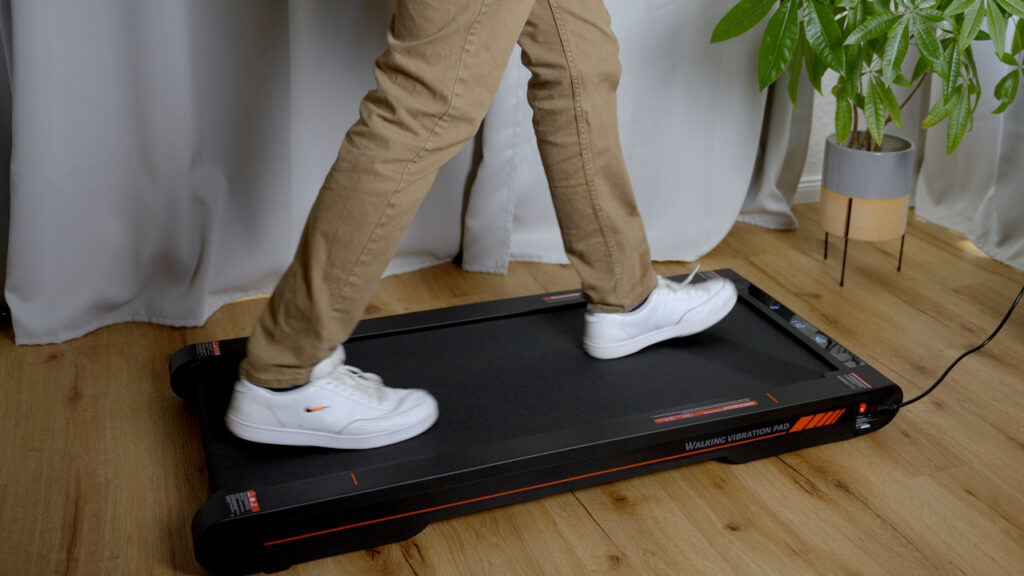
I have also reviewed these models, and they are the closest alternatives to the WalkingPad Z1. You can find all eleven models with a comparison table in my big walking pad review.
To provide you with an optimal experience, we use technologies such as cookies to store and/or access device information. If you consent to these technologies, we may process data such as browsing behavior or unique IDs on this website. If you do not give or withdraw your consent, certain features and functions may be impaired.
Functional
Always active
The technical storage or access is strictly necessary for the legitimate purpose of enabling the use of a specific service expressly requested by the subscriber or user, or for the sole purpose of carrying out the transmission of a communication over an electronic communications network.
Preferences
The technical storage or access is necessary for the legitimate purpose of storing preferences that have not been requested by the subscriber or user.
Anonymized statistics
Technical storage or access for statistical purposes only.Technical storage or access used solely for anonymous statistical purposes. Without a subpoena, the voluntary consent of your Internet service provider or additional records from third parties, the information stored or accessed for this purpose alone cannot generally be used to identify you.
Show YouTube videos
If you do not agree to this cookie, you will not be able to watch videos on the website.