Ad disclosure: Affiliate links (*). As an Amazon Associate, eBay Partner Network affiliate and member of other partner programs, I earn from qualifying purchases.
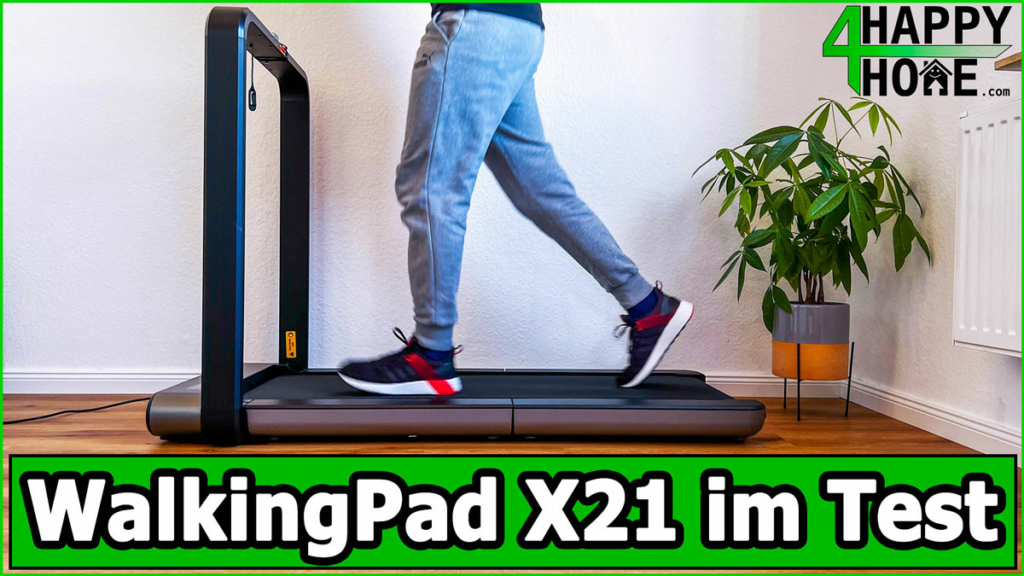
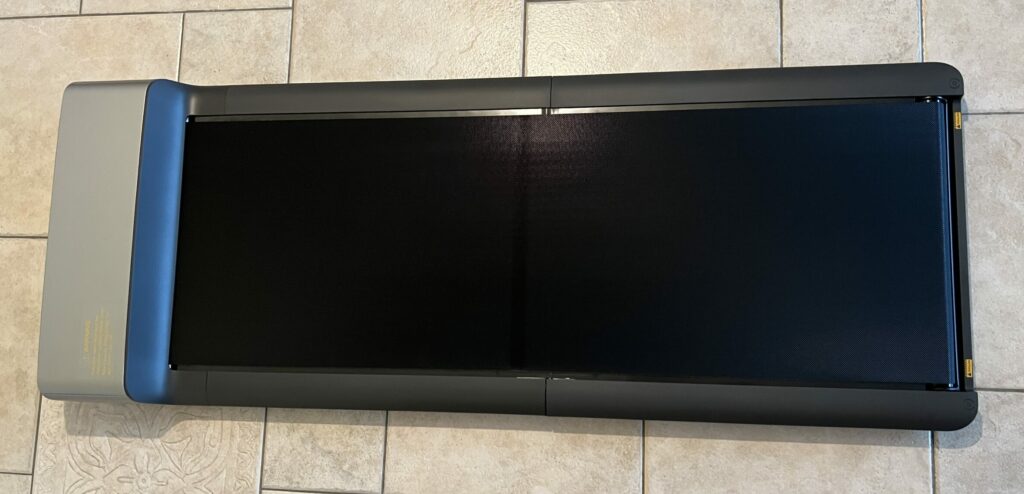
The WalkingPad X21 is an innovative double-folding treadmill that is perfect for home use. With a top speed of 12 km/h and a load capacity of up to 110 kg, it offers an optimal training experience for fast runners and leisurely walkers alike. Thanks to its compact dimensions and the option to store it upright, it is ideal for smaller flats. In this review I share my experience with the WalkingPad X21, including all its pros and cons.
My review video 🎥
Watch the review video for an overview and my personal verdict!
The video is in English.
Specs
Manufacturer: KingSmith
Colour: Space grey
Motor type: Brushless motor
Motor power: 918 W
Speed range: 1 – 12 km/h (0.6 – 7.5 mph)
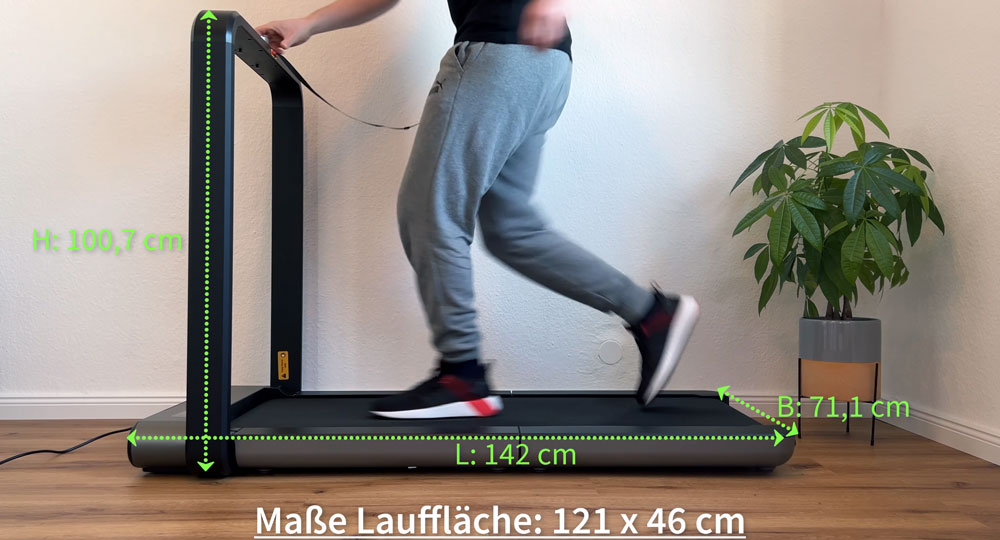
Running surface: 46 cm (W) x 121 cm (L)
Unfolded dimensions: 100.7 cm (H) x 71.1 cm (W) x 142 cm (L)
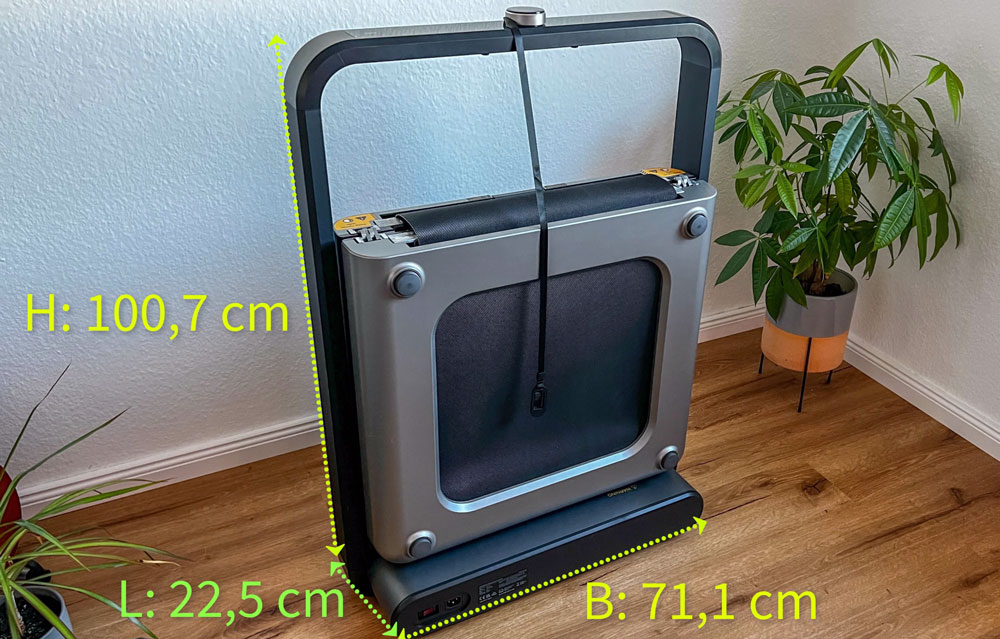
Folded dimensions: 100.7 cm (H) x 71.1 cm (W) x 22.5 cm (L)
Gross weight (packed): 42 kg
Max. user weight: 110 kg (242 lb)
Net weight: 37 kg
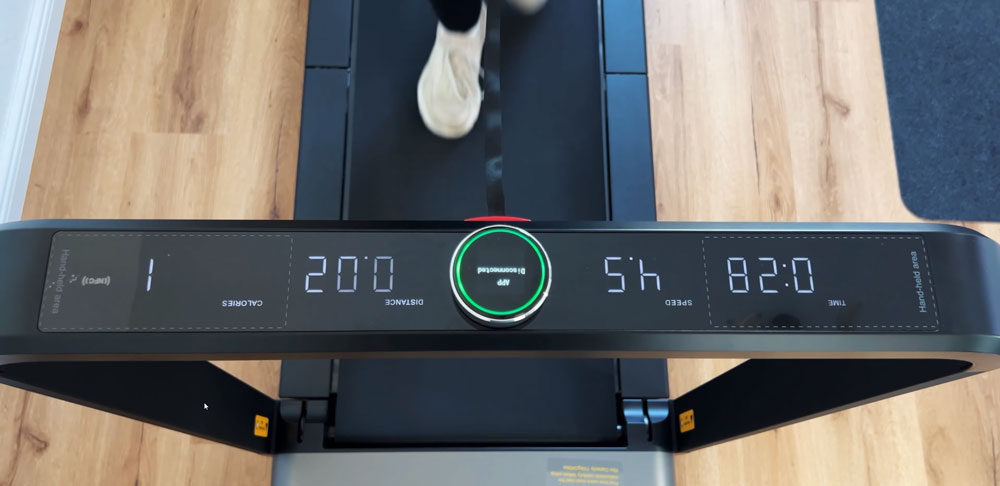
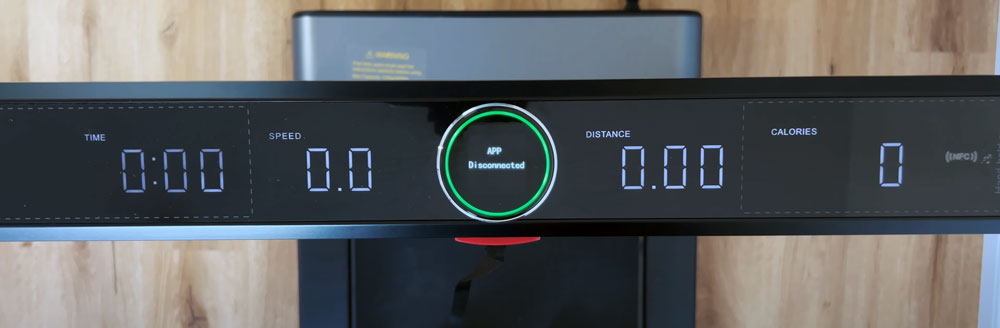
Displayed data: Time, speed, distance, calories
Pros
Adjustable feet
Quiet operation
Modern display
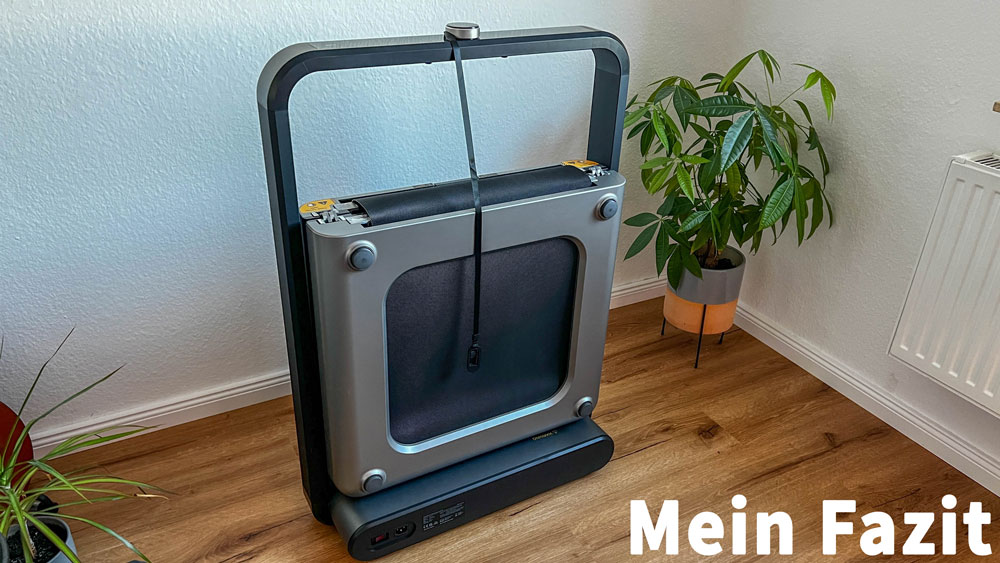
Innovative double-folding design
High-quality materials
Professional running surface
Overload protection
Child lock function
Cons
No incline
Loud beep when adjusting the speed
No remote control
Very small transport wheels
The WalkingPad X21 is a double-folding treadmill with 12 km/h (7.5 mph), a brushless 918-watt motor and high-quality build. Points of criticism: no incline, no remote control, a loud beep and very small transport wheels. Its successor, the X214, fixes some of them.
WalkingPad X21 Review
Introduction
Below I share my honest impressions and ratings to help you decide whether this walking pad is the right one for you.
This is a single review. You can find all my other walking pad and treadmill reviews in the walking pad category.
The essentials at a glance
1 to 12 km/h (0.6 to 7.5 mph), 110 kg (242 lb) max. load, 918 W motor, 121 x 46 cm (47.6 x 18.1 in) running surface.
Folds vertically to 22.5 cm (8.9 in) deep, 37 kg (81.6 lb), stands upright against a wall.
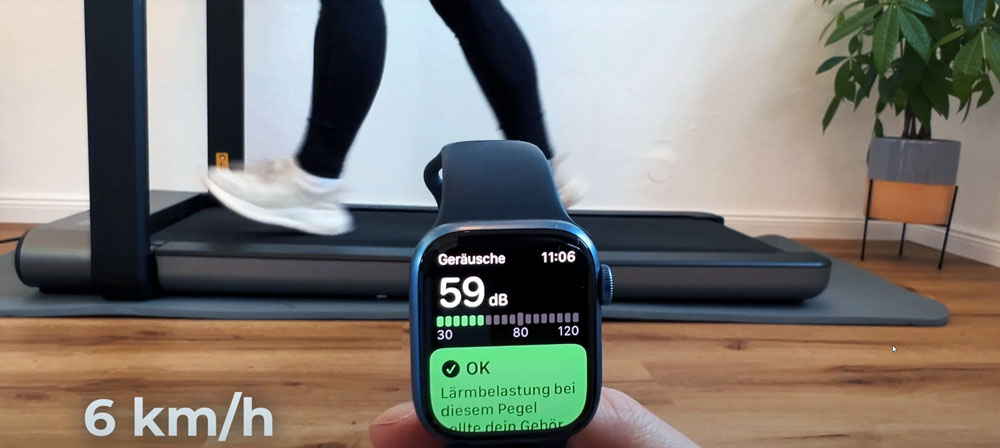
Measured noise level 49 to 75 dB depending on speed; the beep cannot be switched off.
Its successor, the X214, fixes these weaknesses; the X21 remains the cheaper entry point into the X series.
Design & build quality ★★★★★ (4.9/5)
The WalkingPad X21 impresses across the board with its modern, high-quality design. Despite its performance, it looks compact and blends unobtrusively into any living space. The excellent build quality and the use of first-class materials ensure durability and stability. The unit makes an extremely positive impression right from unboxing.
Category
Rating
Comment
Design
5.0/5
Modern, stylish and space-saving
Build quality
4.9/5
High-quality materials, excellent finish
Compactness
4.9/5
Only 22.5 cm deep when folded, very space-saving
First impression
4.9/5
High-quality with a pleasant smell when unboxing
Functionality ★★★★★ (4.7/5)
With a top speed of 12 km/h and a maximum user weight of 110 kg, the X21 offers versatile training options. Operation via the OLED display is intuitive, and app control extends the functionality. Small deductions for the loud beeping and the small transport wheels.
Category
Rating
Comment
Speed range
4.8/5
Up to 12 km/h, suitable for walking and running
Operation
4.7/5
Intuitive control via display and app
Extra functions
4.7/5
OLED display, tablet holder included
Transport wheels
4.4/5
Small wheels make moving on mats difficult
Acoustic feedback
4.0/5
Loud beep when adjusting, cannot be switched off
Ease of use ★★★★☆ (4.4/5)
Setup and assembly are simple and straightforward. Operation is either via the display or the app, which offers flexibility. The safety key increases safety, but could be dispensed with in walking mode. When used at the desk, control via the app is particularly practical.
Category
Rating
Comment
Setup
4.8/5
Quick and easy to fold and unfold
Operation
4.5/5
Easy via display or app
Safety features
4.3/5
Safety key required, even in walking mode
Accessibility of controls
4.2/5
Hard to reach when working at the desk
App functionality
4.5/5
Reliable app, good sync with health apps
Performance ★★★★★ (4.6/5)
The WalkingPad X21 offers excellent performance with a stable running feel and good cushioning. It stands securely and stably at any speed and is therefore suitable for effective training at home.
Category
Rating
Comment
Stability
4.7/5
Secure footing at all speeds
Cushioning
4.7/5
Very good shock absorption, easy on the joints
Running feel
4.8/5
Pleasant and comfortable
Max. user weight
4.6/5
Suitable for users up to 110 kg
Noise ★★★★☆ (4.2/5)
While the treadmill is pleasantly quiet at low speeds, the noise increases at higher speeds. The beep when adjusting the speed, which cannot be switched off, is a point of criticism. Using a rubber mat is recommended to reduce vibration.
Category
Rating
Comment
Noise level (low speed)
4.5/5
Quiet operation, ideal for flats
Noise level (high speed)
4.0/5
Louder, vibration noticeable
Acoustic feedback
4.0/5
Beep cannot be switched off, annoying
Sound insulation
4.3/5
A rubber mat reduces noise effectively
Value for money ★★★★★ (4.6/5)
Given the excellent build quality, versatile functions and strong performance, the WalkingPad X21 offers very good value for money. The small points of criticism are outweighed by the outstanding overall quality and functionality.
Category
Rating
Comment
Build quality
4.8/5
High-quality materials justify the price
Functionality
4.7/5
Extensive features for effective training
Compared to competitors
4.5/5
Better cushioning and stability than cheaper models
Long-term investment
4.6/5
Durable and reliable, worthwhile for daily use
Delivery and assembly
Dimensions and weight
Unfolded
Folded
Length
142 cm
22.5 cm
Width
71.1 cm
71.1 cm
Height
100.7 cm
100.7 cm
Running surface
121 cm x 46 cm
–
Weight
37 kg
–
Top speed
12 km/h
–
Max. user weight
110 kg
–
The WalkingPad X21 is delivered fully assembled and is ready to use immediately. The generous running surface offers enough space for comfortable running workouts. When folded, the length shrinks to just 22.5 cm, which allows space-saving storage.
Delivery experience and condition of the packaging
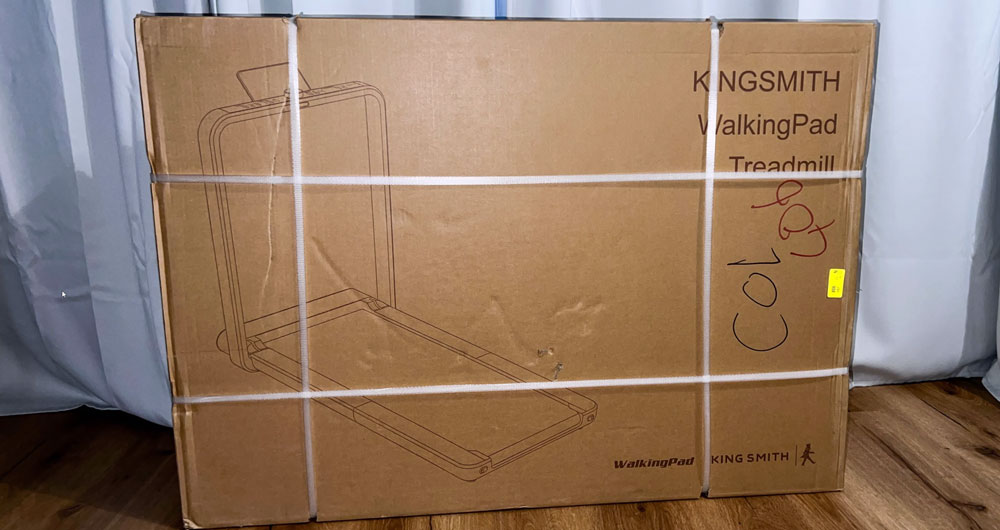
Shipping was fast and hassle-free via TNT. The detailed tracking was extremely helpful. Special mention goes to the friendly delivery driver, who even helped me carry the 42 kg (93 lb) package up to the third floor. The package arrived in perfect condition and was carefully packed with protective material. The first impression of the treadmill was very positive: it looked high-quality and had no unpleasant smell.
Storage and accessories
Folding and unfolding
The double-folding design of the WalkingPad X21 makes handling easy:
Unfolding: pull the safety lever (located under the treadmill and easy to grip), fold out the second half of the deck and make sure the belt is centred to avoid friction, then connect the treadmill to the power only after it is fully set up.
Folding: fold up one side of the deck, use the safety lever (grip it in the middle to avoid finger injuries) and fold the deck up until it locks, then tilt it slightly and move it on the transport wheels.
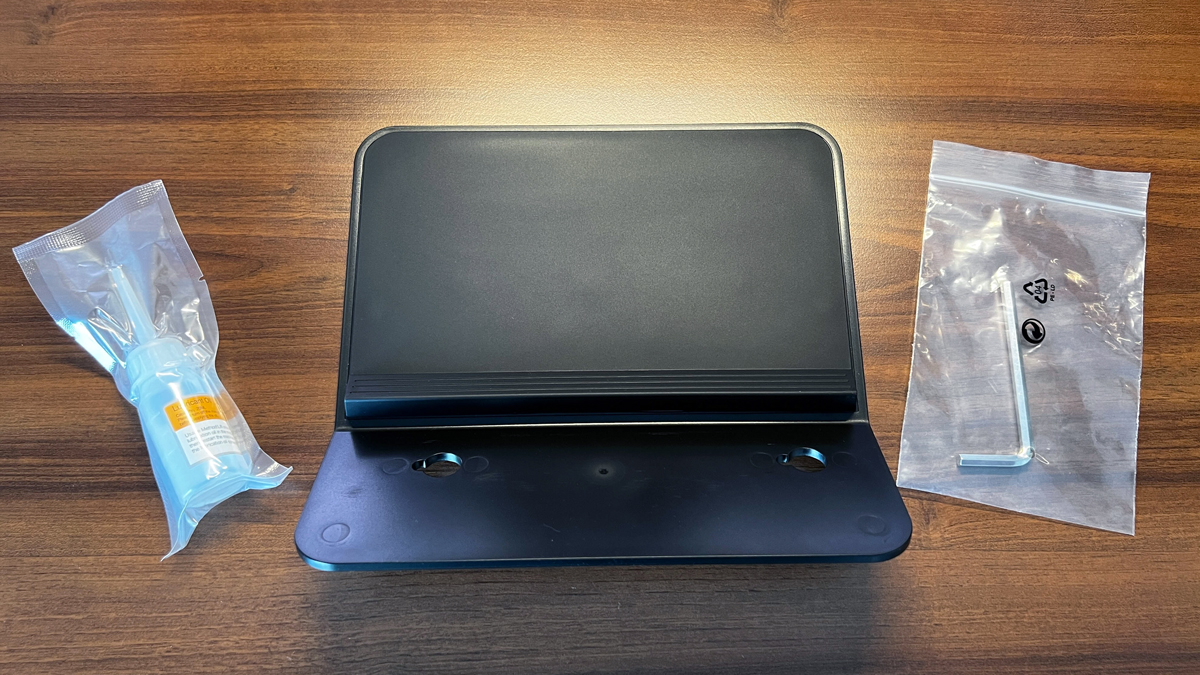
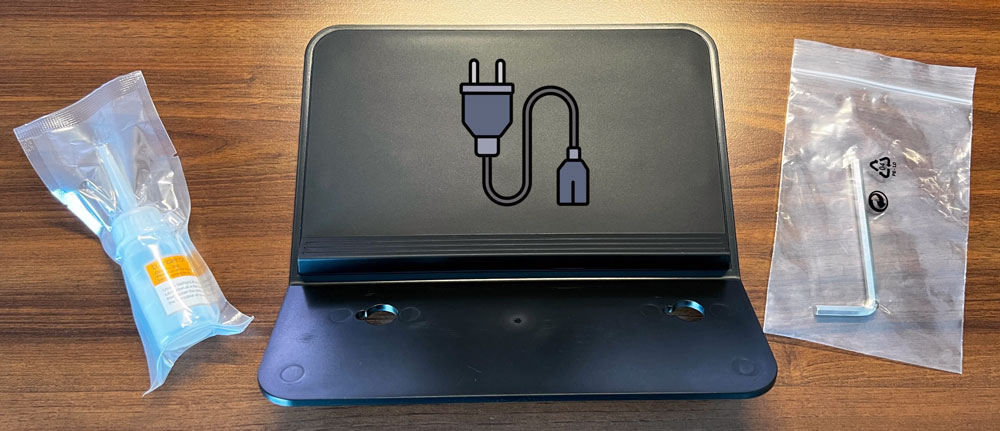
Accessories included:
Lubricating oil: For maintaining the treadmill.
Power cable (1.95 m): Long enough for flexible placement.
Tablet holder: For entertainment during training.
Allen key: For readjusting the belt if needed.
Operation and safety
Display and controls
The WalkingPad X21 has a high-quality OLED display that shows the following information:
Elapsed time
Speed
Distance
Calories burned
Number of steps
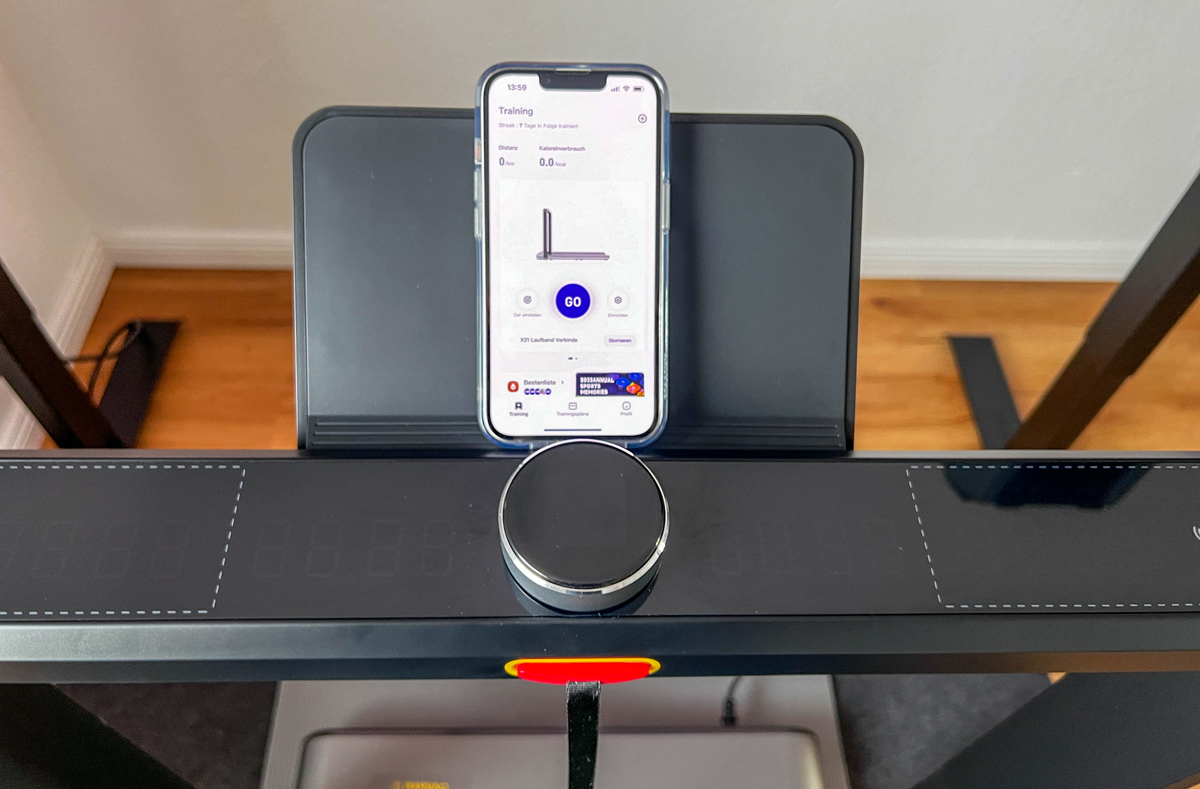
The speed can be adjusted on the main knob in 0.1 km/h steps. However, every adjustment produces a loud beep that currently cannot be disabled or turned down, a point that could be improved.
Safety features:
Safety key: Must be inserted to start the treadmill. If removed, the treadmill stops immediately.
Emergency stop: In the event of a fall, the treadmill stops instantly when the safety key is pulled.
App connectivity
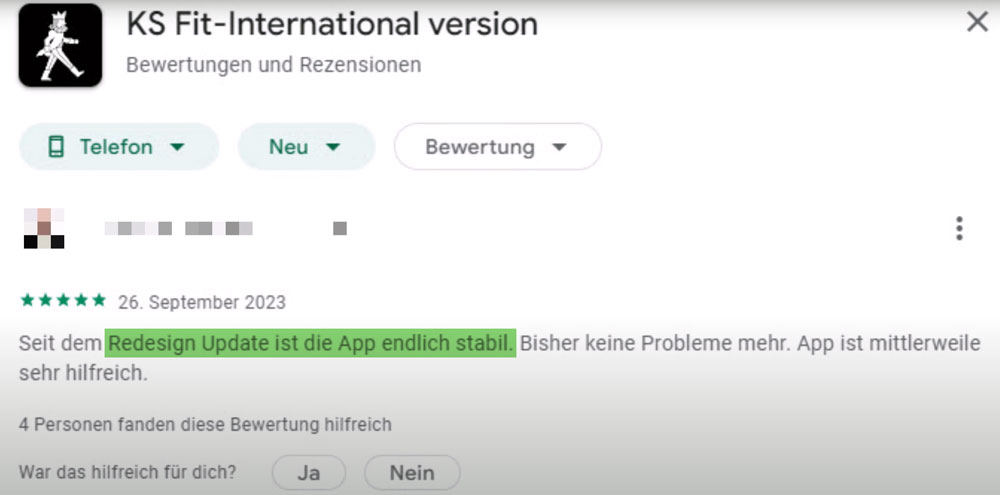
The KS Fit app has improved significantly after a major update:
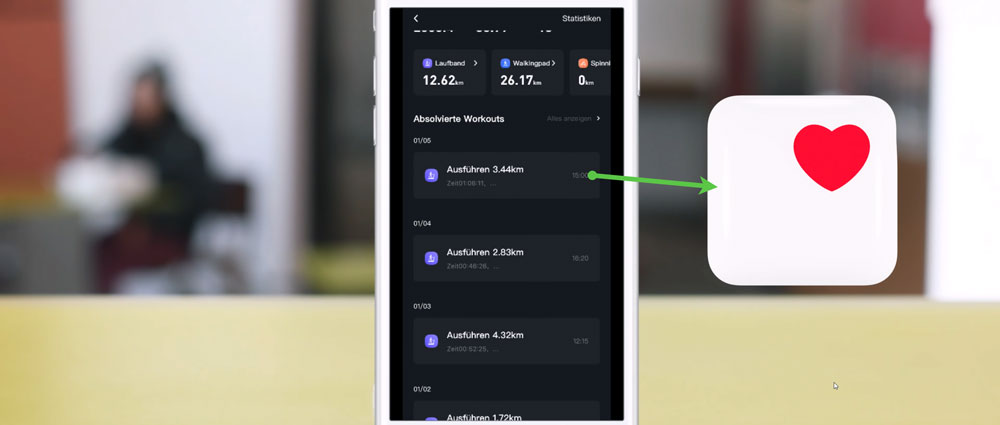
Functions: controlling the treadmill (start, stop and speed adjustment), creating training plans with goals by distance, time or calories, data transfer to health apps such as Apple Health, and a child lock that locks the treadmill completely until it is unlocked via the app.
Note: A remote control is not included, but it is not needed either, as control is via the rotary knob or the app.
WalkingPad X21: Motor, speed and running feel
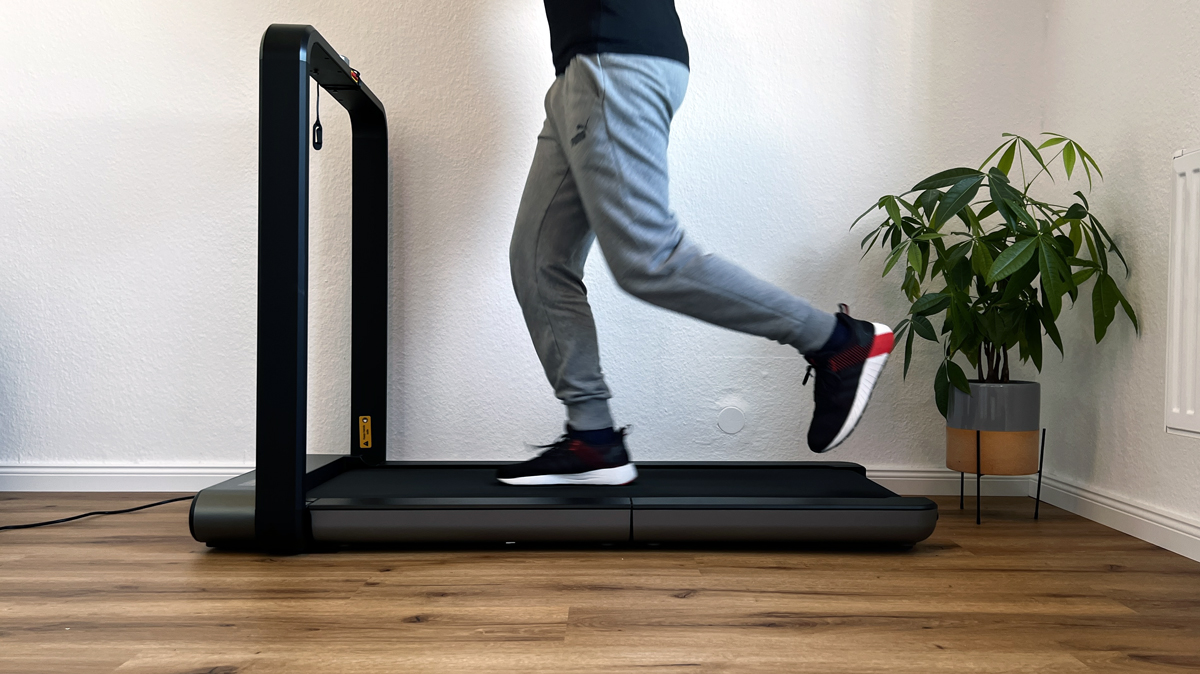
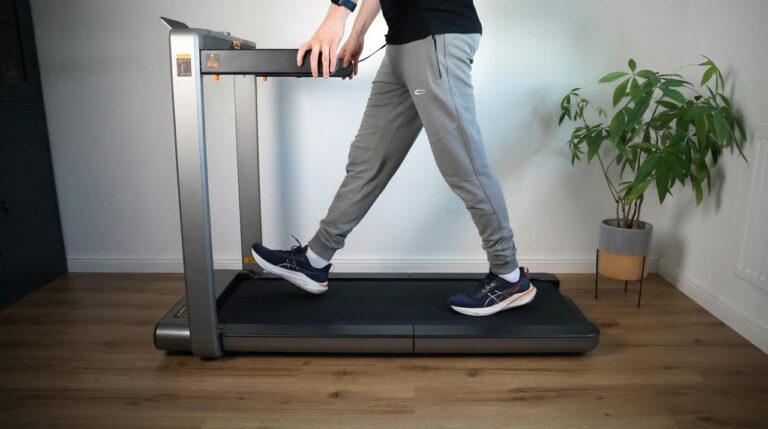
You start it via the main button in the middle of the handrail. After three seconds the belt starts moving at 2 km/h (1.2 mph). You don’t have to be standing on the running surface for this, and that’s exactly the difference to the WalkingPad P1, which I tested before. A handy side effect: I let the belt run idle and vacuum over it. Dust and dirt collect on the running surface over time, and it’s hard to get them out while the belt is standing still.
What convinced me most about the running feel was the cushioning. It’s noticeably better than on the P1, so the belt transmits less vibration to the floor from the start. To me, that makes the X21 not just a walking aid but a full-fledged treadmill: it stands securely at any speed, even when I push it all the way up to 12 km/h (7.5 mph).
Speed
What I use it for
What to watch out for
2 to 5 km/h (1.2 to 3.1 mph)
Working at the desk, phone calls, collecting steps
The built-in cushioning is usually enough here without an extra mat
5 to 8 km/h (3.1 to 5 mph)
Watching films and shows, brisk walking to light jogging
From here on I always put a thick rubber mat under the unit
8 to 12 km/h (5 to 7.5 mph)
Running workouts
Clip the safety key to your clothing; the rotary knob must stay within reach
Which pace makes sense for which goal is summarised in the guide Walking Pad Speed.
WalkingPad X21 at the desk: height, reach and steps
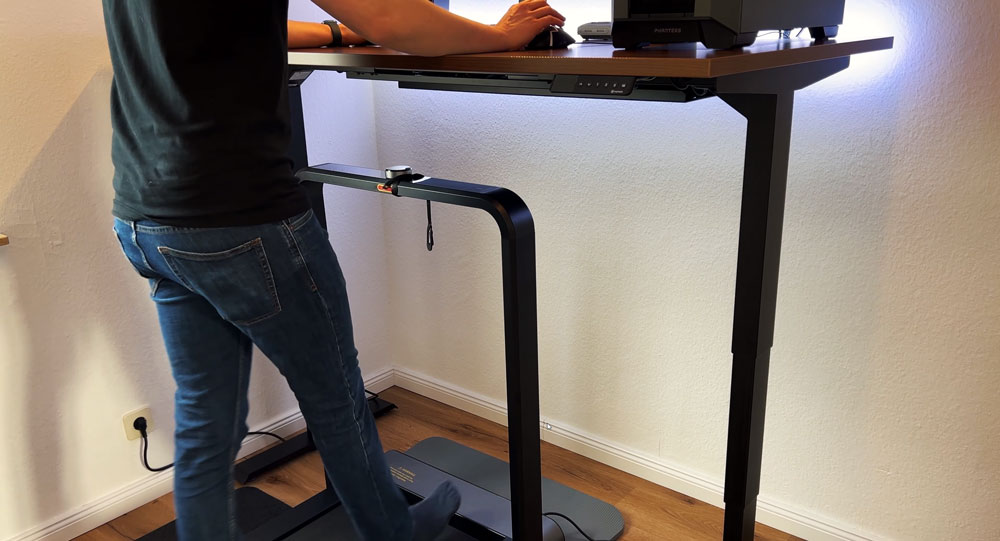
At the desk, it’s not the height of the running surface that matters, but the handrail with the display: it stands about 100.7 cm (39.6 in) tall, and on the X21 it can’t be folded away. I’m 1.86 m (6 ft 1 in) tall and work standing at a desk height of around 126 cm (49.6 in). If you want some buffer between the display and the desktop, your desk should be able to rise to at least 115 cm (45.3 in). Without a height-adjustable desk, this combination doesn’t work.
The second issue at the desk is the controls. With the belt positioned under the desktop, the rotary knob is hard to reach. That’s why, in my home office, I start and control it exclusively via the app. In this position I don’t run, I walk: at a normal walking pace I get around 5,000 to 6,000 steps per hour and a good 200 calories. I work out how tall your desk needs to be for all models in the guide Walking Pad and Desk Height.
In front of the TV and while gaming
For films and shows, I move the treadmill far enough from the desk that I can still see the display. There, it’s fine to go faster too, my partner uses the X21 exactly that way. I’ve also tried gaming on it: there I’d recommend a relaxed pace, otherwise your concentration suffers. But you still rack up steps while doing it.
WalkingPad X21: What only the KS Fit app can do
You pair the app via Bluetooth; it searches for the belt and connects. Don’t be put off by the older app reviews: since the big update, the app has run without issues for me on both Android and iOS, and there wasn’t a single hiccup on either the P1 or the X21. Four settings are only available in the app, not on the unit itself:
Limit the top speed, so you don’t accidentally end up in sprint territory while turning the knob
Change the starting speed, preset to 2 km/h (1.2 mph)
Automatic stop as soon as your set goal by distance, time or calories is reached
Child lock: the display then only shows the lock, and you can only unlock it again via the app
On top of that comes your total performance across all sessions, and for me that’s the most important part of the app. There’s also a leaderboard of all WalkingPad owners, in case that kind of thing motivates you. How I fit 10,000 Steps at Your Desk into my working day is covered in the matching guide.
WalkingPad X21: Folding mechanism, wheels and floor mat
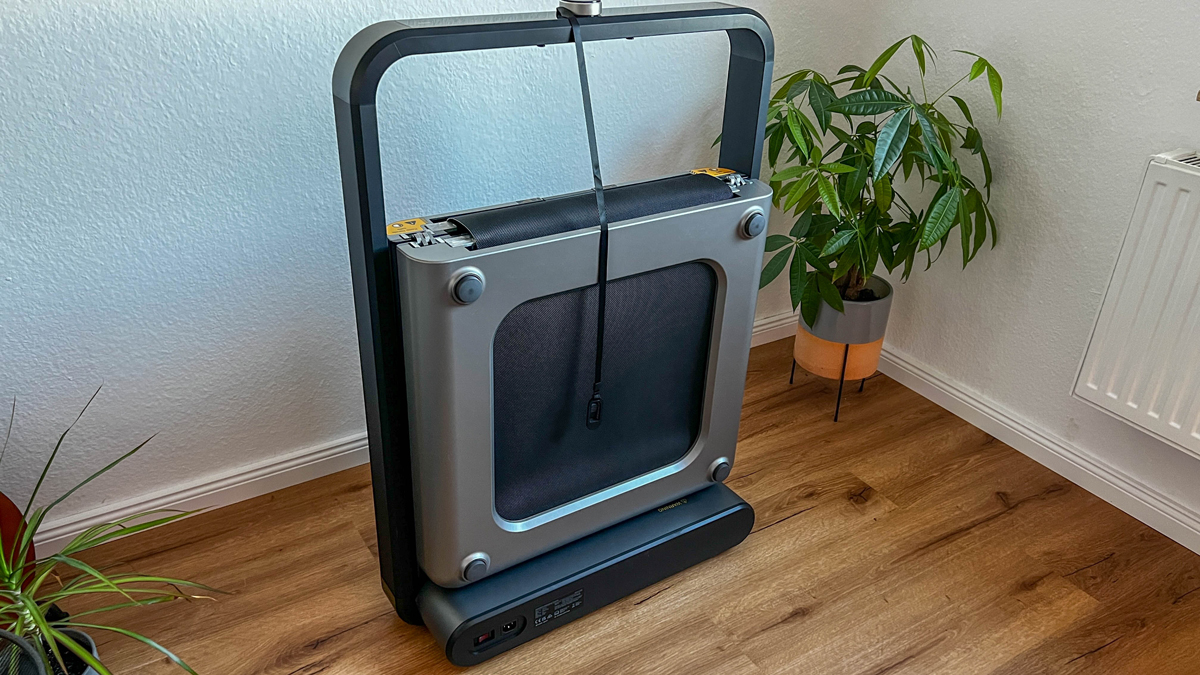
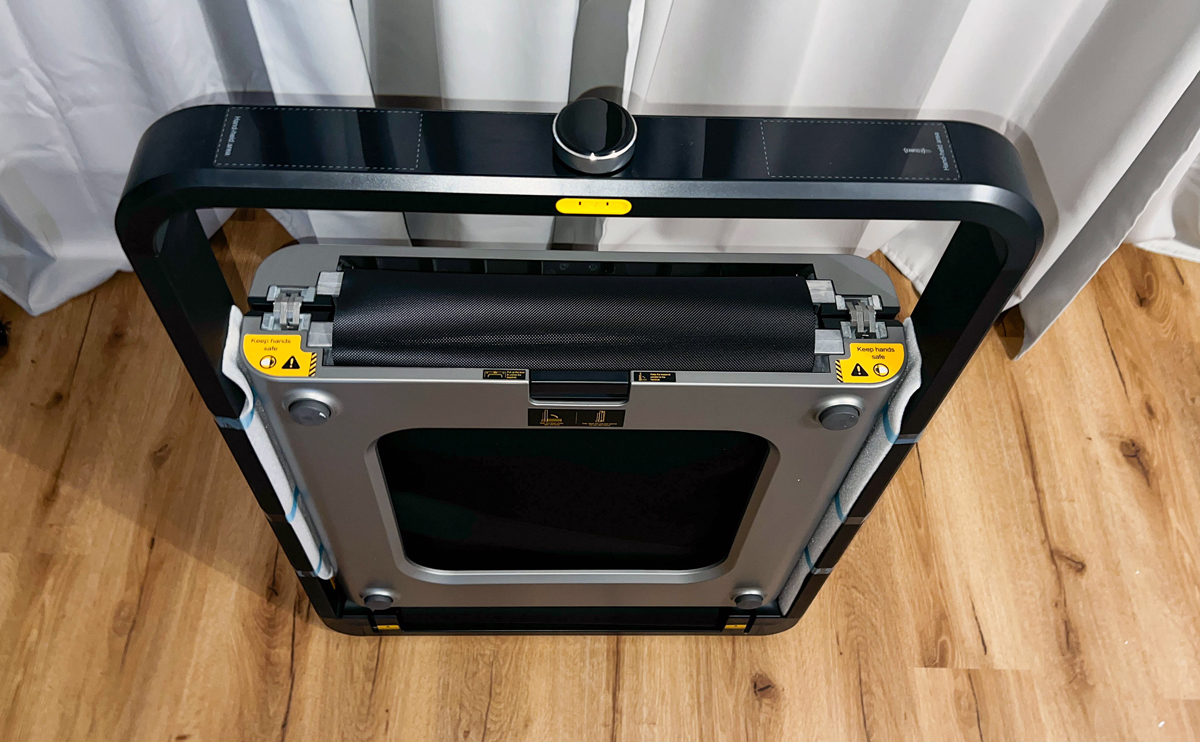
On the X21, the running surface itself folds in the middle. That’s why the length shrinks from 142 cm (55.9 in) to 22.5 cm (8.9 in), while width and height stay the same. The result isn’t a flat package but a narrow slab that stands upright against the wall. That’s exactly how the unit is meant to be stored: standing up.
There’s one trick worth remembering when folding it: grip the lever in the middle, not at the sides. Otherwise you risk pinching your fingers as the running surface comes together. The safety lever sits comfortably in the hand and easily carries the weight of the deck; you can hear it lock into place. And keep the power sequence in order: unfold it completely first, then plug it in, and switch it off before folding. Doing it the other way round risks damage.
A genuine drawback are the transport wheels. They are very small and not made for rubber mats. If the belt stands on a thick rubber mat, you simply can’t push or pull it on there, it doesn’t work. A thin floor-protection mat is easy enough, though you’ll still need a few tricks even there. Once the treadmill is on the mat, at least you can reposition it together with the mat. Larger wheels would solve the problem. My advice: plan for a fixed spot with the X21 rather than moving it around often. I’ve compared the folded dimensions of all the designs in the guide Foldable Walking Pads.
WalkingPad X21: Maintenance and care
Two things keep the belt in shape. First: when unfolding it, make sure the running surface sits centred. If it runs at an angle, it rubs against the sides, and you’ll hear and feel that immediately. Second, an Allen key is included. With it you can tighten the belt at the back or loosen it again if it has shifted. Lubricating oil is also in the box, so you don’t need to buy anything before you start.
A note on my measurement: I recorded the decibel values at different speed steps in my office, and the room was still fairly empty at the time, which amplifies sound. I can’t seriously quantify how much that affected the results, so take the numbers as a rough direction, not a lab result.
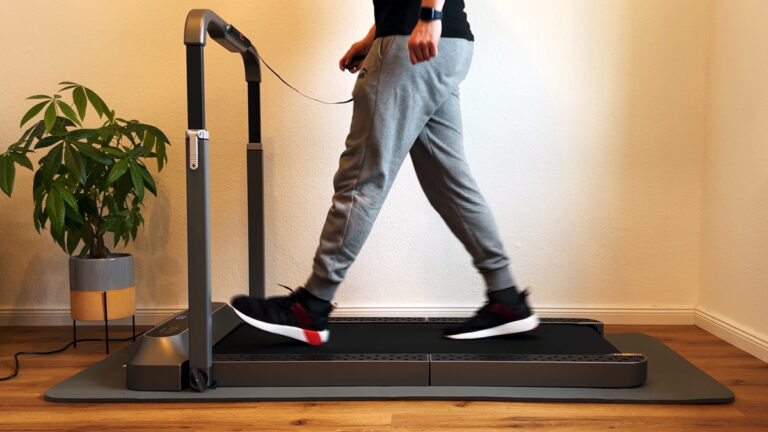
In everyday use, what matters less anyway is the number in the room and more what reaches the floor below. At a normal walking pace, roughly 2 to 5 km/h (1.2 to 3.1 mph), the built-in cushioning is enough in my experience. From that point on I always put a rubber mat underneath to absorb the vibrations, not a thin floor-protection mat, but nice thick rubber. In my case there’s also laminate flooring with impact-sound insulation underneath, which certainly doesn’t hurt.
I then did the real-world test with my neighbours. We asked both the flat below and the one next door: while jogging at 6 to 8 km/h (3.7 to 5 mph), nobody heard anything, even though it sounds loud in the room itself. With this combination, the X21 is fine for upper floors and attic flats without concern. I can’t say anything about tiled floors, since I haven’t tested that. Which underlay actually helps is covered in the guide Floor mat and noise protection.
The beep is louder than the treadmill
Every speed change is confirmed by the X21 with a beep, and you can neither switch it off nor turn it down. This isn’t a minor issue: I can hear it two rooms away, even with the door closed. That’s why I don’t feel comfortable starting the belt early in the morning or late at night, even though the running noise itself wouldn’t be a problem. Even for just a few minutes of walking, I leave it be at those times. For me, this is the unit’s biggest weakness.
What the WalkingPad X21 can’t do
No remote control. It’s controlled via the rotary knob or the app, and under a desk that means via the app.
The beep when adjusting speed can neither be muted nor turned down.
Very small transport wheels: the unit can’t be rolled on a thick rubber mat.
No incline. That applies to the entire X series.
No side handrails. There’s only the fixed handrail at the front, which also can’t be folded away.
The belt won’t start without the safety key inserted, not even for slow walking.
Top and starting speed, goals and child lock are only available in the app, not on the unit.
Can only be stored upright. That rules out a flat hiding spot under a sofa or bed.
Max. load tops out at 110 kg (242 lb).
WalkingPad X21, X214 or X218: where it fits in the X series
All three models fold in half and stand upright in the room. The differences lie in speed, running surface, load capacity and weight:
X21
X214
X218
Speed
1 to 12 km/h (0.6 to 7.5 mph)
1 to 14 km/h (0.6 to 8.7 mph)
1 to 18 km/h (0.6 to 11.2 mph)
Max. load
110 kg (242 lb)
110 kg (242 lb)
136 kg (300 lb)
Running surface
121 x 46 cm (47.6 x 18.1 in)
121 x 46 cm (47.6 x 18.1 in)
140 x 51 cm (55.1 x 20.1 in)
Weight
37 kg (81.6 lb)
43.2 kg (95.2 lb)
58.5 kg (129 lb)
Folded length
22.5 cm (8.9 in)
22.5 cm (8.9 in)
29.5 cm (11.6 in)
Side handrails
no
yes, foldable
yes, foldable
That makes the X21 the lightest of the three, and just as short when folded as its successor. The two points that bother me here are exactly what the X214 fixed: the beep can be muted via the app there, and the foldable side handrails give you something to hold onto at higher speeds. The X218 is the sporty model of the line-up with the widest running surface, but in exchange you have to move 58.5 kg (129 lb). If you can get the X21 on sale and can live with the beep, it stays a good treadmill. Buying new, I’d go for the X214.
Summary
The WalkingPad X21 convinces with its combination of functionality, design and ease of use. It is the ideal treadmill for anyone who does not want to miss out on effective training at home despite limited space.
Highlights:
Space-saving, double-folding design
Reliable performance and easy operation
Quiet operation, ideal for flats
Can be integrated into your working day
Recommendation: For anyone who wants to increase their physical activity without spending extra time, the WalkingPad X21 is an excellent choice.
The WalkingPad X21 compared
Here you can compare the X21 with the two other walking pads up to 12 km/h in the same category that I have also tested.
Walking mode: 0.5 – 6 km/h | running mode: 0.5 – 12 km/h
1 – 12 km/h
Noise level
approx. 48 – 70 dB (with rubber mat)
approx. 50 – 70 dB (with rubber mat)
approx. 49 – 75 dB (with rubber mat)
Unfolded (L x W x H)
145.2 x 73.6 x 100 cm
145.2 x 72 x 103.2 cm
142.0 x 71.1 x 100.7 cm
Running surface (L x W)
120 x 44 cm
120 x 44 cm
121 x 46 cm
Foldable
✔️
✔️
✔️
Folded (L x W x H)
102.4 x 73.6 x 16.1 cm
100 x 72 x 16.2 cm
22.5 x 71.1 x 100.7 cm
Storage
Upright | lying flat
Upright
Upright
Control / connectivity
Touch controls on the display | Bluetooth via KS Fit app
Remote | Bluetooth via KS Fit app
Manual via rotary knob | Bluetooth via KS Fit app | NFC pairing
Display
OLED (time, speed, distance, calories; steps in the app only)
LED (time, speed, distance, calories, steps)
OLED (speed, time, distance, calories)
Warranty
1 year
1 year
1 year
Special features
Large transport wheels | phone holder | shock absorption and noise reduction | brushless motor
2-in-1 mode: walking and running | folding design for space-saving storage | non-slip upright storage | integrated aluminium alloy frame | shock absorption and noise reduction | brushless motor
Wide running surface | very well cushioned, suitable for upper floors
I have also made a comparison video (in German) in which I compare the WalkingPad X21 with the MC11 and the R2.
WalkingPad discount
Use my links to the WalkingPad store above: the discount is activated automatically when you click through and is deducted in the cart.
Enjoy your new WalkingPad!
Kingsmith WalkingPad X21: Technical data
Feature
Value
Max. load
110 kg (242 lb)
Weight
37 kg (81.6 lb)
Motor
approx. 918 W, brushless
Speed
1 to 12 km/h (0.6 to 7.5 mph)
Running surface
121 x 46 cm (47.6 x 18.1 in)
Unfolded dimensions
142 x 71.1 x 100.7 cm (55.9 x 28 x 39.6 in)
Folded dimensions
22.5 x 71 x 101 cm (8.9 x 28 x 39.8 in)
Storage
upright
Control
KS Fit app, NFC, OLED display in the handrail
Display
OLED in the handrail
Special features
double-fold, NFC pairing
Measurements from my test
What
Result
Noise
approx. 49 to 75 dB with a rubber mat, depending on speed
Deck height
approx. 10 cm (3.9 in) running surface, 101 cm (39.8 in) with the handrail
Folded size
22.5 x 71 x 101 cm (8.9 x 28 x 39.8 in), 37 kg (81.6 lb), stored upright
Test scope
at least 10,000 steps, walking and running (see comparison review)
How I test: every walking pad runs under my desk at home; where possible, I measure the noise level from one metre away, and for the newer reviews also the power draw via a plug-in meter.
Alternatives to the WalkingPad X21
I have also reviewed these models, and they are the closest alternatives to the WalkingPad X21. You can find all eleven models with a comparison table in my big walking pad review.
Frequently asked questions about the WalkingPad X21
How fast is the WalkingPad X21?
1 to 12 km/h on a 121 × 46 cm running surface, driven by a brushless 918-watt motor.
Does the WalkingPad X21 have a remote control?
No, it is controlled via the rotary knob or the app. The button sounds are also loud; they can only be muted on the successor X214 via the app, but the X214 has no remote either.
How much space does the X21 need when folded?
Thanks to the double-folding design, only 100.7 × 71.1 × 22.5 cm.
Where to buy
WalkingPad X21
Test unit provided by the manufacturer. The review was not approved by them beforehand.
To provide you with an optimal experience, we use technologies such as cookies to store and/or access device information. If you consent to these technologies, we may process data such as browsing behavior or unique IDs on this website. If you do not give or withdraw your consent, certain features and functions may be impaired.
Functional
Always active
The technical storage or access is strictly necessary for the legitimate purpose of enabling the use of a specific service expressly requested by the subscriber or user, or for the sole purpose of carrying out the transmission of a communication over an electronic communications network.
Preferences
The technical storage or access is necessary for the legitimate purpose of storing preferences that have not been requested by the subscriber or user.
Anonymized statistics
Technical storage or access for statistical purposes only.Technical storage or access used solely for anonymous statistical purposes. Without a subpoena, the voluntary consent of your Internet service provider or additional records from third parties, the information stored or accessed for this purpose alone cannot generally be used to identify you.
Show YouTube videos
If you do not agree to this cookie, you will not be able to watch videos on the website.