Ad disclosure: Affiliate links (*). As an Amazon Associate, eBay Partner Network affiliate and member of other partner programs, I earn from qualifying purchases.
The WalkingPad R2 has convinced me with its innovative folding design and 2-in-1 functionality. With speeds of up to 6 km/h in walking mode and up to 12 km/h in running mode, it offers flexibility for a wide range of training needs. Easy operation via remote and app plus space-saving storage make it an ideal solution for training at home, especially in smaller flats.
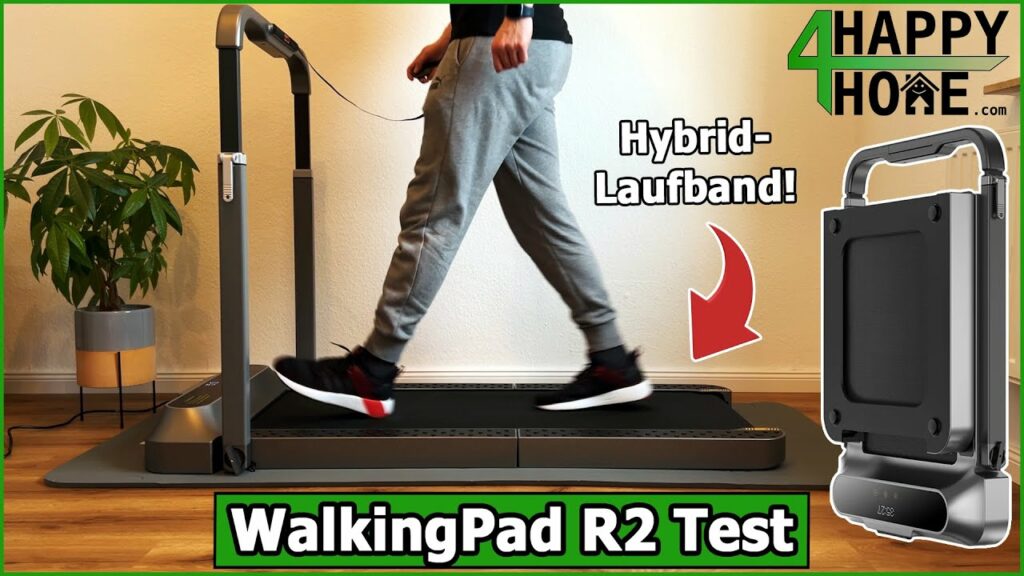
My review video 🎥
Watch the review video for an overview and my personal verdict!
The video is in English.
Specs
Manufacturer: KingSmith
Colour: Silver
Motor type: Brushless motor
Motor power: 918 W
Speed range: Walking mode up to 6 km/h, running mode up to 12 km/h
Displayed data: Time, speed, distance, calories and steps
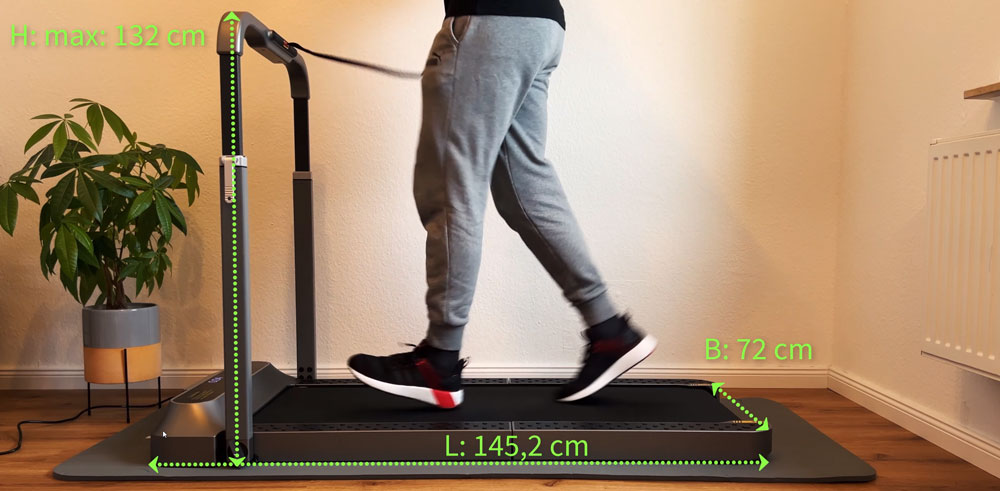
Unfolded dimensions: 145.2 x 72 x 103.2 cm
Folded dimensions: 100 x 72 x 16.2 cm
Running surface: 120 cm x 43.9 cm
Net weight: 36 kg
Gross weight (packed): 40.5 kg
Max. user weight: 110 kg (242 lb)
Control: Remote and KS Fit app
Pros
Innovative folding design
2-in-1 function
Easy assembly and setup
Good shock absorption and running comfort
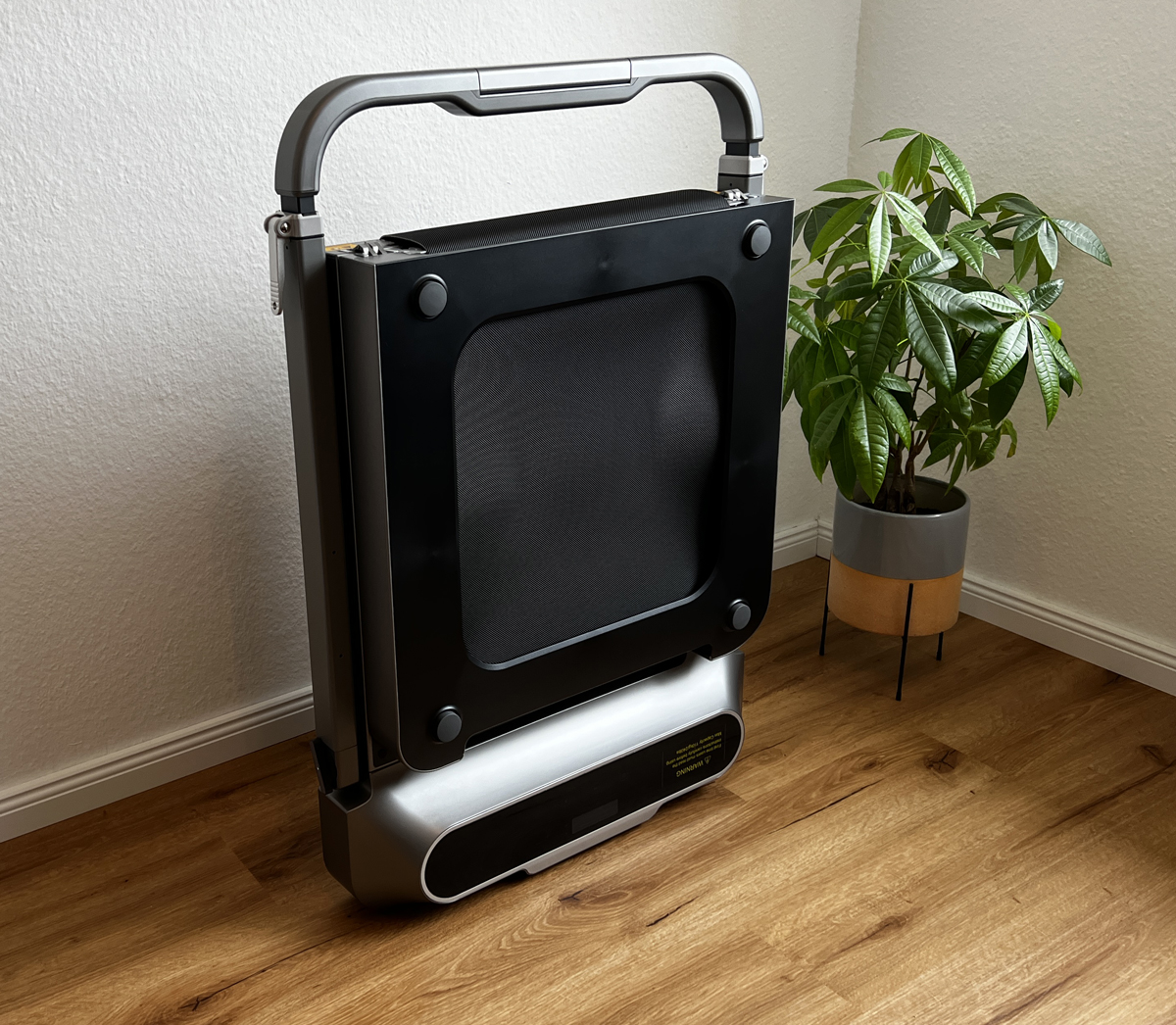
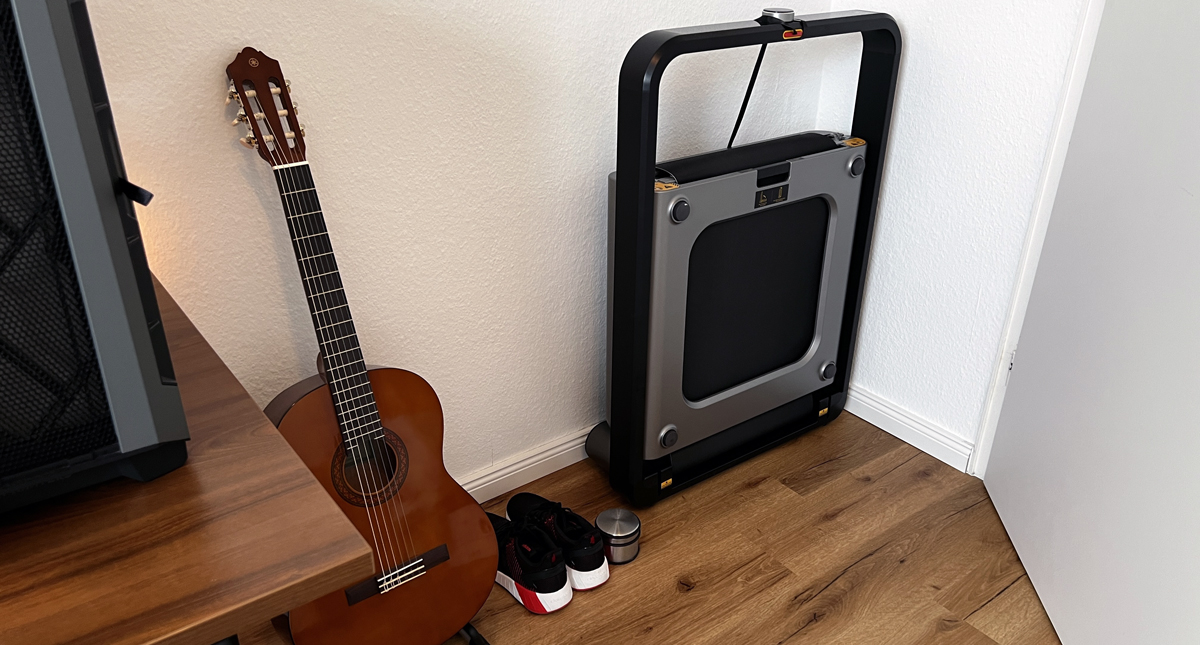
Space-saving and easy to store
Compatible with fitness apps
Quiet operation at low speeds
Cons
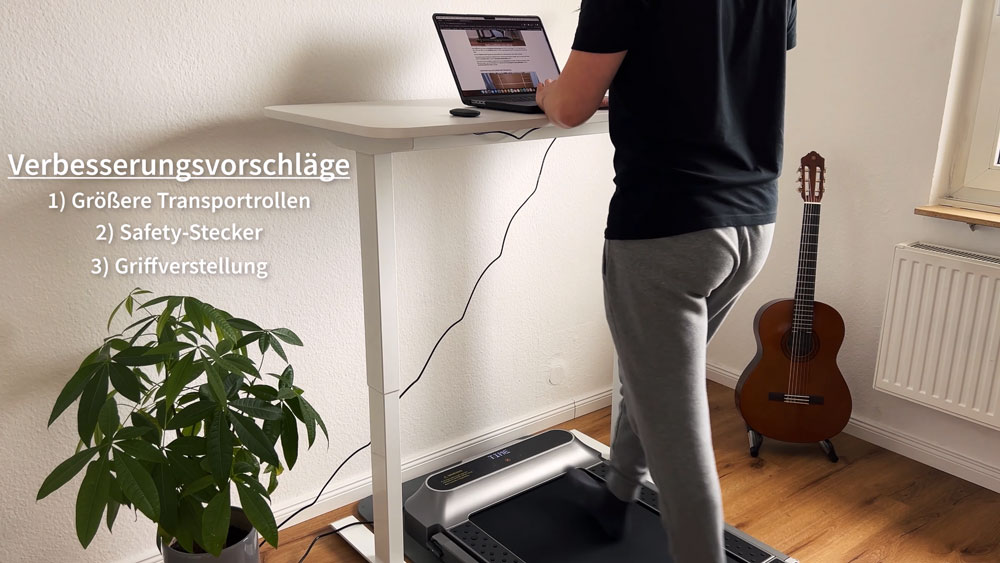
Vertical handle adjustment could be easier
Small transport wheels make it hard to move on mats or carpets
Safety key also required in walking mode
Noise increases at higher speeds
The WalkingPad R2 is a folding 2-in-1 treadmill: walking mode up to 6 km/h (3.7 mph), running mode up to 12 km/h (7.5 mph), with good shock absorption and fitness app connectivity. Its weaknesses are the small transport wheels, the handle adjustment and the noise at high speed.
Key facts at a glance
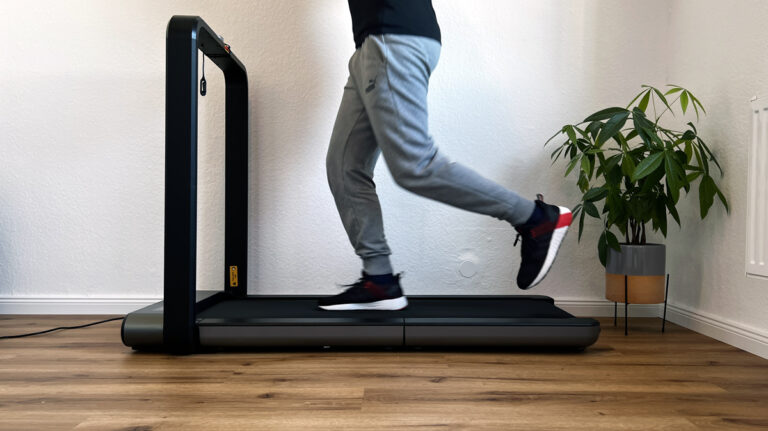
0.5 to 12 km/h (0.3–7.5 mph) in two modes: walking without the handrail, running with it.
Measured: 49.9 dB at 2 km/h (1.2 mph), 70.2 dB at 12 km/h (7.5 mph).
110 kg (242 lb) load rating, 36 kg (79 lb), folds 180 degrees down to 100 cm (39.4 in).
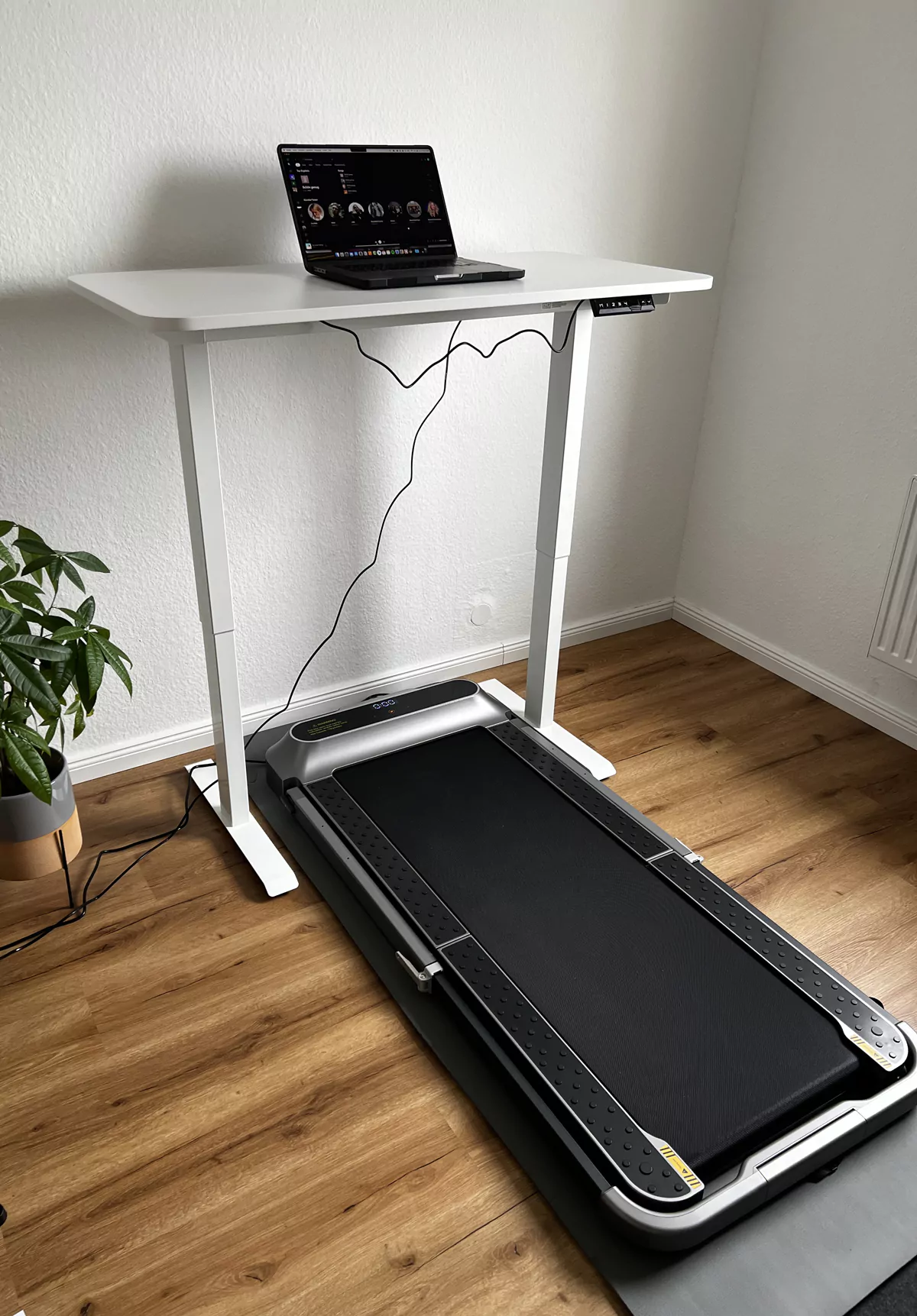
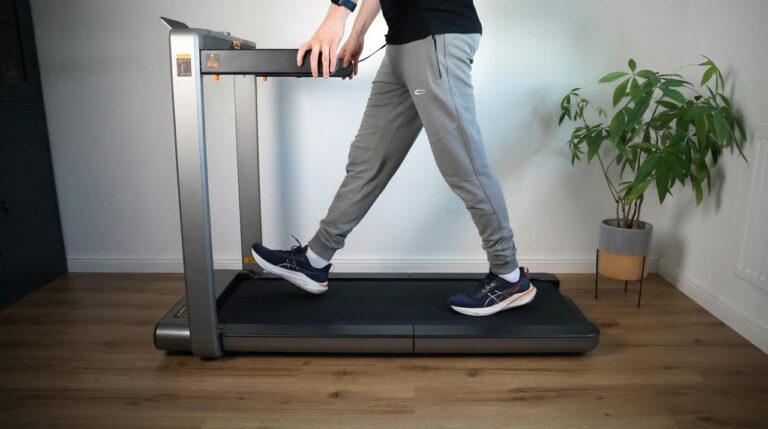
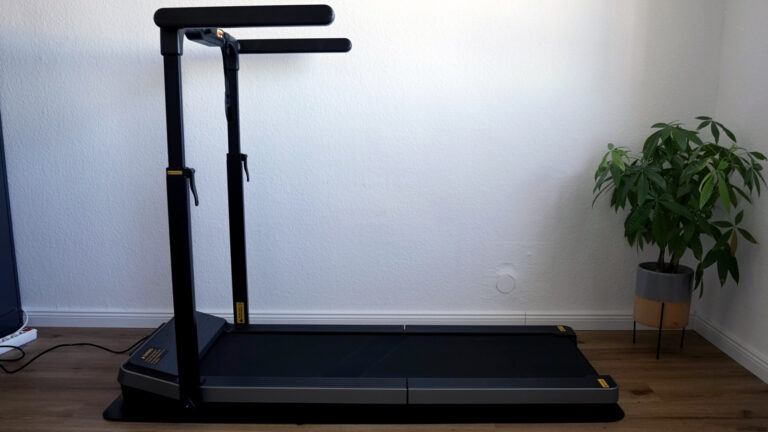
Foldable handrail that folds away for desk work.
My WalkingPad R2 review
Below I share my honest impressions and ratings to help you decide whether this WalkingPad is the right one for you.
This is a single review. All eleven models I tested, with a comparison table, are in my big walking pad review. You can find all my other walking pad and treadmill reviews in the walking pad category.
Design & build quality ★★★★☆ (4.6/5)
The WalkingPad R2 impresses with its modern and functional design. The folding concept allows space-saving storage after training, which is a big advantage especially in small flats. The high-quality finish and robust materials such as the aluminium alloy give the unit first-class quality.
Category
Rating
Comment
Design
4.7/5
Modern and space-saving design
Build quality
4.6/5
High-quality materials, robustly built
Compactness
4.8/5
Easy to fold and store
Transport wheels
4.2/5
Small wheels make moving difficult on some surfaces
Functionality ★★★★☆ (4.5/5)
The 2-in-1 functionality of the WalkingPad R2 allows both walking and running, which makes training versatile. The speed ranges are appropriate for both modes. Control via remote and app works flawlessly. A small deduction because the safety key must also be inserted in walking mode.
Category
Rating
Comment
2-in-1 function
4.8/5
Walking and running mode with suitable speeds
Control
4.6/5
Easy operation via remote and app
Safety features
4.4/5
Safety key required, even in walking mode
App connectivity
4.5/5
Compatible with the KS Fit app and health apps
Ease of use ★★★★☆ (4.5/5)
Setup and operation are intuitive and user-friendly. Assembly takes only a few steps, and the manual is clear and understandable. The remote makes control easy during training. The handle height is adjustable, but could be a little easier to adjust.
Category
Rating
Comment
Setup
4.7/5
Quick and easy assembly
Operation
4.6/5
Intuitive control via remote
Adjustability
4.3/5
Handle height adjustable, adjustment a bit stiff
Manual
4.5/5
Clear and understandable manual
Performance ★★★★☆ (4.4/5)
The treadmill offers solid performance in walking and running mode. The cushioned running surface provides a pleasant running feel and is easy on the joints. At higher speeds, impact noises are more noticeable.
Category
Rating
Comment
Running performance
4.5/5
Reliable performance up to 12 km/h
Running comfort
4.6/5
Good cushioning and pleasant running surface
Max. user weight
4.7/5
Supports up to 110 kg
Impact noise
4.0/5
Noticeable at higher speeds
Noise ★★★★☆ (4.2/5)
At low speeds the WalkingPad R2 is pleasantly quiet. From 6 km/h the noise increases and impact sounds become more noticeable. A rubber mat under the unit can help reduce the noise.
Category
Rating
Comment
Noise level (low speed)
4.5/5
Very quiet, ideal for the home office
Noise level (high speed)
4.0/5
Louder, impact noises noticeable
Sound insulation
4.2/5
A rubber mat reduces noise effectively
Neighbour-friendly
4.1/5
No problem at low speeds
Here is my evaluation of the noise measurement at each speed, with a rubber mat underneath:
Speed
Measured (dB)
Comparison (dB)
Description
2 km/h
49.9
50 dB
Quiet music, birdsong
4 km/h
53.1
55 dB
TV at room volume
6 km/h
56.6
60 dB
Normal conversation
8 km/h
60.0
60 dB
Normal conversation
10 km/h
65.1
65 dB
Loud conversation, sewing machine
12 km/h
70.2
70 dB
Vacuum cleaner, hair dryer
Value for money ★★★★☆ (4.5/5)
Given the high-quality build and the versatile functions, the WalkingPad R2 offers excellent value for money. The investment is particularly worthwhile for those looking for a compact yet powerful treadmill.
Category
Rating
Comment
Functionality
4.6/5
Extensive functions for the price
Build quality
4.5/5
High-quality materials and stability
Compared to competitors
4.4/5
Competing models are often less flexible
Long-term investment
4.6/5
Durable and reliable
Delivery and unboxing
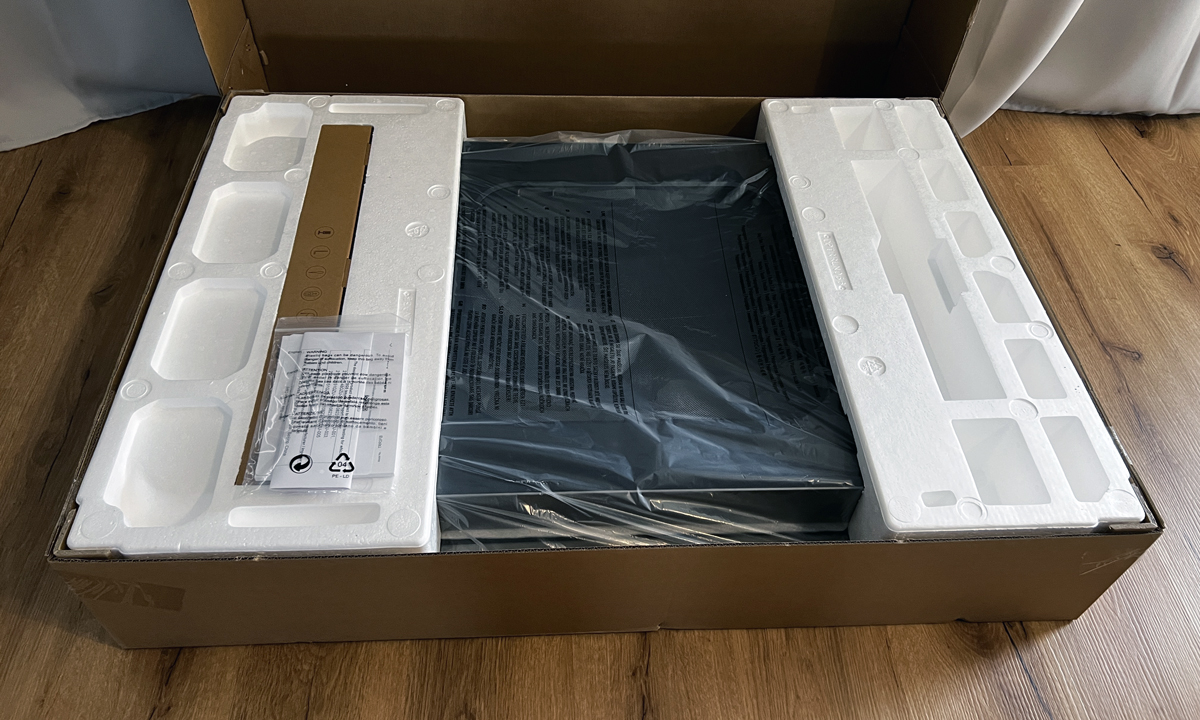
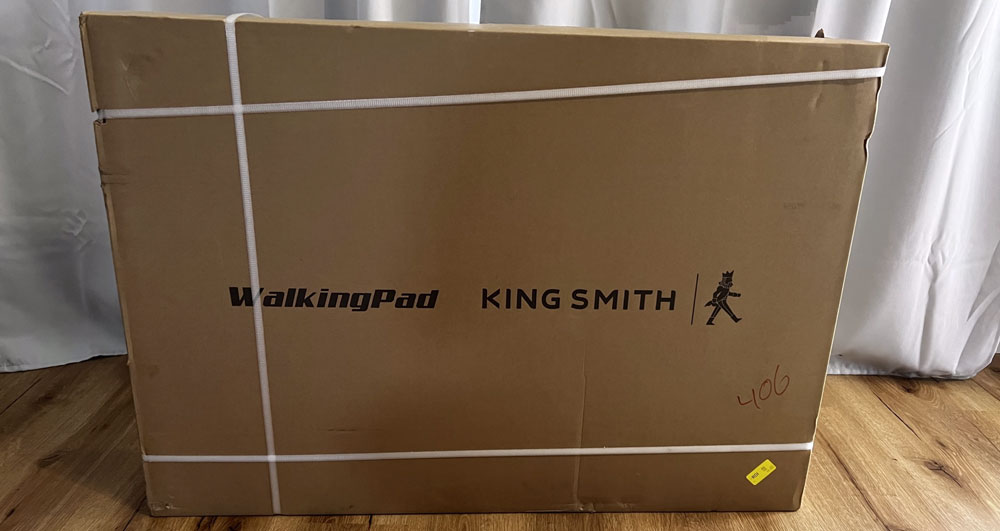
The WalkingPad R2 was delivered by the carrier TNT and everything went extremely smoothly. Just a few days after ordering, the package was at my door. I would particularly like to highlight the committed delivery driver, who even helped me carry the heavy package up to my flat on the third floor. This extra service is not a given and left a positive impression.
The package itself was in perfect condition, without visible damage or dents. The packaging was robust and well thought out to protect the treadmill optimally during transport. When opening it, I immediately noticed that every part was carefully secured and surrounded by protective material. This shows that the manufacturer places great value on safe delivery.
Inside the package, besides the treadmill itself, I found all the accessories neatly stowed. They included:
Remote control including battery: Allows convenient control of the treadmill during training.
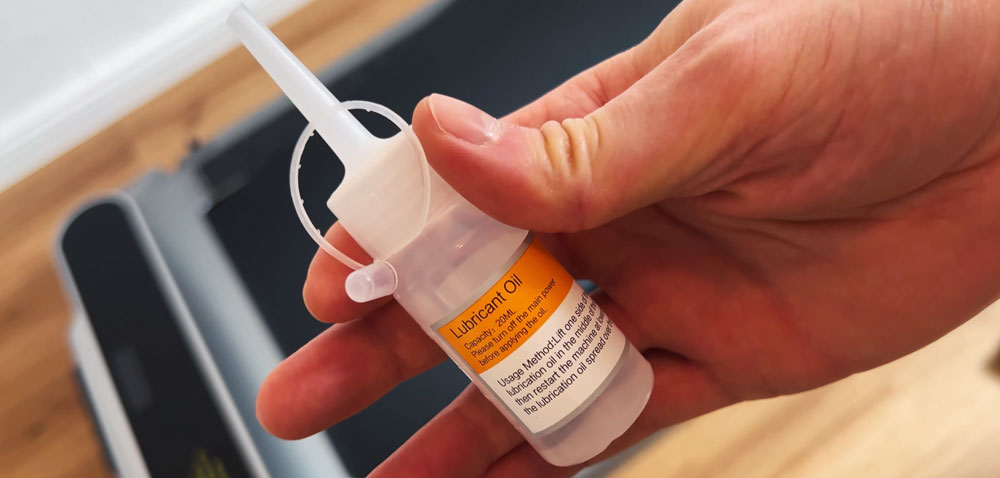
Lubricating oil: Important for maintenance and the longevity of the unit.
1.95 m power cable: Long enough to place the treadmill flexibly in the room.
Safety key: Serves as an emergency stop and increases safety during training.
Allen key: For any adjustments and settings on the unit.
User manual: Contains clear instructions in several languages.
The manual was written clearly and understandably, with detailed illustrations that made every step of assembly and setup easy to follow. That made getting started much easier and left no questions open.
When lifting the treadmill out, I noticed that at 36 kg it is quite heavy, but still manageable. The integrated transport wheels on the underside made it easier to move the unit around the flat.
Overall, I was very satisfied with the delivery and unboxing of the WalkingPad R2. The fast and safe delivery and the careful packaging left an excellent first impression and increased my anticipation for the first training sessions.
Initial setup and operation
The initial setup of the WalkingPad R2 was surprisingly simple and straightforward. Thanks to the clear manual and the well-thought-out design, I was able to get the treadmill ready in a short time.
Steps of the initial setup:
Unpacking the treadmill: After removing all packaging materials, I placed the treadmill in the desired spot. Thanks to its compact design, it fits easily into smaller rooms.
Unfolding the unit: The WalkingPad R2 has a simple folding mechanism. With a few movements, the treadmill unfolded completely. It is important that the unit is fully unfolded before connecting it to the power to avoid electrical problems.
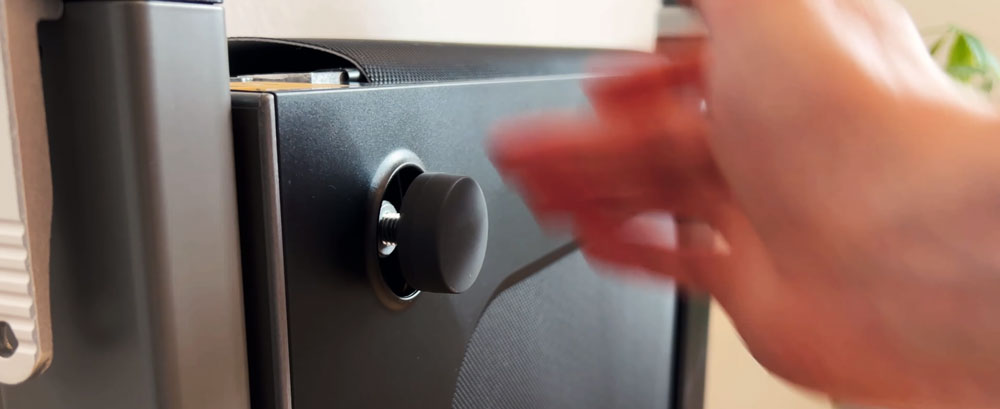
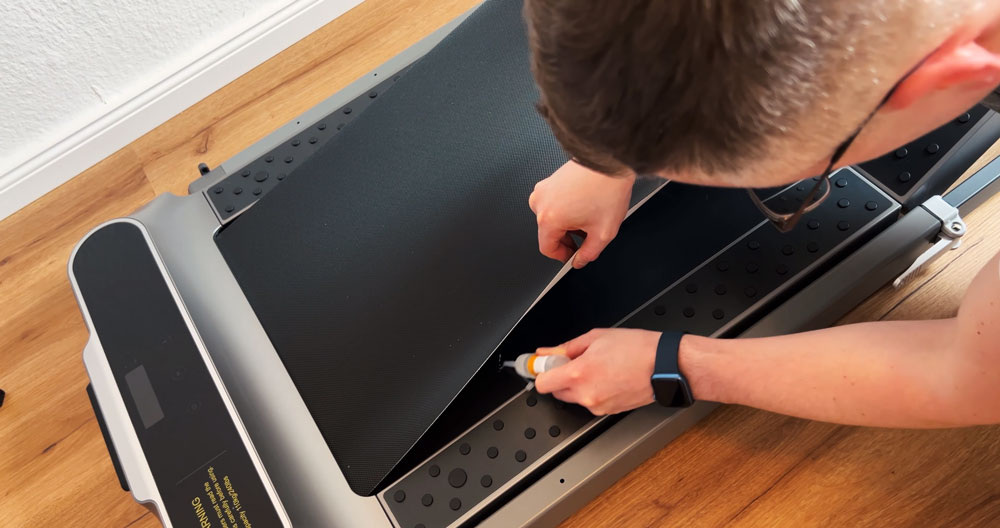
Adjusting the rear feet: The rear feet are height-adjustable, which allows the treadmill to be aligned optimally on uneven floors. You simply turn them out by hand, no tools needed; the supplied Allen key is for adjusting the belt at the back.
Inserting the safety key: The safety key serves as an emergency stop switch and should always be inserted before switching on the unit. It simply plugs into the designated socket.
Connecting the power: With the 1.95 m power cable, I was able to connect the treadmill flexibly to a socket. The cable length offers enough leeway to place the unit in different spots in the room.
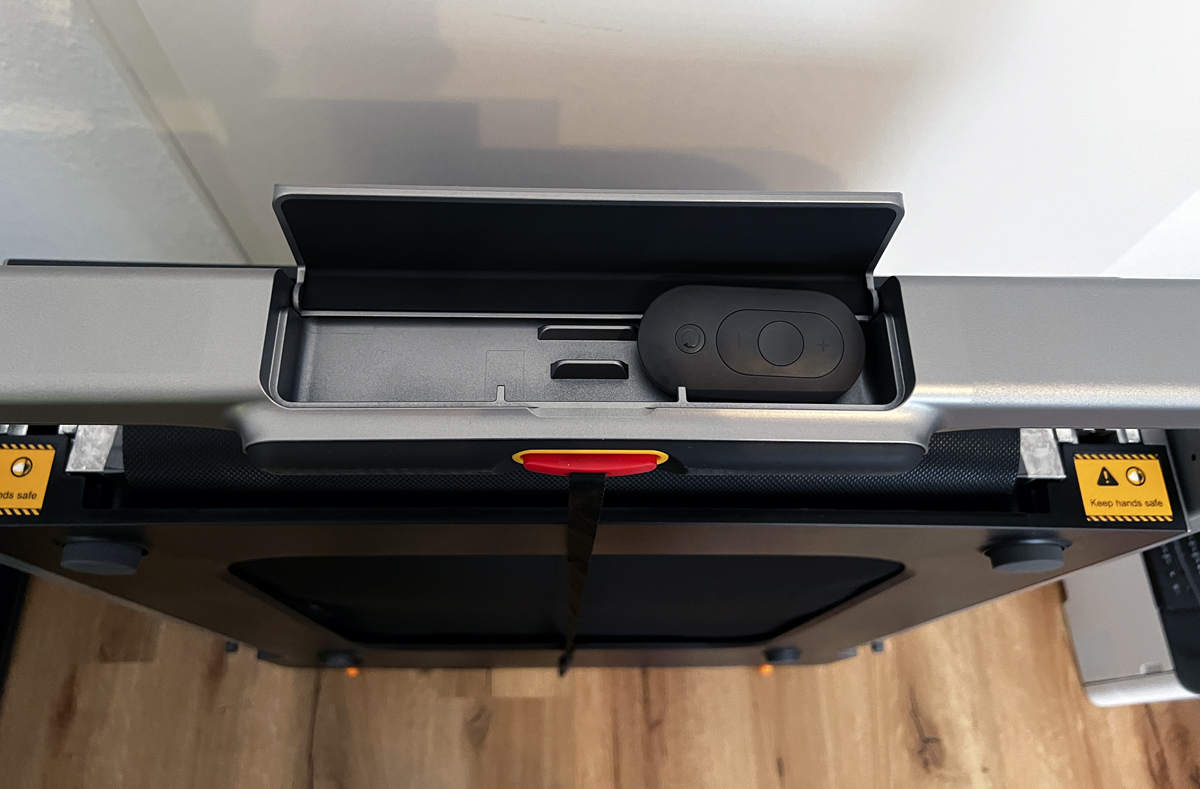
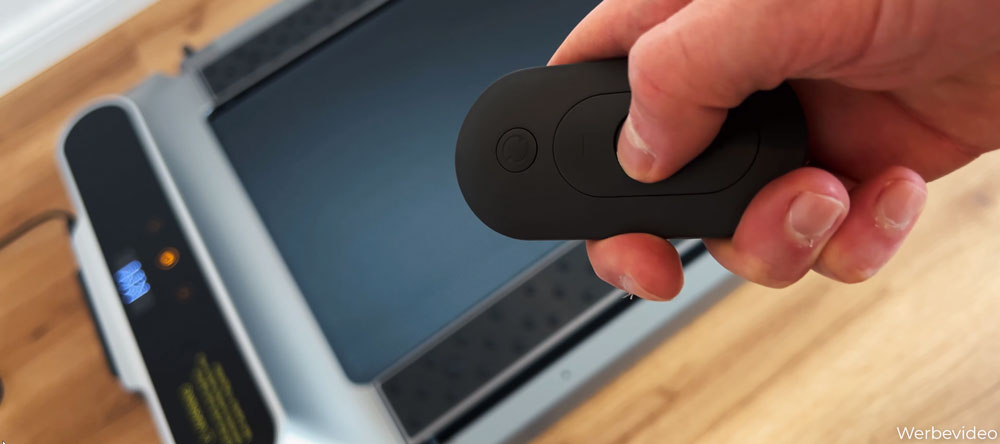
Preparing the remote: The remote is the central control element of the WalkingPad R2. After inserting the supplied battery, it was ready to use immediately. The buttons are arranged intuitively and allow easy control of speed and mode.
Lubricating the running surface: Before the first use, the manufacturer recommends treating the running surface with the supplied lubricating oil.
This reduces the friction between belt and deck and contributes to the longevity of the unit.
First start: Once all preparations were complete, I was able to switch on the treadmill. A short function test confirmed that everything was installed correctly.
Operation:
Operating the WalkingPad R2 is very simple:
Remote control: The remote lets you conveniently control speed, start/stop and mode changes. The remote itself has no display; you see speed and mode on the display at the front of the treadmill.
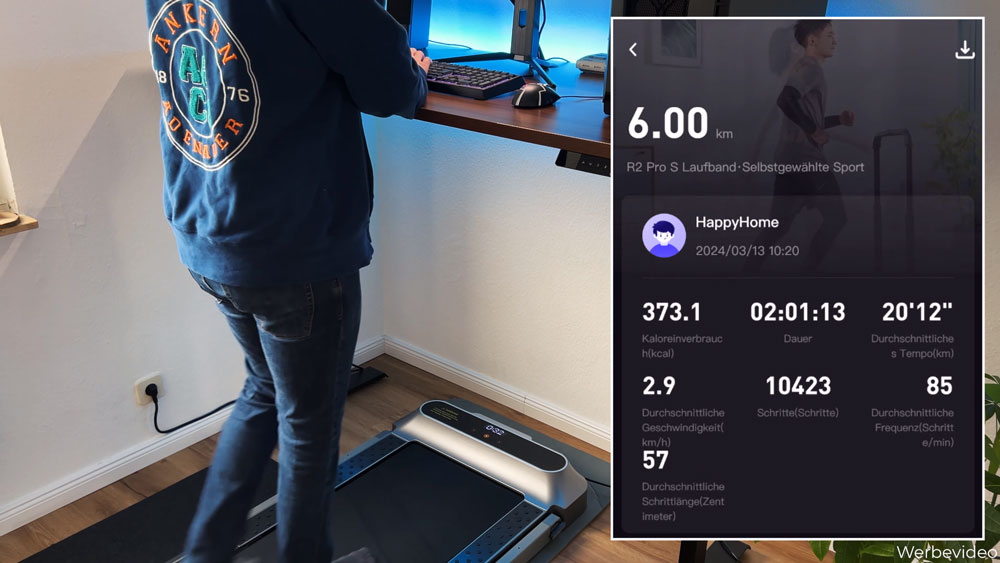
KS Fit app: As an alternative to the remote, the KS Fit app offers additional functions such as workout recording, goal setting and synchronisation with health apps. The Bluetooth connection was established quickly, and the app is clearly laid out.
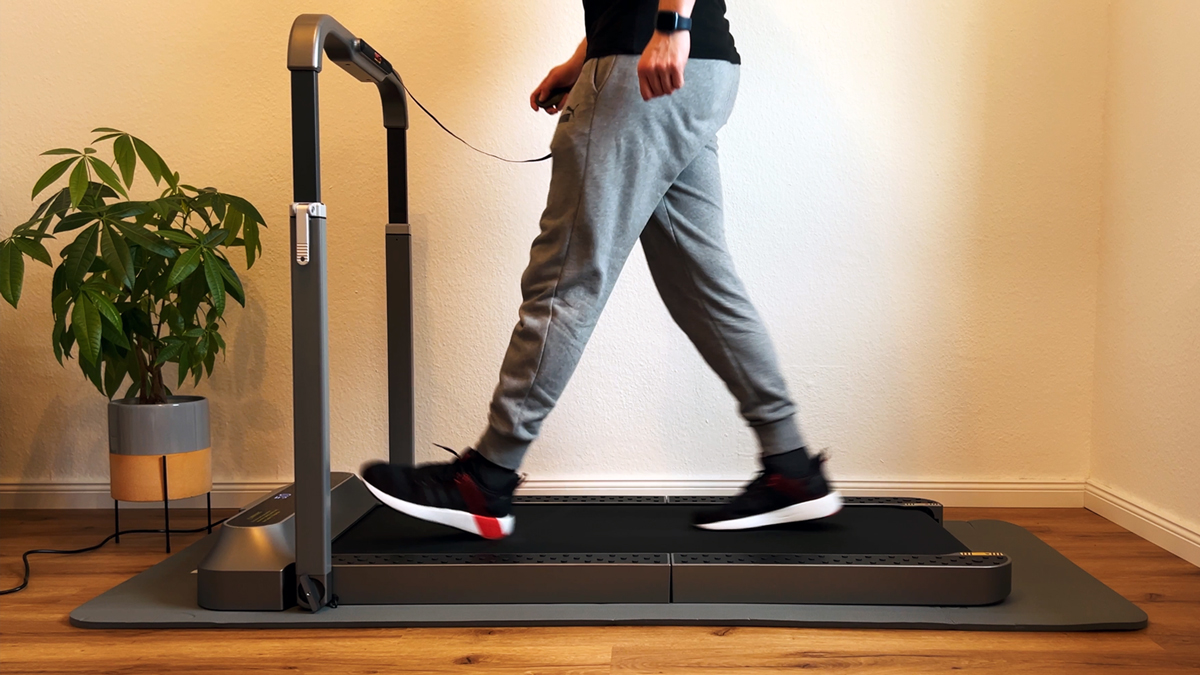
Foot control: In automatic mode (A), the treadmill detects the position of your feet and adjusts the speed accordingly. Personally, I do not use this function.
First steps:
For the first test, I started in walking mode at a low speed to get used to the treadmill. Thanks to its 4-layer structure, the running surface feels pleasant and offers good cushioning.
Overall, the initial setup went without any problems, and I was able to start training after a short time.
Daily use and performance
In everyday use, the WalkingPad R2 played to its strengths. Thanks to the combination of walking and running mode, I was able to use the unit in a versatile way and organise my training routine flexibly.
Walking mode
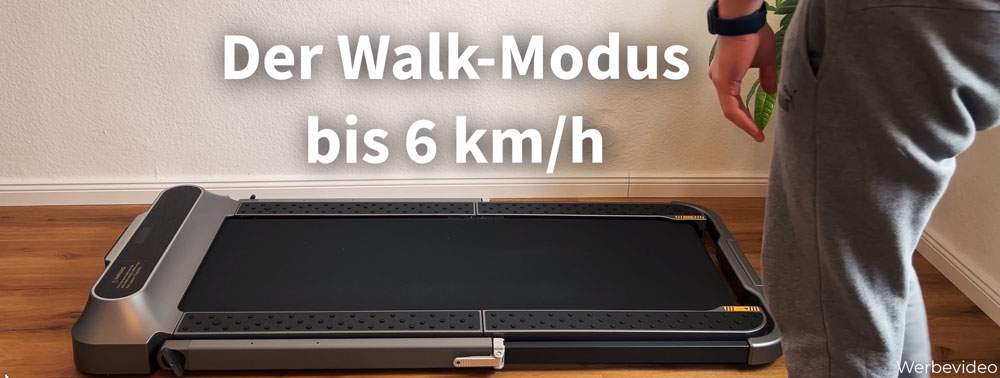
In walking mode, the WalkingPad R2 is excellent for use while working in the home office. At speeds from 0.5 to 6 km/h, I was able to walk comfortably while working at my desk. At 2.5 to 3 km/h it is possible to work with concentration and do something for your health at the same time.
Advantages in walking mode:
Quiet operation: At low speeds the treadmill is pleasantly quiet. Neither your own concentration nor that of colleagues in video calls is disturbed.
Easy access: Control via the remote or the app allows quick speed adjustments without interrupting your work.
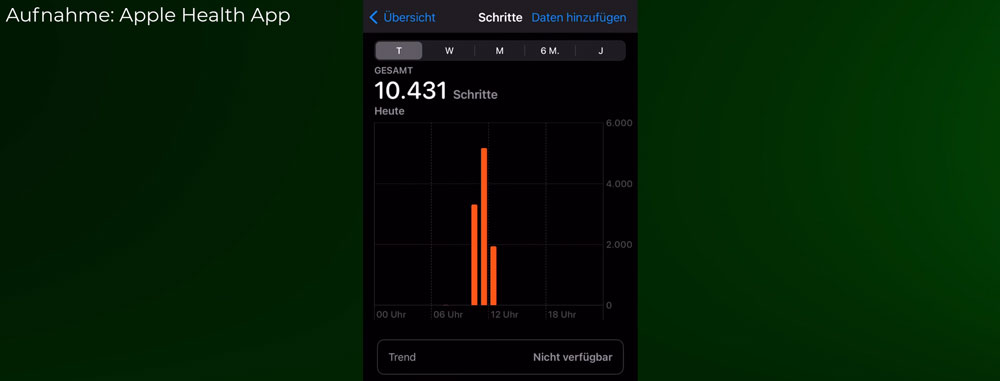
Health benefits: By walking while working, I was able to increase my daily step count significantly and felt fitter and more energetic overall.
Notes:
Safety key: The safety key must be inserted in walking mode too. That is a small drawback, because it limits flexibility slightly, but it increases safety.
Floor: Placing the treadmill on a rubber mat reduces vibration and protects the flooring.
Running mode
In running mode, the WalkingPad R2 offers a full running workout at speeds of up to 12 km/h. This allows intensive training sessions right at home, regardless of the weather or gym opening hours.
Advantages in running mode:
Easy on the joints: The cushioning of the running surface protects the joints and provides a pleasant running feel.
Stability: The treadmill remains stable and safe even at higher speeds.
Space-saving: After training, the treadmill can be folded and stored quickly.
Notes:
Noise: At higher speeds, the running noise increases. It is advisable to choose training times that do not disturb the neighbours, or to use a sound-insulating mat.
Handle adjustment: The vertical adjustment of the handle could be a little more user-friendly. Some force is required to set the desired height.
App functionality
The KS Fit app expands the possibilities of the WalkingPad R2 considerably. After installing and pairing it with the treadmill, I was able to use various functions:
Workout recording: Speed, distance, duration and calories burned are recorded in detail.
Goal setting: Personal training goals can be set and tracked.
Synchronisation: The app allows data to be transferred to health apps such as Apple Health or Google Fit.
Firmware updates: Software updates for the treadmill can be carried out via the app to improve functions or fix bugs.
Notes:
Connection stability: Before the big app update, there were occasionally brief disconnections, which were quickly resolved by pairing again.
User interface: The app is clearly laid out, but could be more intuitive in some areas.
Maintenance and care
Regular maintenance of the WalkingPad R2 is important to keep the unit performing well and lasting long. Fortunately, the effort required is small.
Important maintenance tasks:
Lubricating the running surface: Every 10 to 15 hours of operation, the running surface should be treated with the supplied lubricating oil. This reduces friction and prevents excessive wear.
Cleaning: After every workout, I wipe the running surface and the handles with a dry cloth to remove sweat and dust.
Checking screws and connections: At regular intervals, I check that all screws are tight and the folding mechanism works perfectly.
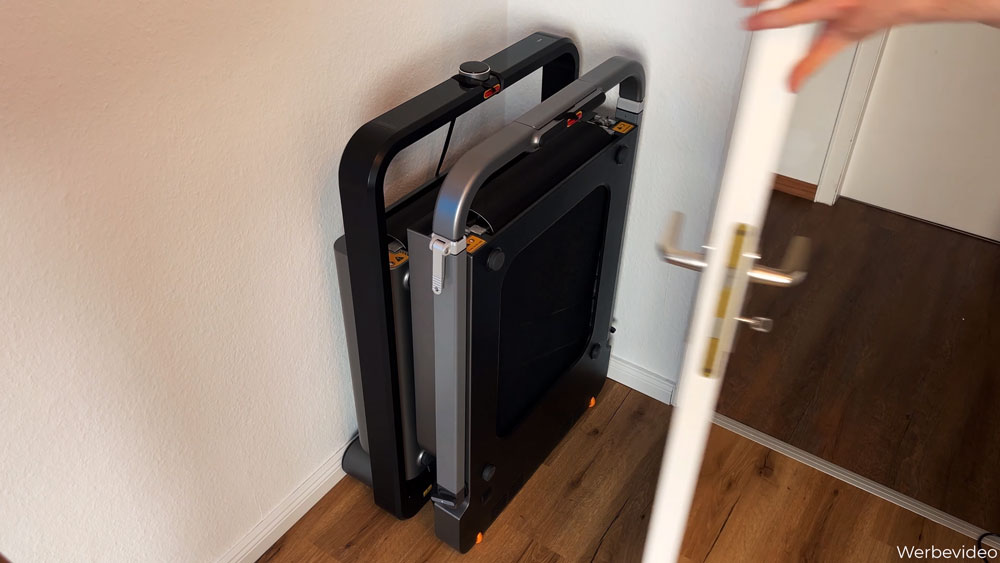
Storage: The treadmill should be stored in a dry place. Thanks to its compact folded dimensions, it fits easily behind doors or under furniture.
Tips for reducing noise:
Regular maintenance: Well-maintained components work more quietly and efficiently.
Use a mat: A rubber mat under the treadmill reduces vibration and running noise, which is particularly beneficial in apartment buildings.
WalkingPad R2: handrail and switching modes in practice
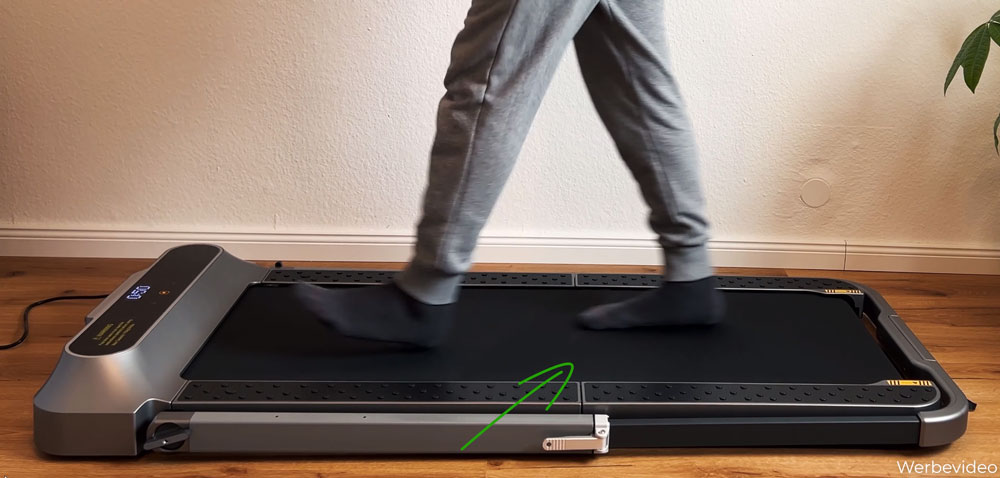
You should watch the setup and folding process once, since it’s confusing at first. Once you understand the system, it works well. I lay the R2 down on the floor with the display facing up to do it.
Step
What you do
What to watch for
Extending the handle
Release the levers on the left and right, pull the handle out as far as it goes, push the levers down
The levers sit tight and need some force, but that’s what holds the handle securely.
Walking mode
Unfold the running surface, align the belt centrally at the back
If it’s not centred, it will rub against the sides. Speed up to 6 km/h (3.7 mph).
Running mode
Release the rotary levers at the front on both sides, raise the handle, tighten the rotary levers
The handle only locks in when upright. Resistance means it’s crooked – don’t force it.
Folding up
Fold the running surface back, lay the handle down and retract it, tighten the levers
Easier lying down than standing up; it takes me about a minute.
The upright handle stays a bit fiddly even after several rounds: lowering it again takes some practice. I compare how other models fold in my guide on foldable walking pads.
WalkingPad R2: adjustment and the correct use of the Allen key
Two adjustments are easily confused. You turn the two rear feet out by hand to level out slight unevenness in the floor. The Allen key, on the other hand, belongs at the back of the treadmill: with it you tighten or loosen the running belt. If you hear scraping at the sides while walking, the belt usually isn’t centred, and you fix that at the back before reaching for the oil. I show the steps in my guide on how to oil and centre a walking pad.
WalkingPad R2: remote, app and the two ways to stop
The remote sets the speed in 0.5 km/h (0.3 mph) steps; finer control at 0.1 km/h (0.06 mph) is only available in the app. Using the GO button there, the belt starts after three seconds at 2 km/h (1.2 mph). I leave the app running anyway, if only for the step count.
There’s a difference worth knowing when it comes to stopping:
Power button on the remote: the belt brakes down slowly.
Pulling the safety key: the R2 comes to a stop immediately.
One more note, since the store reviews can be off-putting: those date from before the big update. Since then the KS Fit app has run cleanly for me on both Android and iOS, across three tested WalkingPads without a single crash.
WalkingPad R2 in everyday use: without shoes, rocking and the storage tray
At my desk, an hour and a half to two hours at 2.5 to 3 km/h (1.6–1.9 mph) is enough for my goal of 7,000 to 10,000 steps. I show how to fit that into a workday in my guide on 10,000 steps at your desk.
For my first test I walked without shoes, in socks. You can feel the hinge point in the middle; I don’t find it disturbing, and I walk without shoes up to 4 km/h (2.5 mph) without any issue. At 6 km/h (3.7 mph) the impact noise becomes noticeable, and that’s when a thick rubber mat belongs underneath.
The storage tray rattles – and that’s fixable
On the mat, the treadmill absorbs the steps more and rocks a little more as a result. That’s not an issue while running; it’s just the closed storage tray on the handle that becomes audible. Open it up, and it’s quiet. When I’m watching shows on the side, I move the treadmill far enough from the desk that I can still reach the handle.
WalkingPad R2: storage and transport wheels in everyday use
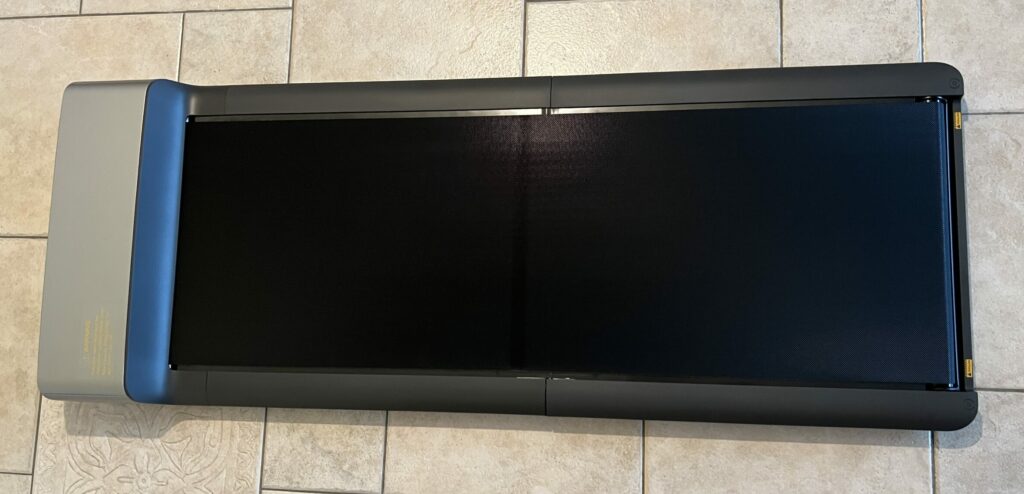
Folded up, the R2 is 16.2 cm (6.4 in) deep, the width stays the same, and with the handle retracted the height drops to about 100 cm (39.4 in). That lets it fit next to a wardrobe or behind a door.
The transport wheels are the weak point. On a thick rubber mat I can only pull the R2 semi-well, and I have to work at positioning it precisely, though they are at least a bit bigger than on the X21. On thin floor protection mats you can move it without any trouble, they just cushion noticeably less. Which mat suits which purpose is covered in my guide on floor mats for walking pads. In our flat we have laminate with impact-sound insulation plus a thick rubber mat underneath, which means the R2 also works well on upper floors and in the attic.
What the WalkingPad R2 can’t do
Skip the safety key in walking mode: it has to be inserted even though it does nothing useful there.
Adjust the handle vertically with ease: it’s stiff, especially lowering it.
Spare you effort on the handle levers: they need noticeable force.
Handle thick rubber mats with its transport wheels: they’re too small for that.
Offer 0.1 km/h steps on the remote: those are only available in the app.
Stay quiet at 12 km/h (7.5 mph): fine for short sprints, not ideal for long runs in a multi-family building.
Support more than 110 kg (242 lb): that’s where the recommended body weight ends.
Summary
The WalkingPad R2 has convinced me with its well-thought-out design, versatile functionality and easy handling. I was particularly impressed by the option to use the treadmill in both walking and running mode, which makes my training flexible.
The simple assembly, intuitive operation and space-saving storage make the unit an ideal solution for training at home, especially in flats with limited space.
Overall rating: ★★★★☆ (4.5/5)
Despite small weaknesses, such as the noise at higher speeds and the slightly awkward handle adjustment, the advantages clearly outweigh them. For anyone looking for a flexible and space-saving training option, I can recommend the WalkingPad R2 without reservation.
The WalkingPad R2 compared
Here you can compare the R2 with the two other walking pads up to 12 km/h in the same category that I have also tested.
Walking mode: 0.5 – 6 km/h | running mode: 0.5 – 12 km/h
1 – 12 km/h
Noise level
approx. 48 – 70 dB (with rubber mat)
approx. 50 – 70 dB (with rubber mat)
approx. 49 – 75 dB (with rubber mat)
Unfolded (L x W x H)
145.2 x 73.6 x 100 cm
145.2 x 72 x 103.2 cm
142.0 x 71.1 x 100.7 cm
Running surface (L x W)
120 x 44 cm
120 x 44 cm
121 x 46 cm
Foldable
✔️
✔️
✔️
Folded (L x W x H)
102.4 x 73.6 x 16.1 cm
100 x 72 x 16.2 cm
22.5 x 71.1 x 100.7 cm
Storage
Upright | lying flat
Upright
Upright
Control / connectivity
Touch controls on the display | Bluetooth via KS Fit app
Remote | Bluetooth via KS Fit app
Manual via rotary knob | Bluetooth via KS Fit app | NFC pairing
Display
OLED (time, speed, distance, calories; steps in the app only)
LED (time, speed, distance, calories, steps)
OLED (speed, time, distance, calories)
Warranty
1 year
1 year
1 year
Special features
Large transport wheels | phone holder | shock absorption and noise reduction | brushless motor
2-in-1 mode: walking and running | folding design for space-saving storage | non-slip upright storage | integrated aluminium alloy frame | shock absorption and noise reduction | brushless motor
Wide running surface | very well cushioned, suitable for upper floors
I have also made a comparison video (in German) in which I compare the WalkingPad R2 with the MC11 and the X21.
Kingsmith WalkingPad R2: specifications
Feature
Value
Max. load capacity
110 kg (242 lb)
Unit weight
36 kg (79 lb)
Motor
918 watts, brushless
Speed
0.5 to 12 km/h (0.3–7.5 mph)
Running surface
120 × 44 cm (47.2 × 17.3 in)
Unfolded dimensions
145.2 × 72 × 103.2 cm (57.2 × 28.3 × 40.6 in)
Folded dimensions
100 × 72 × 16.2 cm (39.4 × 28.3 × 6.4 in)
Storage
Upright
Controls
Remote control, KS Fit app
Display
LED: time, speed, distance, calories, steps
Special features
2-in-1 mode, folding handrail
Measurements from my test
What
Result
Noise level
49.9 dB at 2 km/h (1.2 mph), 53.1 dB at 4 km/h (2.5 mph), 70.2 dB at 12 km/h (7.5 mph) (with a rubber mat)
Deck height
approx. 10 cm (3.9 in) running surface, 103 cm (40.6 in) with the handrail; fold the handrail down for desk work
Folded size
100 × 72 × 16 cm (39.4 × 28.3 × 6.3 in), 36 kg (79 lb), store upright
Test scope
at least 10,000 steps (see comparison test), walking and running mode
How I test: every walking pad runs under my desk at home; wherever possible I measure the noise level from one metre away, and for newer tests the power consumption via a plug-in meter too.
Alternatives to the WalkingPad R2
I have also tested these models, and they are the closest alternatives to the WalkingPad R2. You can find more of my reviews in the walking pad category.
To provide you with an optimal experience, we use technologies such as cookies to store and/or access device information. If you consent to these technologies, we may process data such as browsing behavior or unique IDs on this website. If you do not give or withdraw your consent, certain features and functions may be impaired.
Functional
Always active
The technical storage or access is strictly necessary for the legitimate purpose of enabling the use of a specific service expressly requested by the subscriber or user, or for the sole purpose of carrying out the transmission of a communication over an electronic communications network.
Preferences
The technical storage or access is necessary for the legitimate purpose of storing preferences that have not been requested by the subscriber or user.
Anonymized statistics
Technical storage or access for statistical purposes only.Technical storage or access used solely for anonymous statistical purposes. Without a subpoena, the voluntary consent of your Internet service provider or additional records from third parties, the information stored or accessed for this purpose alone cannot generally be used to identify you.
Show YouTube videos
If you do not agree to this cookie, you will not be able to watch videos on the website.