
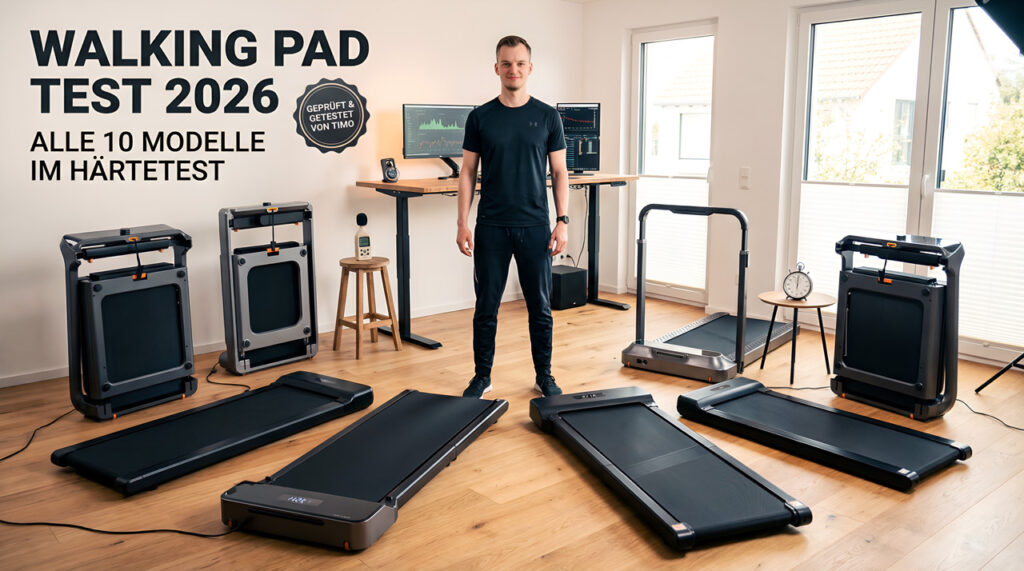
Walking Pad Review 2026: Test Winners and All 11 Models Put to the Test
Updated: September 25, 2026 | By Timo Kirschhausen
My test winner for 2026 is the WalkingPad X214: quiet, folds in seconds and goes up to 14 km/h (8.7 mph), fast enough for jogging too. I tested eleven walking pads myself, each for at least 10,000 steps, with my own noise measurements and, for the newer models, power consumption measured at the socket. Here you’ll find the test winners by use case, the comparison table of all models and my buying advice. My test videos are in German; all key results are summarised here in English.
The market for walking pads, also called under-desk treadmills, has become huge – and confusing. Unfortunately there are many “review sites” that never had a single unit in their hands and just copy spec sheets. Here it’s different.
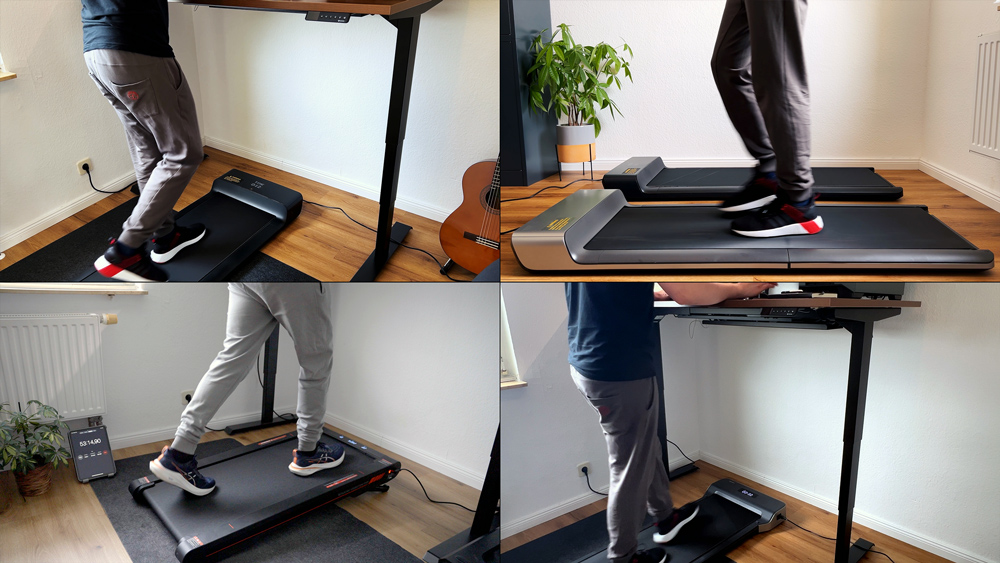
All 11 walking pads listed here stood in my own home office. From the compact entry-level model to the 18 km/h (11.2 mph) pro machine: I unpacked, set up and tested every single one for kilometres.
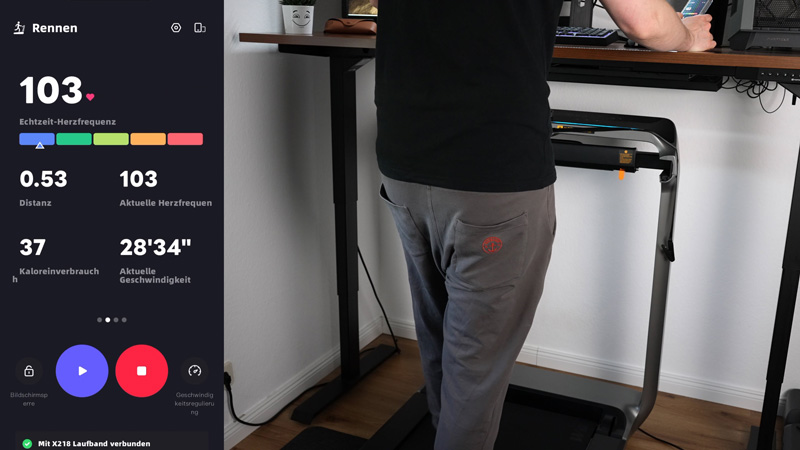
In this article I show you honestly which model really fits under your desk, which one is quiet enough for video calls, and where you can save your money.
The 3 Test Winners for 2026 – Which Walking Pad Is the Best? (Quick Overview)
In short: for me, the best walking pad of 2026 is the WalkingPad X214, because it runs quietly, folds up in seconds and, at up to 14 km/h (8.7 mph), is fast enough for jogging too. If you want to spend less, go for the Z3 Hybrid+, and if you need it as quiet as possible, go for the Z1 without a fan. I tested every model myself for at least 10,000 steps; the discount codes are in each individual review.
Availability, as of September 2026: the Sperax P2 Pro is no longer sold, and the MC11 is not listed in the WalkingPad Stores US and UK. The X214 is currently not listed in the UK store. All other models are available in the WalkingPad Stores US and UK; the discount codes are in the buy boxes below.
Comparison Table of All 11 Walking Pads
| Model | X214 (New) | Z3 Hybrid+ | Sperax | X218 | MC11 | P1 | Z1 | R2 | A1 Pro | X21 | K1 (KUIPERS) |
|---|---|---|---|---|---|---|---|---|---|---|---|
| Max. Speed | 14 km/h (8.7 mph) | 10 km/h (6.2 mph) | 6 km/h (3.7 mph) | 18 km/h (11.2 mph) | 12 km/h (7.5 mph) | 6 km/h (3.7 mph) | 6 km/h (3.7 mph) | 12 km/h (7.5 mph) | 6 km/h (3.7 mph) | 12 km/h (7.5 mph) | 6 km/h (3.7 mph) |
| Motor | Brushless (932 W) | Brushless (735 W) | DC motor (2.5 hp peak) | Brushless (1286 W) | Brushless (930 W) | DC motor (746 W) | Brushless (550 W) | Brushless (918 W) | Brushless (932 W) | Brushless (918 W) |
max. 1.5 hp (manufacturer figure) |
| Running surface | 121 x 46 cm (47.6 x 18.1 in) | 120 x 44 cm (47.2 x 17.3 in) | 105 x 42 cm (41.3 x 16.5 in) | 140 x 51 cm (55.1 x 20.1 in) | 120 x 44 cm (47.2 x 17.3 in) | 120 x 41.5 cm (47.2 x 16.3 in) | 121 x 40 cm (47.6 x 15.7 in) | 120 x 44 cm (47.2 x 17.3 in) | 120 x 41.5 cm (47.2 x 16.3 in) | 121 x 46 cm (47.6 x 18.1 in) | 105 x 41 cm (41.3 x 16.1 in) |
| Weight capacity | 110 kg (243 lb) | 110 kg (243 lb) | 120 kg (265 lb) | 136 kg (300 lb) | 110 kg (243 lb) | 100 kg (220 lb) | 110 kg (243 lb) | 110 kg (243 lb) | 136 kg (300 lb) | 110 kg (243 lb) | 135 kg (298 lb) |
| Weight | 43.2 kg (95 lb) | 39 kg (86 lb) | ~14 kg (~31 lb) | 58.5 kg (129 lb) | 35.5 kg (78 lb) | 28 kg (62 lb) | 23 kg (51 lb) | 36 kg (79 lb) | 27 kg (60 lb) | 37 kg (82 lb) | 20 kg (44 lb) |
| Folded size (L x W x H) | 22.5 x 71 x 102 cm (8.9 x 28 x 40.2 in) | 101 x 76.5 x 19.5 cm (39.8 x 30.1 x 7.7 in) | (Not foldable) | 29.5 x 84 x 108 cm (11.6 x 33.1 x 42.5 in) | 102 x 74 x 16 cm (40.2 x 29.1 x 6.3 in) | 82 x 55 x 12.9 cm (32.3 x 21.7 x 5.1 in) | 81 x 56 x 13.8 cm (31.9 x 22 x 5.4 in) | 100 x 72 x 16 cm (39.4 x 28.3 x 6.3 in) | 82 x 55 x 12.9 cm (32.3 x 21.7 x 5.1 in) | 22.5 x 71 x 101 cm (8.9 x 28 x 39.8 in) | (Not foldable) |
| Highlight | Mutable, Very quiet | Side handles, Very stable | Incline, Very light | Pro speed, Huge surface | Value for money, Touch display | Ultra-compact, Centre fold | No (audible) fan | 2-in-1 mode, Handrail | High capacity, Rugged | OLED display, NFC |
Real-wood frame, 0.1 km/h increments |
| Rating | 4.8/5 | 4.7/5 | 4.2/5 | 4.7/5 | 4.7/5 | 4.6/5 | 4.7/5 | 4.5/5 | 4.4/5 | 4.6/5 | 4.6/5 |
| Check price & activate discount | Check price* | Check price* | Check alternative on Amazon* | Check price* | Check price* | Check price* | Check price* | Check price* | Check price* | Check price* | – |
How I Tested: 10,000 Steps & Real-World Numbers
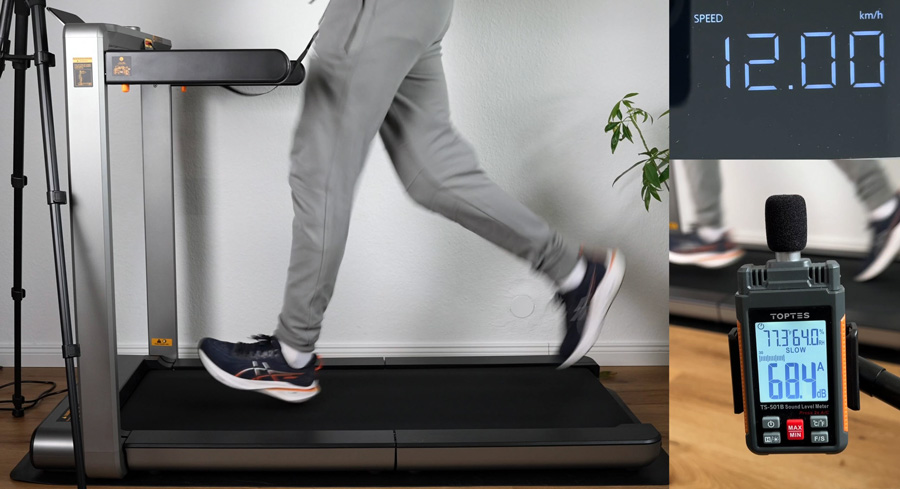
So you can rely on my verdict, every walking pad goes through the same standardised hands-on test course:
- The 10,000-step test: I complete at least 10,000 steps on every unit. That’s the only way to tell whether the cushioning is really good, or whether your feet start hurting after an hour.
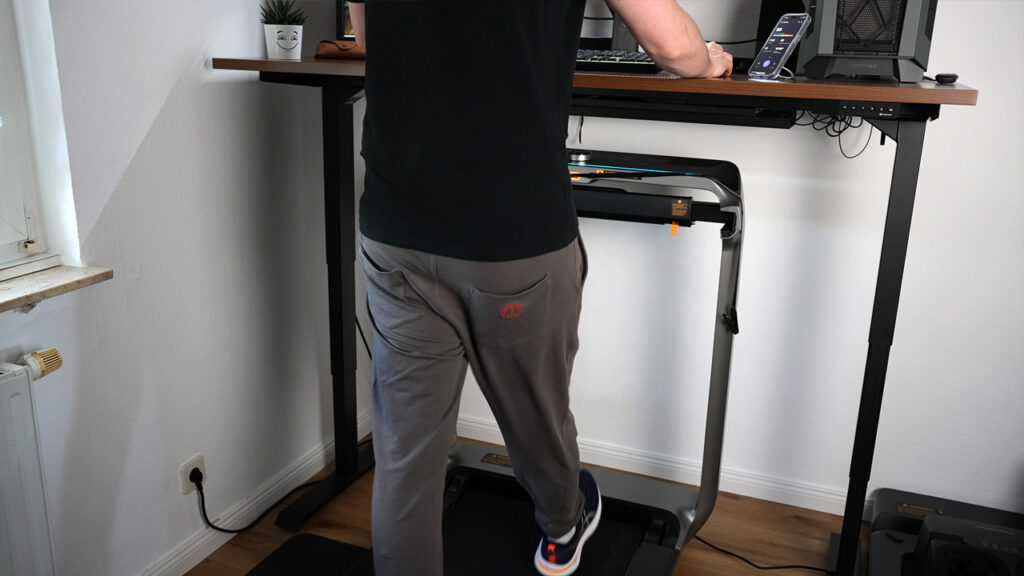
- Desk check: does the pad fit under a height-adjustable desk (max. 127 cm/50 in in my setup)? How easy is it to operate while you’re typing?
- Noise measurement (dB): I measure the noise level at a distance of about one metre (3.3 ft) at different speeds – in a real living environment, not in a lab.
- NEW: Power consumption: for the newest test models (e.g. X214, X218) I also use a power meter to measure what one hour of walking really costs in electricity. That way you know exactly how efficient the new motors are.
The goal: I want to help you find the one walking pad that truly fits your everyday life – not one that ends up as a clothes rack.
Which Walking Pad Fits You?
A quick decision guide before you dive into the details:
- Home office only, up to 6 km/h (3.7 mph): P1, Z1, A1 Pro or KUIPERS K1. You won’t walk faster than 4 km/h (2.5 mph) while typing anyway.
- Walking, plus jogging after work, 10 to 14 km/h (6.2–8.7 mph): X214, Z3 Hybrid+ or MC11, ideally with a handle.
- Real running speed, up to 18 km/h (11.2 mph): only the X218, with the widest running surface in the test.
- As quiet as possible, say in a rented flat: the Z1 with no fan, followed by the X214 with mute mode. Always add a floor protection mat against footstep noise.
- Over 110 kg (243 lb) body weight: A1 Pro or X218 (both up to 136 kg/300 lb) or the KUIPERS K1 (135 kg/298 lb).
- Should look good in the living room too: KUIPERS K1 with its real-wood frame, flat and app-free.
- Want an incline: in my test field only the Sperax had one. It’s no longer sold, and the US CPSC warns against further use of several Sperax models, so I no longer recommend it.
- Little space: the P1, A1 Pro and Z1 fold in the middle and slide flat under a sofa; the X series stands upright against a wall. The Sperax doesn’t fold, but it fits flat under a sofa.
All 11 Walking Pads From the Test in Detail
Here you’ll find my short summaries of all eleven models, ranked by my recommendation for 2026. Every unit also has a detailed individual review with video.
1. WalkingPad X214: The New Gold Standard
Overall rating 4.8 / 5
(Successor to the popular WalkingPad X21)
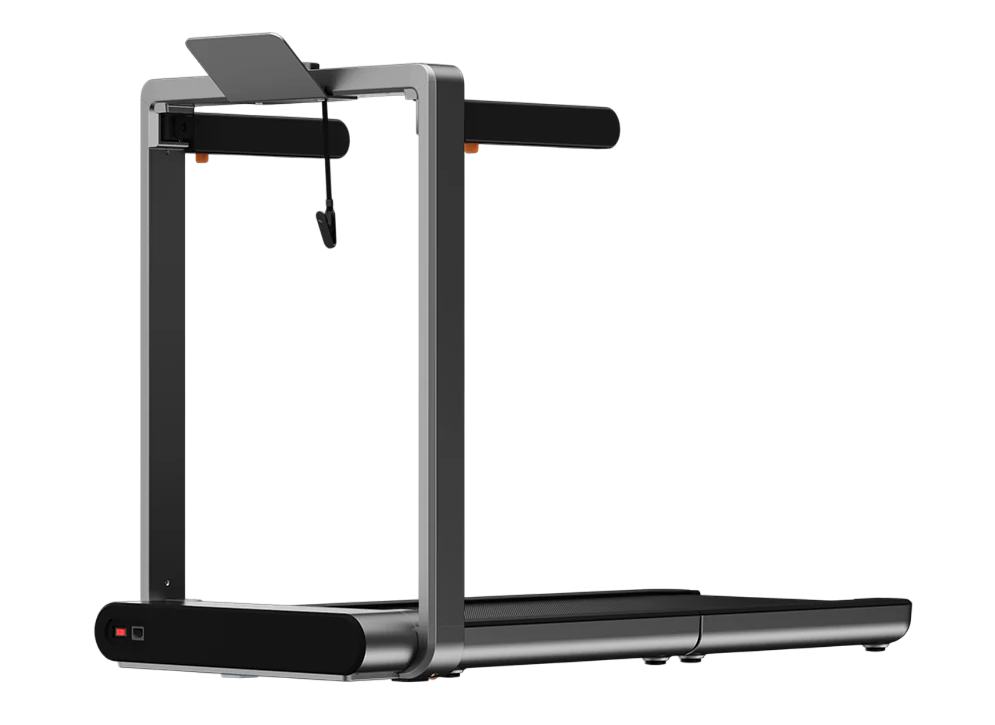
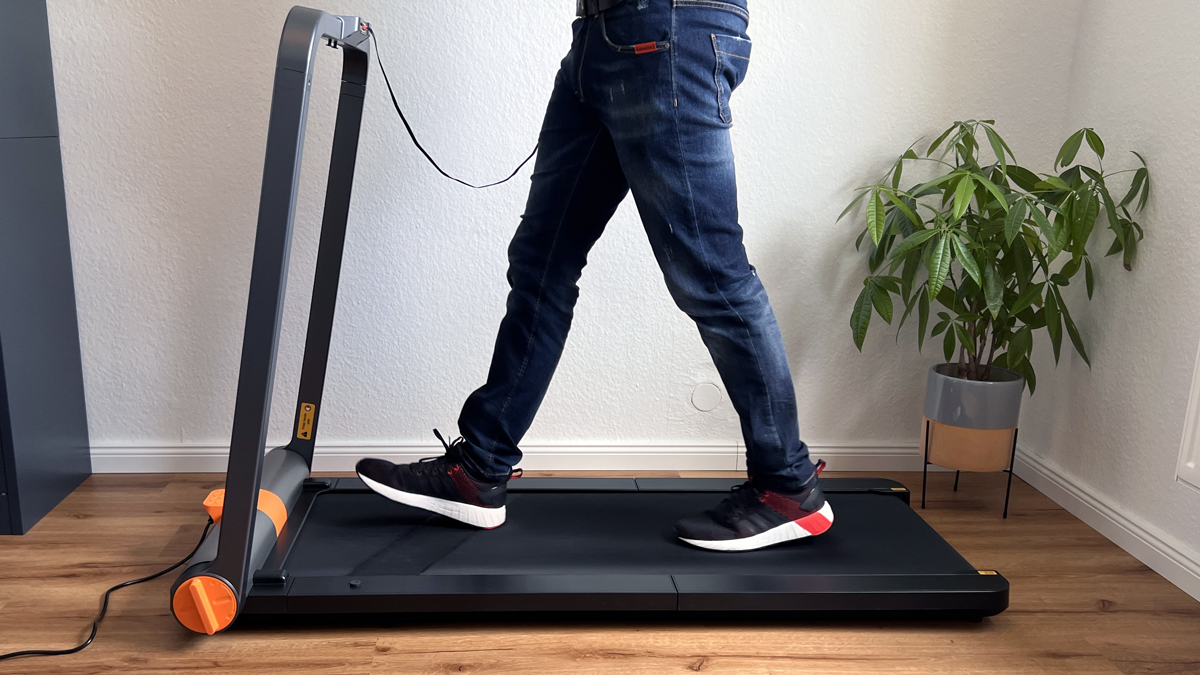
The WalkingPad X214 is the successor to the X21 and has knocked my previous favourite off its throne. It keeps the brilliant double-folding mechanism but irons out almost all of its predecessor’s weaknesses.
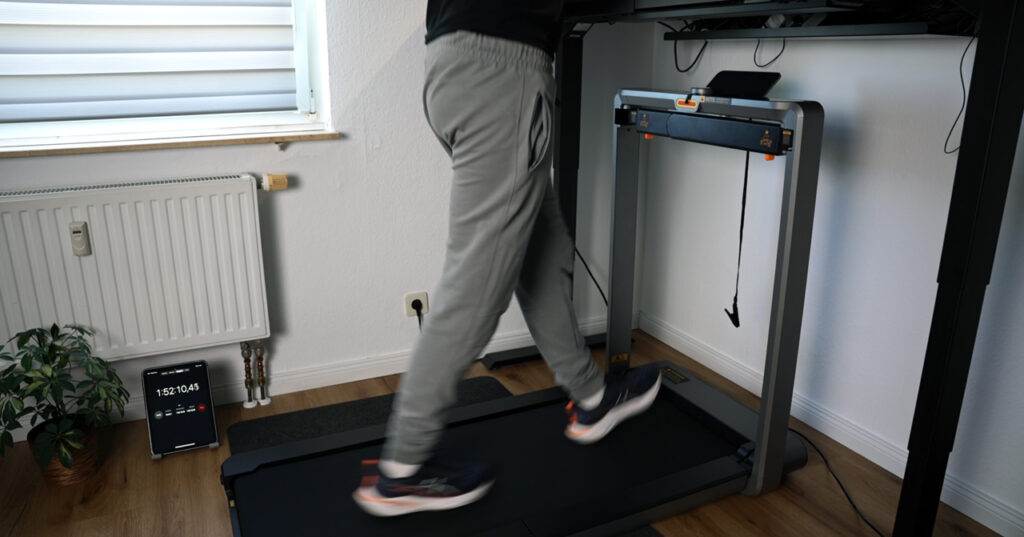
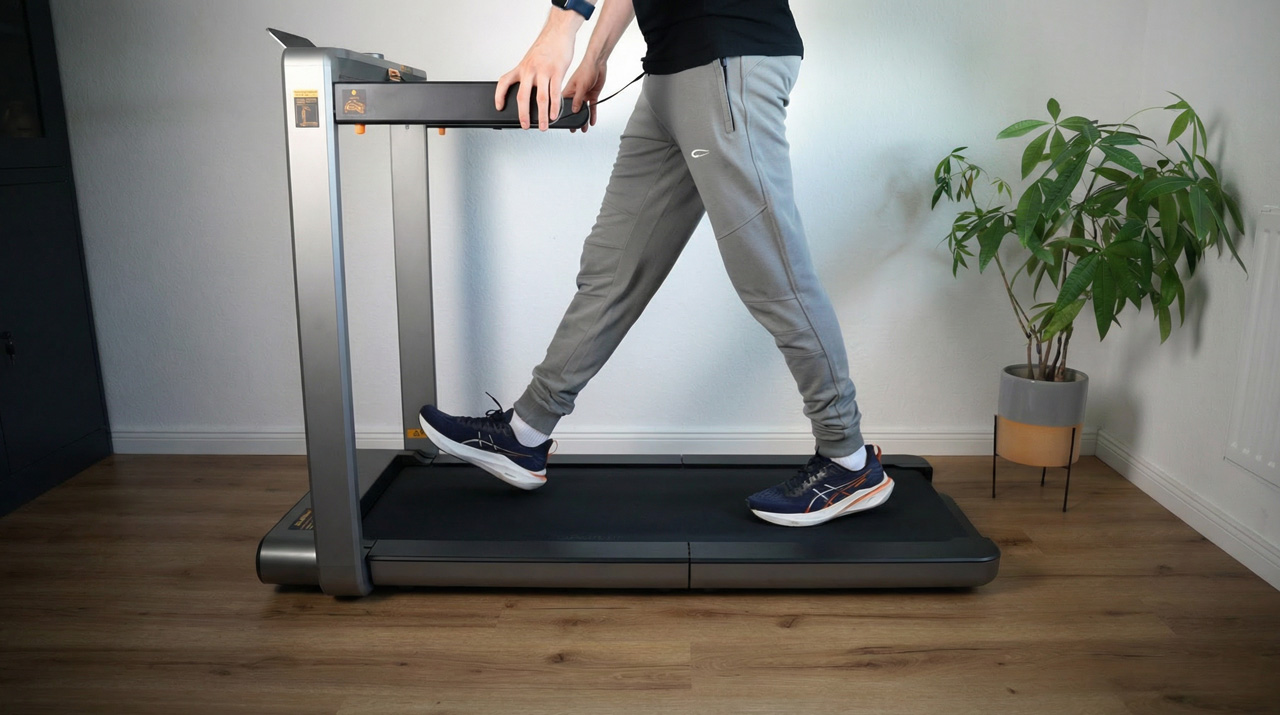
The WalkingPad X214 in the hands-on test. What impressed me most in testing is how quiet it is. The brushless 932-watt motor runs extremely smoothly, and finally you can mute the annoying beeping of the buttons – a blessing in the home office! With the vertical folding system (“Double Fold”) you fold it up in seconds to a depth of just 22.5 cm (8.9 in).
New too are the foldable handles: they give you safety at higher speeds (up to 14 km/h/8.7 mph) but don’t look intrusive if you fold them away. In my power test it used just under 0.3 kWh in 2 hours. The only remaining criticism is the small transport wheels, which struggle a bit on deep-pile carpet.
What I like
- Top folding system: Extremely space-saving and quick to stow away
- Quiet &
- can be muted: No fan noise while walking, beeps can be turned off
- App &
- Apple Watch: Good integration and heart-rate tracking
- Safety upgrade: Sturdy, foldable handles
What bothers me
- Small transport wheels (sluggish on carpet)
- App required for some settings (e.g. child lock)
| Specs | WalkingPad X214 |
|---|---|
| Max. weight capacity | 110 kg (243 lb) |
| Unit weight | 43.2 kg (95 lb) |
| Motor power | type | approx. 932 watts | brushless (1.25 hp) |
| Speed range | 1–14 km/h (0.6–8.7 mph) |
| Running surface (L x W) | 121 x 46 cm (47.6 x 18.1 in) |
| Size unfolded (L x W x H) | 142 x 71 x 102 cm (55.9 x 28 x 40.2 in) |
| Size folded (L x W x H) | 22.5 x 71 x 102 cm (8.9 x 28 x 40.2 in) |
| Foldable | (Double-Fold) |
| Storage | upright |
| Controls / connectivity | KS Fit app, rotary knob |
| Display | LCD (built into the handrail) |
| Special features | Foldable side arms, can be muted |
Where to buy
WalkingPad X214
Test unit provided by the manufacturer. The review was not approved by them beforehand.
* Affiliate link. I earn a commission, the price stays the same for you.
2. WalkingPad Z3 Hybrid+: The Best-Value Winner
Overall rating 4.7 / 5
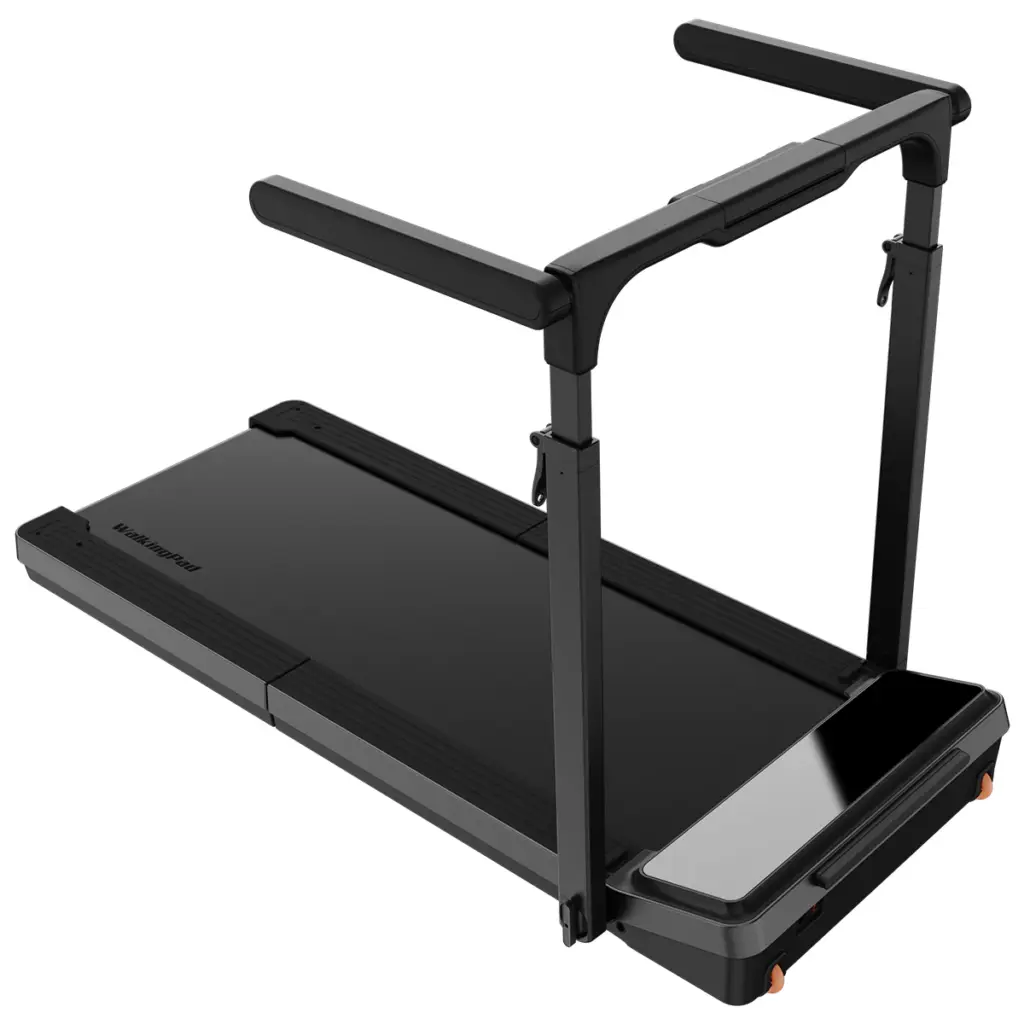
The WalkingPad Z3 Hybrid+ earns this spot because it bridges a clever gap: it offers the safety of a classic treadmill (side handles) while still folding fully flat like the X series.
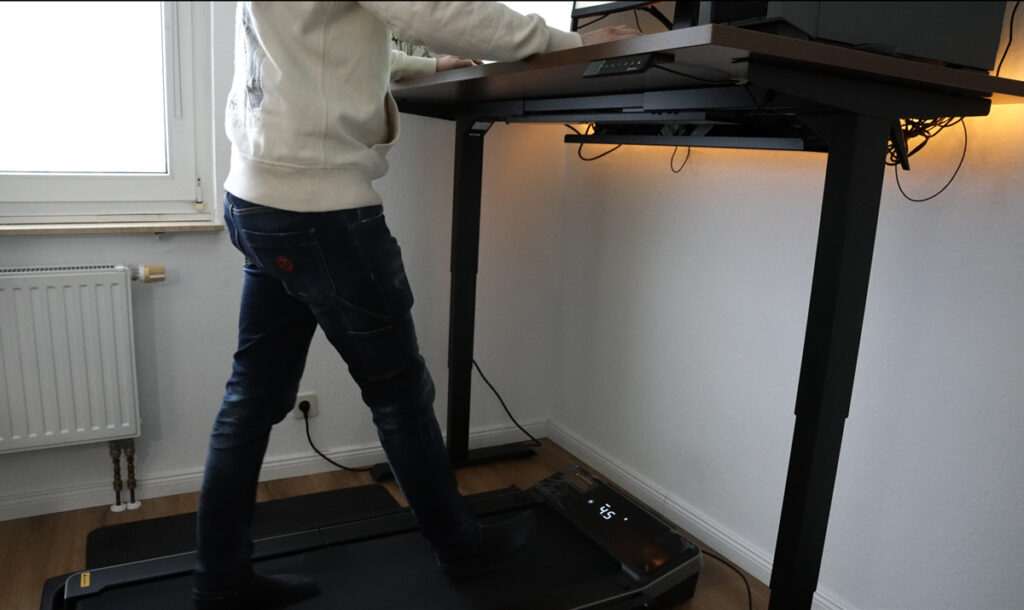
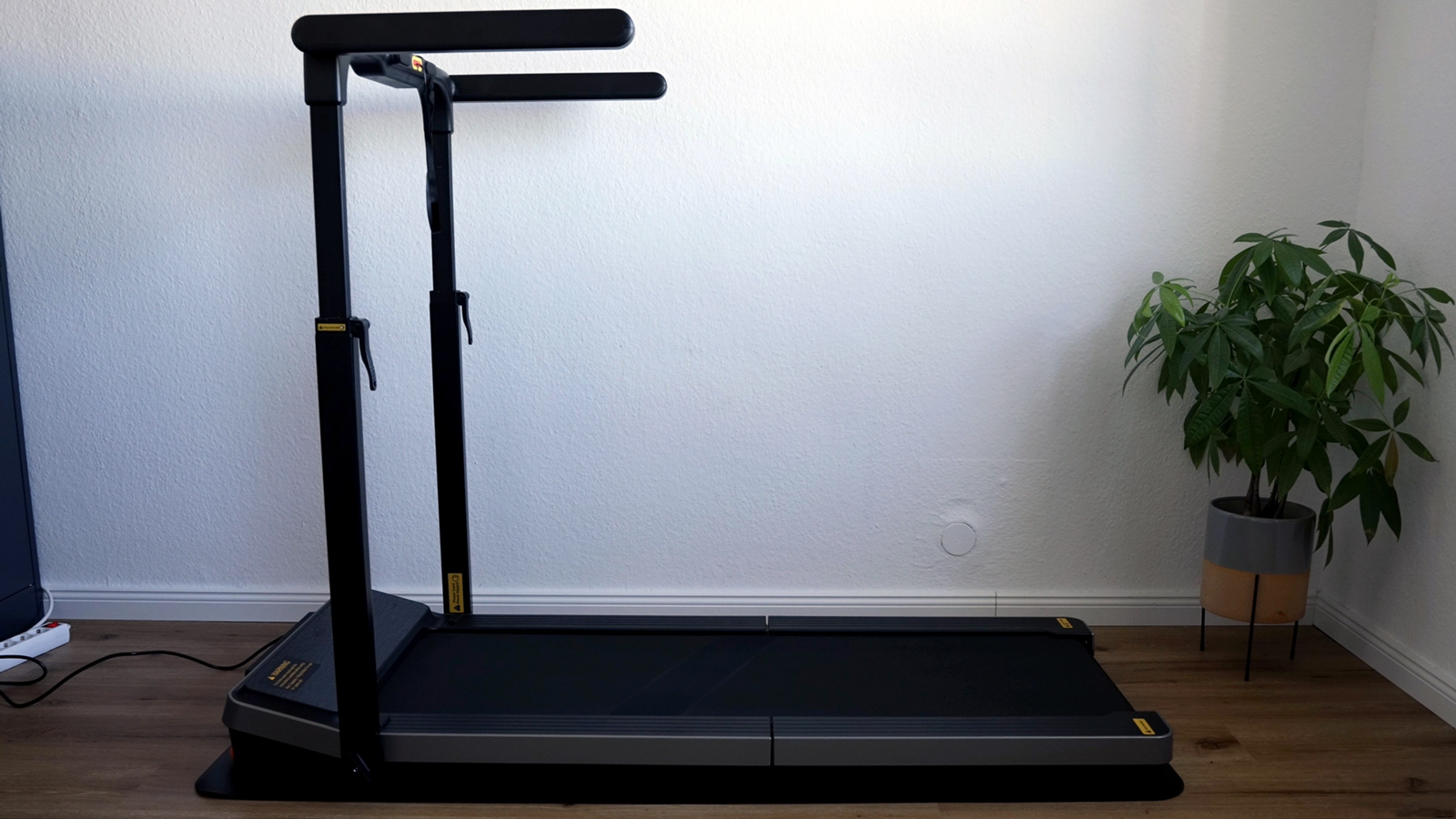
The Z3 Hybrid+ in the hands-on test. For many people (like my parents, for example) walking freely on a belt with nothing to hold onto feels strange at first. This is exactly where the Z3 Hybrid+ shines: the side handles give you huge confidence while training at up to 10 km/h (6.2 mph). And the best part: they’re height-adjustable, so they fit any height.
For desk use you simply fold the handles down (hybrid mode), which limits the speed to 6 km/h (3.7 mph). The clever part: despite the sturdy handles, the 180° folding mechanism lets you store it super compactly (just 19.5 cm/7.7 in tall when lying flat). In my 10,000-step test it ran very quietly and burned around 500 calories in 2 hours (for me personally).
New and great: this model can finally be muted too!
What I like
- Maximum safety: Adjustable side handles
- Hybrid: Perfect for both the desk (flat) and training (with handles)
- Space-saving: Foldable, upright storage possible
- Quiet: Brushless motor &
- mute mode
What bothers me
- Only up to 10 km/h/6.2 mph (too slow for serious sprinters)
- Switching modes (folding the handles) takes a few seconds longer than on the X214
| Specs | WalkingPad Z3 Hybrid+ |
|---|---|
| Max. weight capacity | 110 kg (243 lb) |
| Unit weight | 39 kg (86 lb) |
| Motor power | type | 735 watts | brushless |
| Speed range | 1–10 km/h (0.6–6.2 mph) |
| Running surface (L x W) | 120 x 44 cm (47.2 x 17.3 in) |
| Size unfolded (L x W x H) | 147.2 x 76.5 x 10.3 cm (58 x 30.1 x 4.1 in; deck height; handles 101–151.5 cm/39.8–59.6 in) |
| Size folded (L x W x H) | 101 x 76.5 x 19.5 cm (39.8 x 30.1 x 7.7 in) |
| Foldable | (180° folding mechanism) |
| Storage | upright | flat |
| Controls / connectivity | KS Fit app, remote control |
| Display | LED (EasyView) – time, speed, distance, calories, steps |
| Special features | 4-layer cushioning, adjustable handrail, side handles |
Where to buy
WalkingPad Z3 Hybrid+
Test unit provided by the manufacturer. The review was not approved by them beforehand.
* Affiliate link. I earn a commission, the price stays the same for you.
3. WalkingPad Z1: The Quiet Entry Model (No Fan)
Overall rating 4.7 / 5
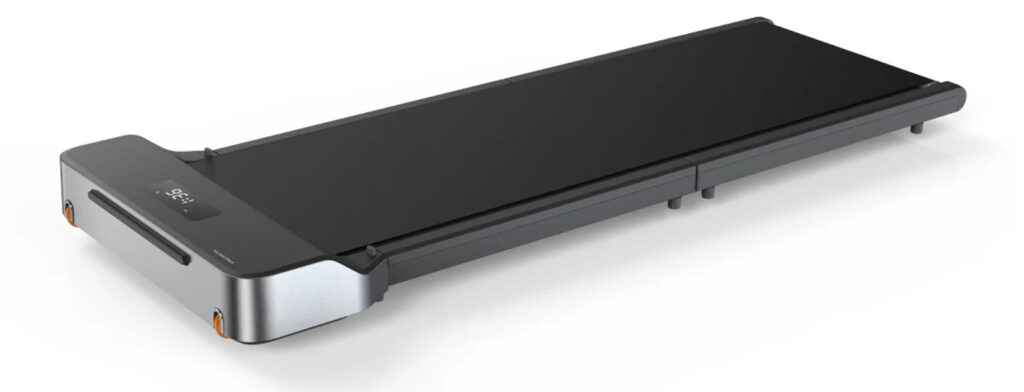
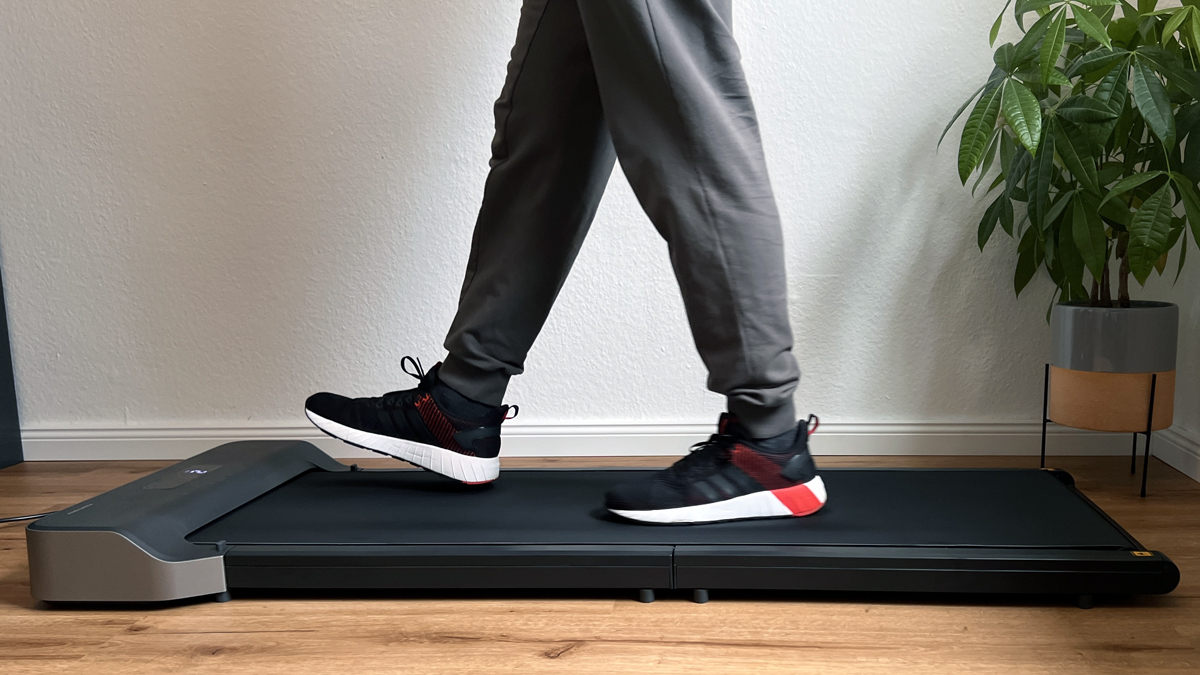
The WalkingPad Z1 is currently my insider tip for anyone after absolute quiet. It differs technically quite a bit from the other models.
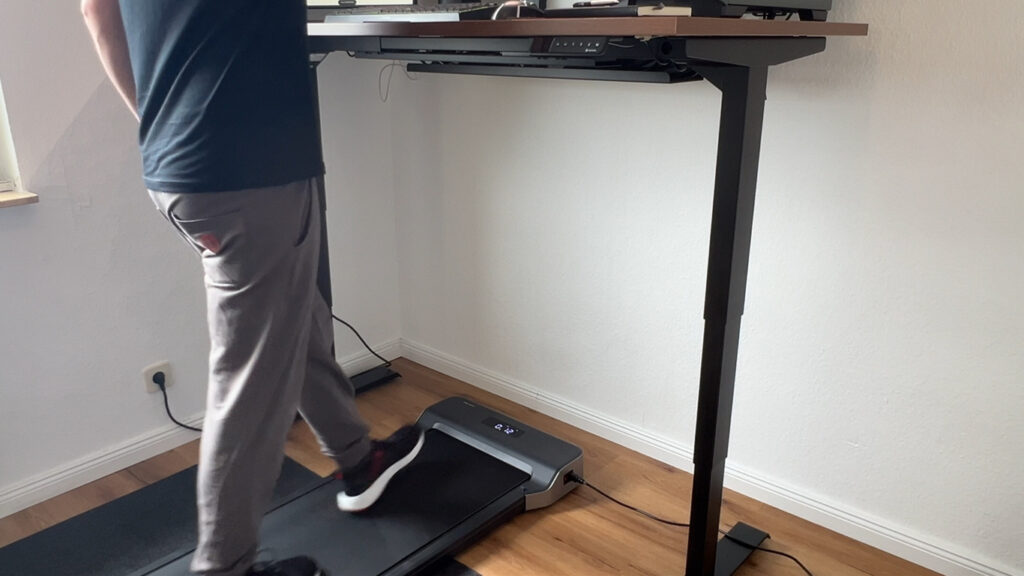
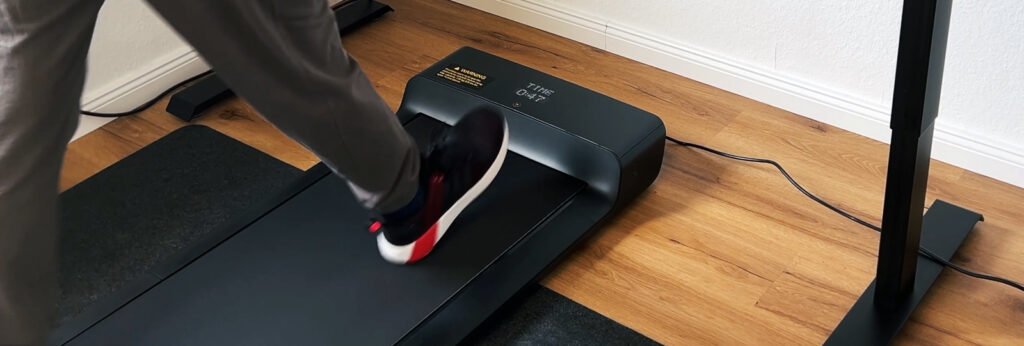
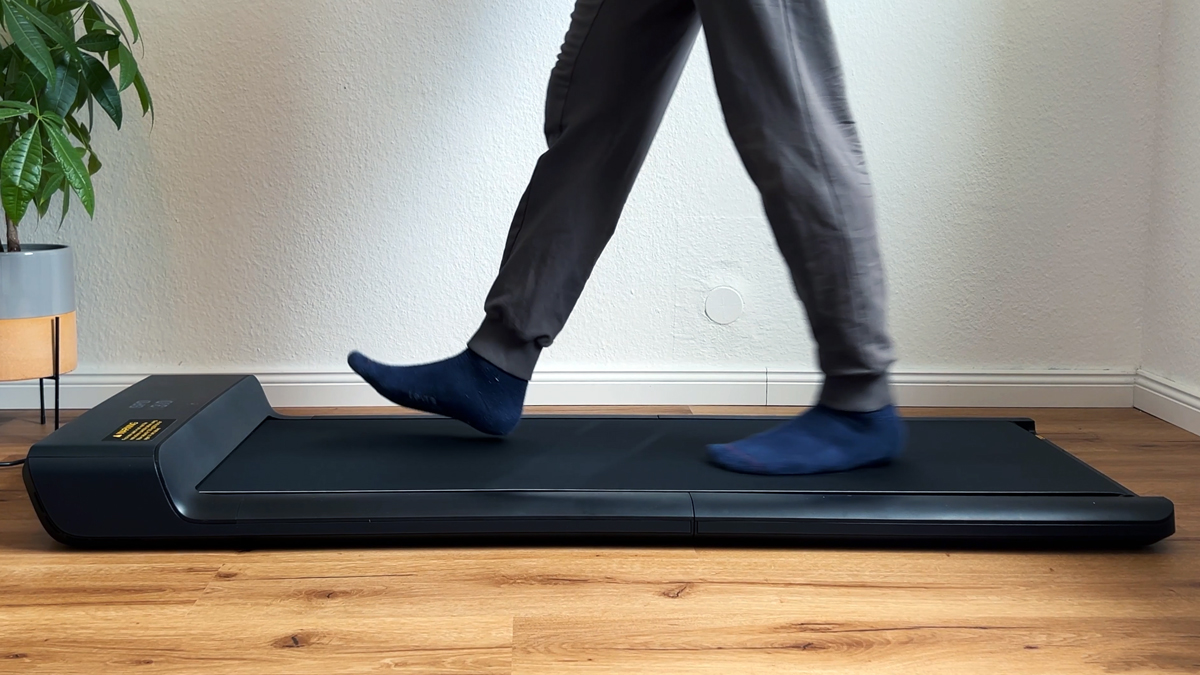
The Z1 in the hands-on test The biggest highlight: it has no fan built in (at least none you can hear). Combined with the efficient brushless motor, this makes it extremely quiet in operation. Perfect if you’re working at your desk and don’t want any whirring background noise.
At 23 kg (51 lb) it’s very light and folds up. Unlike the X or P series, though, the running belt is left exposed when folded (less housing around it), which makes it a bit more vulnerable during transport. In return, you save on weight.
For brisk walking up to 5 km/h (3.1 mph) it’s my top recommendation. For light jogging at 6 km/h (3.7 mph), I found the P1/A1 models a bit more comfortable thanks to their wider build.
What I like
- Extremely quiet: No fan installed
- Light: Just 23 kg/51 lb, easy to manoeuvre
- Design: Modern display, upright storage possible
What bothers me
- Running belt is exposed when folded (careful during transport)
- Running surface a bit narrower (40 cm/15.7 in)
| Specs | WalkingPad Z1 |
|---|---|
| Max. weight capacity | 110 kg/243 lb (I’d recommend treating it as 100 kg/220 lb) |
| Unit weight | 23 kg (51 lb) |
| Motor power | type | 550 watts | brushless |
| Speed range | 1–6 km/h (0.6–3.7 mph) |
| Running surface (L x W) | 121 x 40 cm (47.6 x 15.7 in) |
| Size unfolded (L x W x H) | 142.5 x 56 x 10.6 cm (56.1 x 22 x 4.2 in) |
| Size folded (L x W x H) | 81 x 56 x 13.8 cm (31.9 x 22 x 5.4 in) |
| Foldable | (Foldable) |
| Storage | flat | upright (if stable) |
| Controls / connectivity | Remote control | KS Fit app |
| Display | LED (speed, distance, time, calories) |
| Special features | No fan (very quiet), no-load auto-stop |
Where to buy
WalkingPad Z1
Test unit provided by the manufacturer. The review was not approved by them beforehand.
* Affiliate link. I earn a commission, the price stays the same for you.
4. WalkingPad X218: The Monster (Up to 18 km/h/11.2 mph)
Overall rating 4.7 / 5
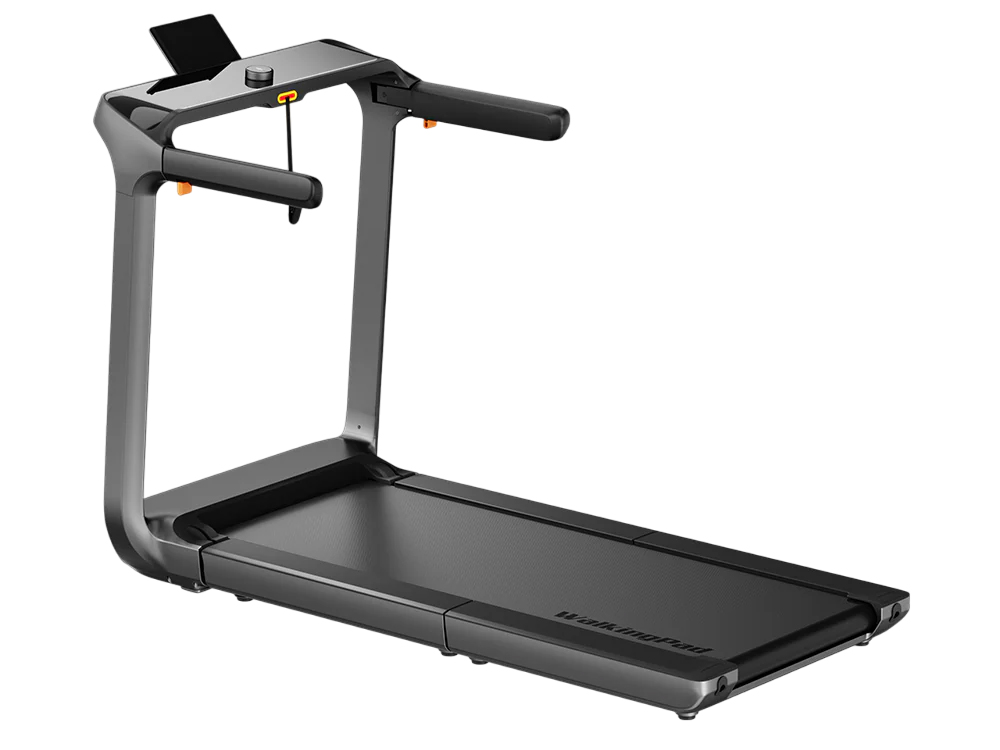
Are you taller than 1.85 m (6’1″), a bit heavier, or do you want to really run fast? Then the WalkingPad X218 is your machine. It’s the world’s fastest double-folding treadmill.
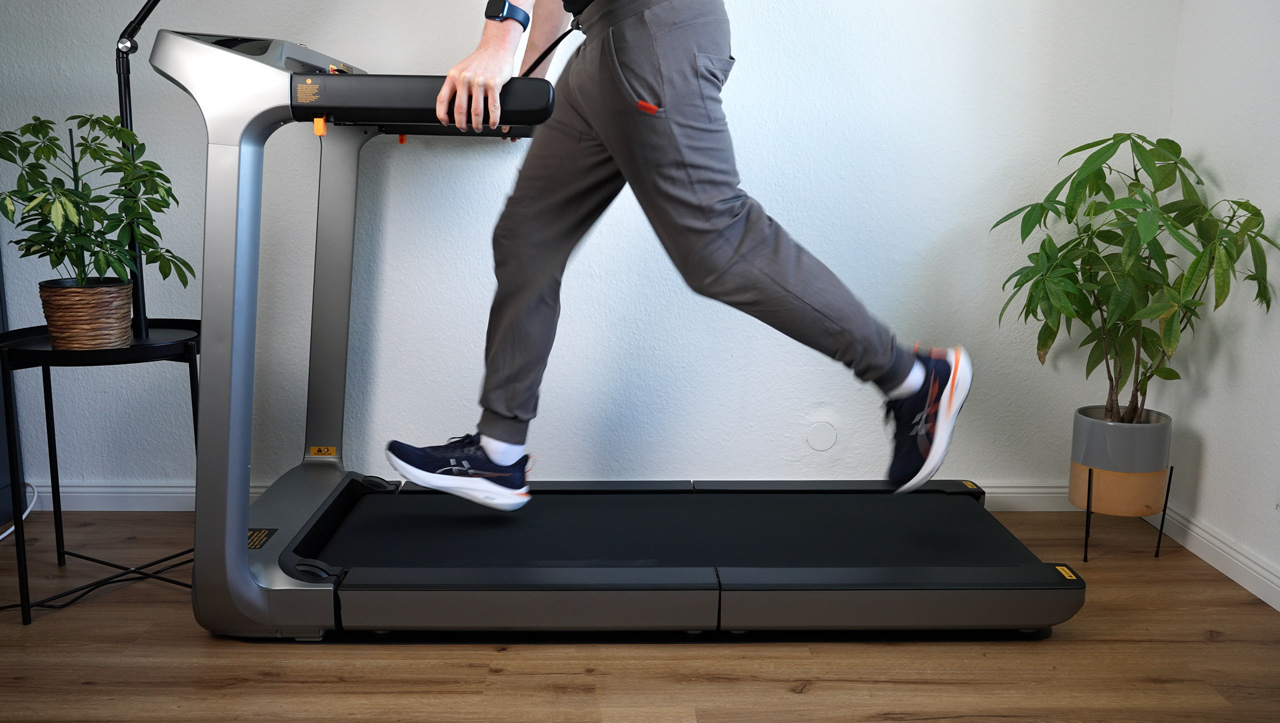
The X218 in the hands-on test. Once the X218 is set up, it’s a beast. At 51 cm (20.1 in) wide, it has the largest running surface in the test – the feel underfoot is almost like a gym treadmill. I found the automatic programmes exciting: the belt changes speed at intervals, which makes training much more varied.
But watch out: the package is huge, and the unit weighs 58.5 kg (129 lb). Two-person delivery gets it to you safely, but you won’t want to be carrying it up stairs every day.
What I like
- Pro-grade surface: 51 cm/20.1 in wide and very long (140 cm/55.1 in)
- Performance: Up to 18 km/h/11.2 mph and 136 kg/300 lb capacity
- Smart features: NFC, programmes, great display
What bothers me
- Heavy: 58.5 kg/129 lb unit weight
- Price: The most expensive model in the test
| Specs | WalkingPad X218 |
|---|---|
| Max. weight capacity | 136 kg (300 lb) |
| Unit weight | 58.5 kg (129 lb) |
| Motor power | type | 1,286 watts | brushless (1.72 hp) |
| Speed range | 1–18 km/h (0.6–11.2 mph) |
| Running surface (L x W) | 140 x 51 cm (55.1 x 20.1 in) |
| Size unfolded (L x W x H) | 162 x 84 x 108 cm (63.8 x 33.1 x 42.5 in) |
| Size folded (L x W x H) | 29.5 x 84 x 108 cm (11.6 x 33.1 x 42.5 in) |
| Foldable | (Double-Fold) |
| Storage | upright |
| Controls / connectivity | KS Fit app, rotary knob, NFC |
| Display | LED display with LED strip (in the handrail) |
| Special features | SpeedDial, foldable side arms, custom programmes can be saved |
Where to buy
WalkingPad X218
Test unit provided by the manufacturer. The review was not approved by them beforehand.
* Affiliate link. I earn a commission, the price stays the same for you.
5. WalkingPad P1: The Folding Classic for Small Flats
Overall rating 4.6 / 5
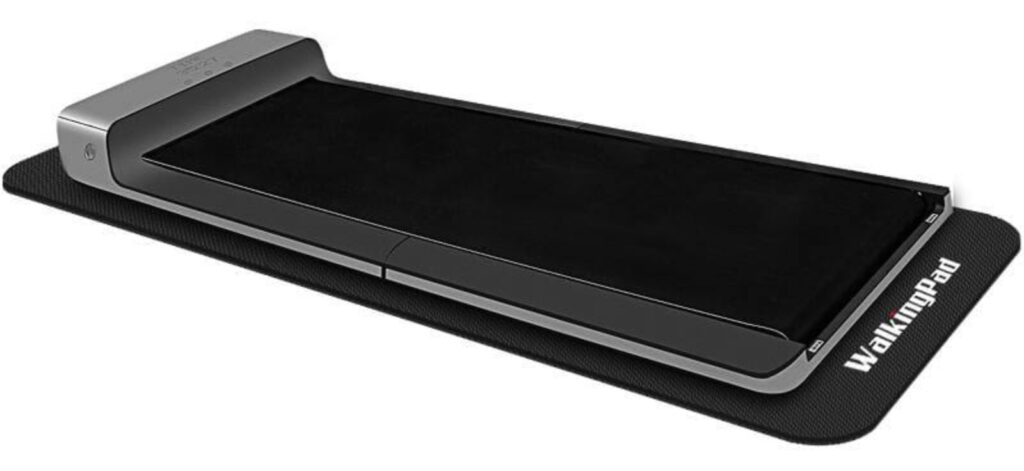
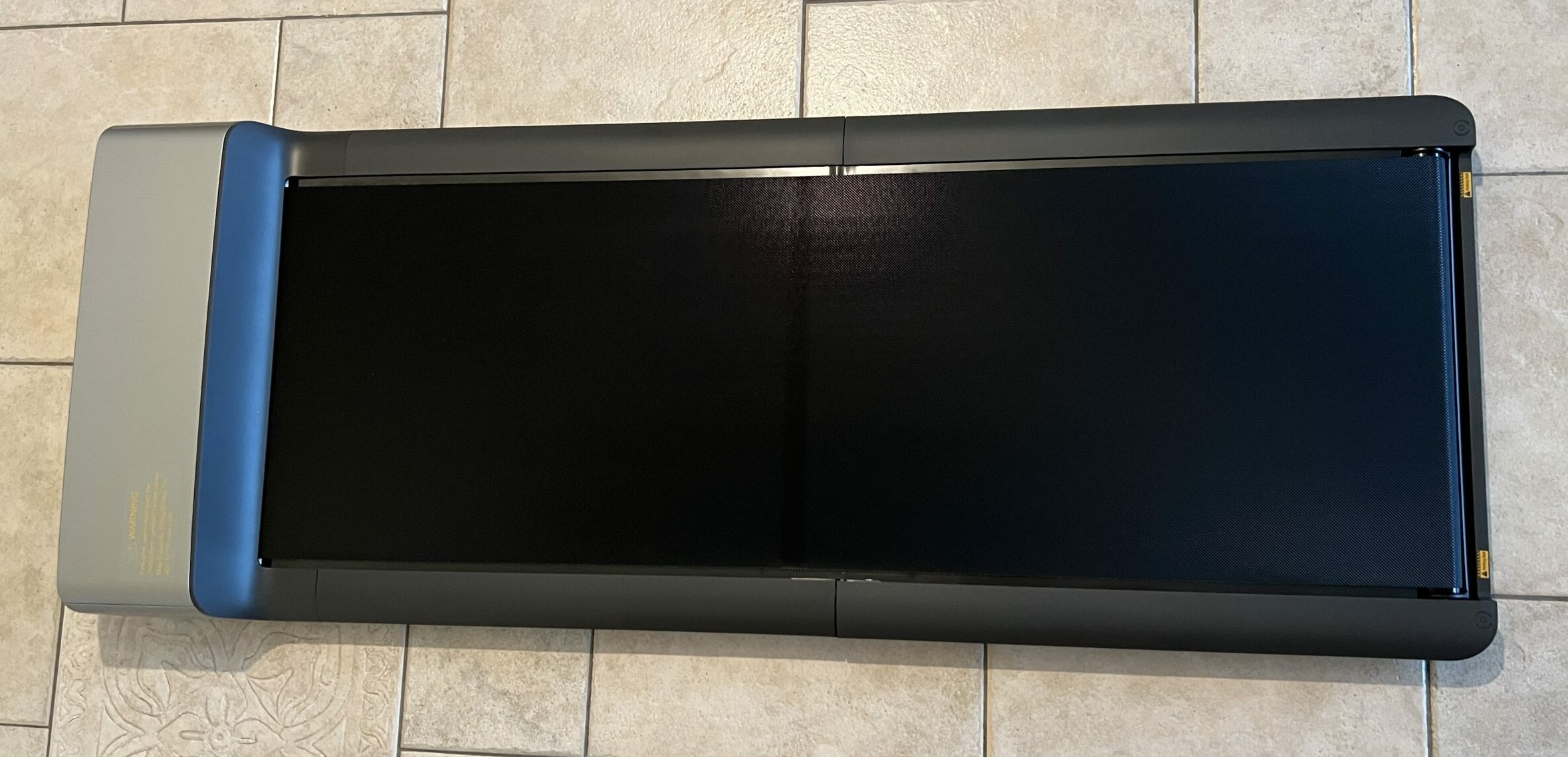
The WalkingPad P1 is the minimalist among treadmills. It has no built-in display (you see your data on the remote or in the app) and focuses entirely on the essentials: saving space.
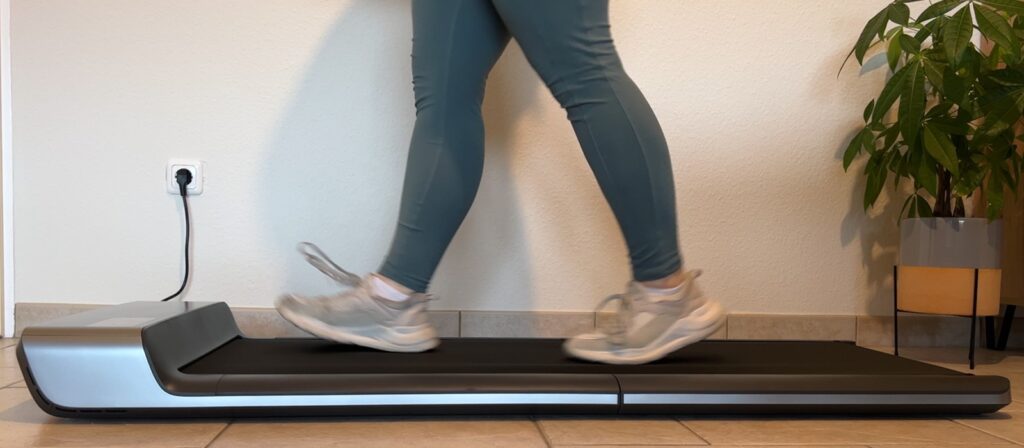
The P1 in the hands-on test I love the P1 for how unassuming it is. Thanks to its patented folding design, it disappears into the smallest nook. It reaches 6 km/h (3.7 mph), which is completely enough for working at a desk.
The fan is quiet but kicks in after a while. If you can do without the bells and whistles and just want to rack up steps, this is often the cheapest way into the WalkingPad brand family.
What I like
- Super compact: Fits anywhere
- Simple to use: Remote control included
- Affordable: Often the budget pick when on sale
What bothers me
| Specs | WalkingPad P1 |
|---|---|
| Max. weight capacity | 100 kg (220 lb) |
| Unit weight | 28 kg (62 lb) |
| Motor power | type | 746 watts | DC |
| Speed range | 0.5–6 km/h (0.3–3.7 mph) |
| Running surface (L x W) | 120 x 41.5 cm (47.2 x 16.3 in) |
| Size unfolded (L x W x H) | 143.2 x 54.7 x 12.9 cm (56.4 x 21.5 x 5.1 in) |
| Size folded (L x W x H) | 82.2 x 54.7 x 12.9 cm (32.4 x 21.5 x 5.1 in) |
| Foldable | (centre fold) |
| Storage | flat |
| Controls / connectivity | Remote control | KS Fit app | auto mode |
| Display | Built into the remote control |
| Special features | Child lock, large transport wheels |
Where to buy
WalkingPad P1
Test unit provided by the manufacturer. The review was not approved by them beforehand.
* Affiliate link. I earn a commission, the price stays the same for you.
6. WalkingPad R2: The Sturdy Long-Hauler With a Handrail
Overall rating 4.5 / 5
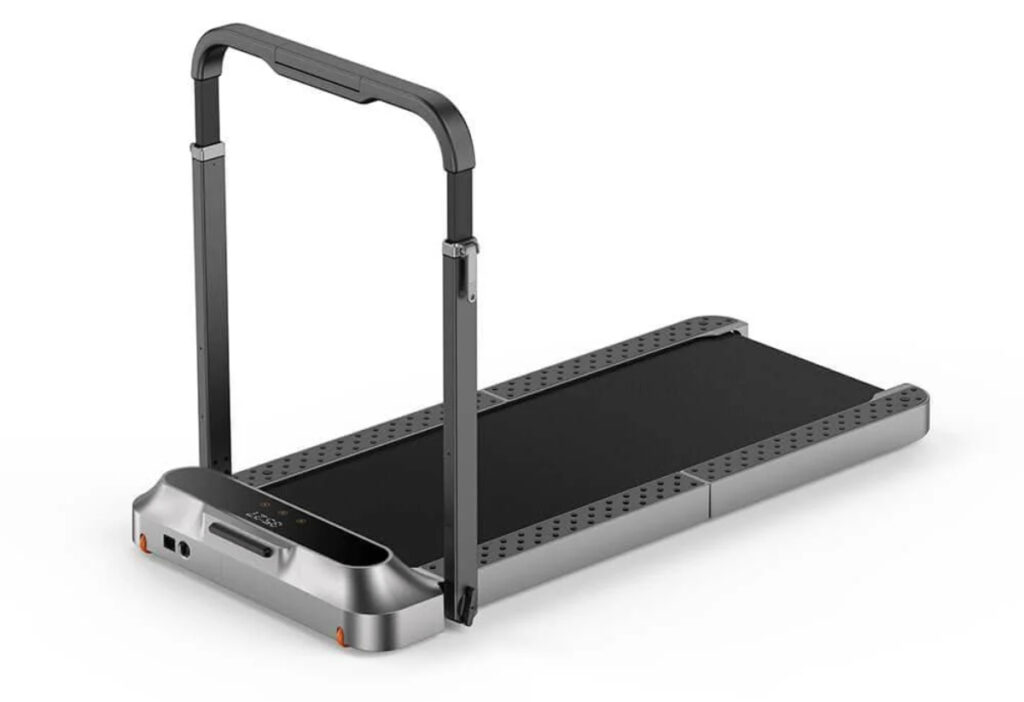
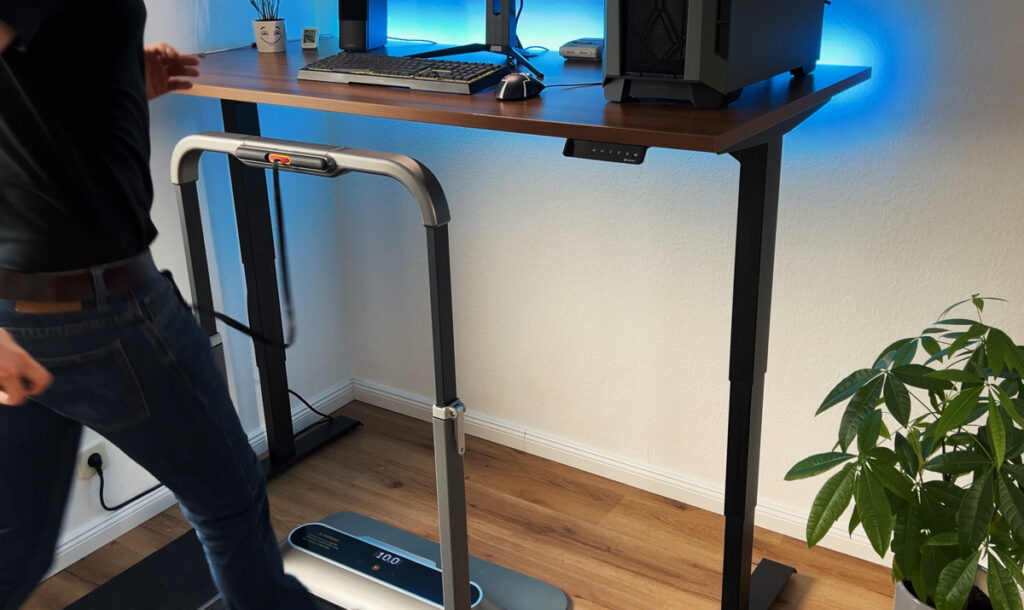
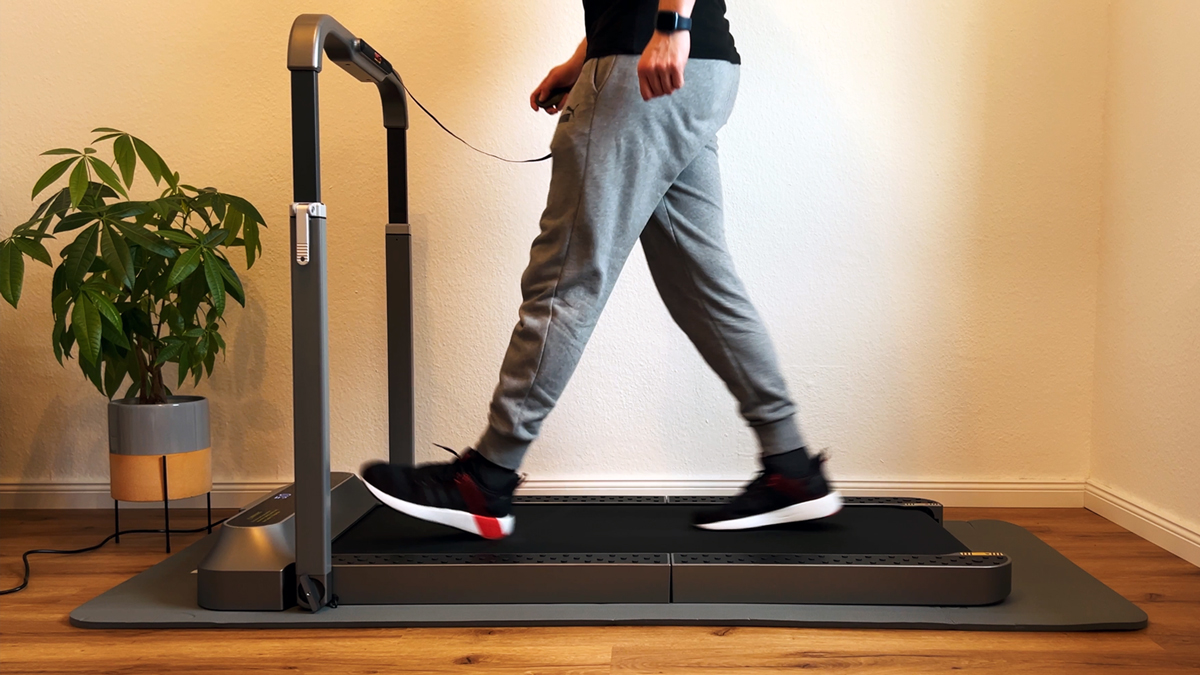
The WalkingPad R2 was the flagship model for a long time. It’s the sturdier version of the R1 Pro and stands out for its fold-out handrail.
The R2 in the hands-on test Up to 12 km/h (7.5 mph), the R2 handles everything you throw at it. The standout feature here is the handrail: it doesn’t just give you safety, it also doubles as a tablet holder. When you fold the pad up, it looks like a small suitcase and can stand upright.
It’s built extremely solidly, though next to the newer X214 it now looks a bit more “boxy”. Still, an absolute workhorse.
What I like
- Safe: Sturdy handrail incl. tablet holder
- Compact: Upright storage possible
- Performance: Up to 12 km/h/7.5 mph and 110 kg/243 lb capacity
What bothers me
- Adjusting the handrail is a bit fiddly (stiff levers)
- Often priced close to the newer X214
| Specs | WalkingPad R2 |
|---|---|
| Max. weight capacity | 110 kg (243 lb) |
| Unit weight | 36 kg (79 lb) |
| Motor power | type | 918 watts | brushless |
| Speed range | 0.5–12 km/h (0.3–7.5 mph) |
| Running surface (L x W) | 120 x 44 cm (47.2 x 17.3 in) |
| Size unfolded (L x W x H) | 145.2 x 72 x 103.2 cm (57.2 x 28.3 x 40.6 in) |
| Size folded (L x W x H) | 100 x 72 x 16.2 cm (39.4 x 28.3 x 6.4 in) |
| Foldable | (single fold, handrail folds down) |
| Storage | upright |
| Controls / connectivity | Remote control | KS Fit app |
| Display | LED (time, speed, distance, calories, steps) |
| Special features | 2-in-1 mode, foldable handrail, tablet holder |
Where to buy
WalkingPad R2
Test unit provided by the manufacturer. The review was not approved by them beforehand.
* Affiliate link. I earn a commission, the price stays the same for you.
7. WalkingPad MC11: Strong Value for Money
Overall rating 4.7 / 5
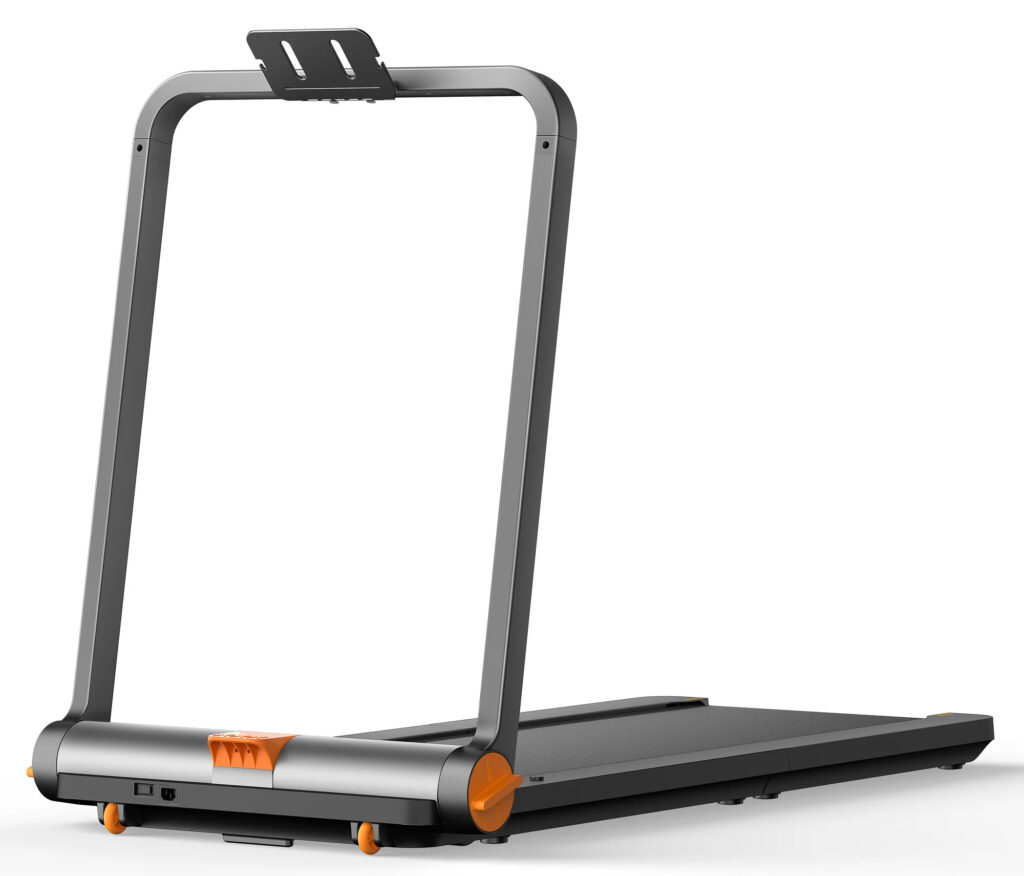
The WalkingPad MC11 is actually one of my favourite units for brisk jogging up to 12 km/h (7.5 mph). Unfortunately, availability is currently very inconsistent.
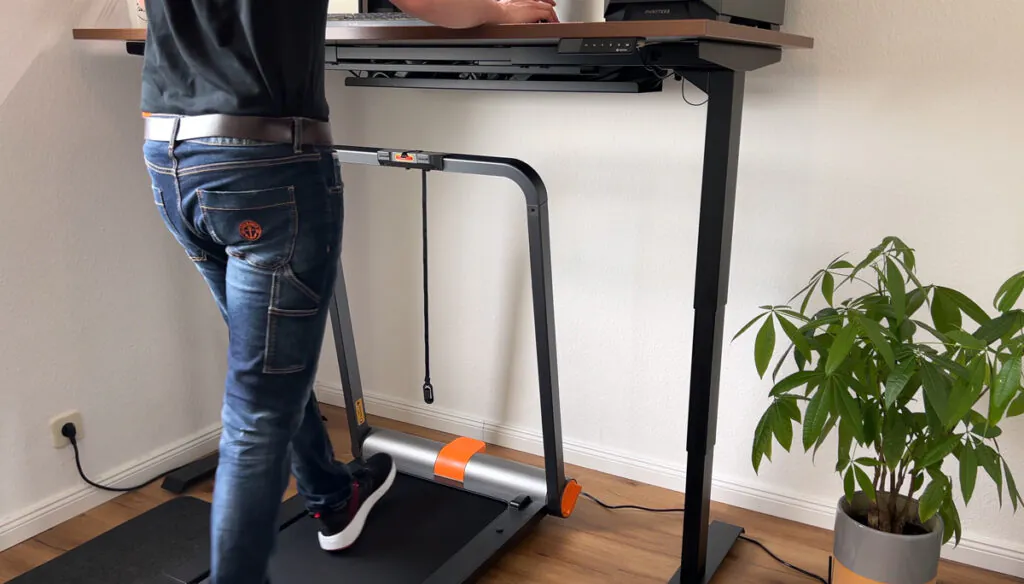
The MC11 in the hands-on test. It offers a great mix of smooth running (very quiet up to 6 km/h/3.7 mph) and performance (up to 12 km/h/7.5 mph). At 44 cm (17.3 in), the running surface is pleasantly wide, and the touch display feels very modern.
The MC11 is not listed in the WalkingPad Stores US and UK, so I’d point you to the Z3 Hybrid+ (cheaper) or the X214 (better folding mechanism) instead.
What I like
- Up to 12 km/h/7.5 mph possible
- Sleek touch display
- Good cushioning
- Great value for money
What bothers me
- 35.5 kg/78 lb unit weight – not super easy to move around
- Gets louder at higher speeds
- Touch controls take some getting used to
| Specs | WalkingPad MC11 |
|---|---|
| Max. weight capacity | 110 kg (243 lb) |
| Unit weight | 35.5 kg (78 lb) |
| Motor power | type | 930 watts | brushless |
| Speed range | 1–12 km/h (0.6–7.5 mph) |
| Running surface (L x W) | 120 x 44 cm (47.2 x 17.3 in) |
| Size unfolded (L x W x H) | 145.2 x 73.6 x 100 cm (57.2 x 29 x 39.4 in) |
| Size folded (L x W x H) | 102.4 x 73.6 x 16.1 cm (40.3 x 29 x 6.3 in) |
| Foldable | (Single fold) |
| Storage | upright | flat |
| Controls / connectivity | Touch display on the unit | KS Fit app |
| Display | OLED (time, speed, distance, calories; steps in the app only) |
| Special features | Large wheels, smartphone holder |
Where to buy
WalkingPad MC11
Test unit provided by the manufacturer. The review was not approved by them beforehand. The MC11 is not listed in the WalkingPad Stores US and UK.
* Affiliate link. I earn a commission, the price stays the same for you.
8. WalkingPad A1 Pro: The Rugged Classic
Overall rating 4.4 / 5
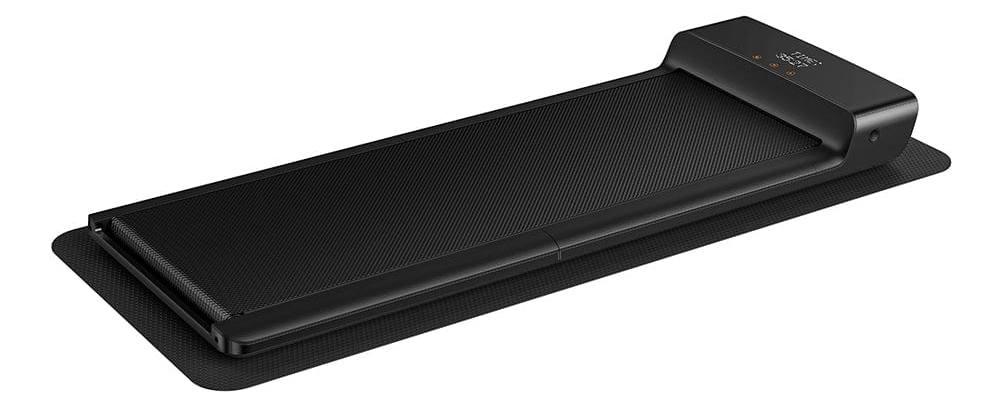
The WalkingPad A1 Pro is essentially the “father” of modern walking pads. Even in 2026 it still earns its place, mainly thanks to how rugged it is.
The A1 Pro in the hands-on test. Compared with the lighter P1, the A1 Pro feels more substantial. It carries up to 136 kg (300 lb), which is rare in the 6 km/h (3.7 mph) class. The brushless motor keeps it running very smoothly.
The black design is timeless and doesn’t show dirt (shoe scuffs) easily. If you weigh a bit more and just want to walk, the A1 Pro is worth a look. The biggest downside: the fan kicks in fairly quickly and is audible.
Torn between this one and the WalkingPad P1? Here’s my detailed comparison: WalkingPad Z1 vs. P1 vs. A1 Pro.
What I like
- High capacity: Up to 136 kg/300 lb
- Durable: Very rugged build
- Motor: Strong brushless drive
What bothers me
- Fairly heavy (27 kg/60 lb)
- No built-in pause mode
- Fan kicks in quickly and is fairly loud
| Specs | WalkingPad A1 Pro |
|---|---|
| Max. weight capacity | 136 kg (300 lb) |
| Unit weight | 27 kg (60 lb) |
| Motor power | type | 932 watts | brushless |
| Speed range | 0.5–6 km/h (0.3–3.7 mph) |
| Running surface (L x W) | 120 x 41.5 cm (47.2 x 16.3 in) |
| Size unfolded (L x W x H) | 143.2 x 54.7 x 12.9 cm (56.4 x 21.5 x 5.1 in) |
| Size folded (L x W x H) | 82.2 x 54.7 x 12.9 cm (32.4 x 21.5 x 5.1 in) |
| Foldable | (centre fold) |
| Storage | flat |
| Controls / connectivity | Remote control | KS Fit app | auto mode |
| Display | LED (time, speed, distance, calories, steps) |
| Special features | Child lock, timeless design |
Where to buy
WalkingPad A1 Pro
Test unit provided by the manufacturer. The review was not approved by them beforehand.
* Affiliate link. I earn a commission, the price stays the same for you.
9. WalkingPad X21: The Predecessor
Overall rating 4.6 / 5
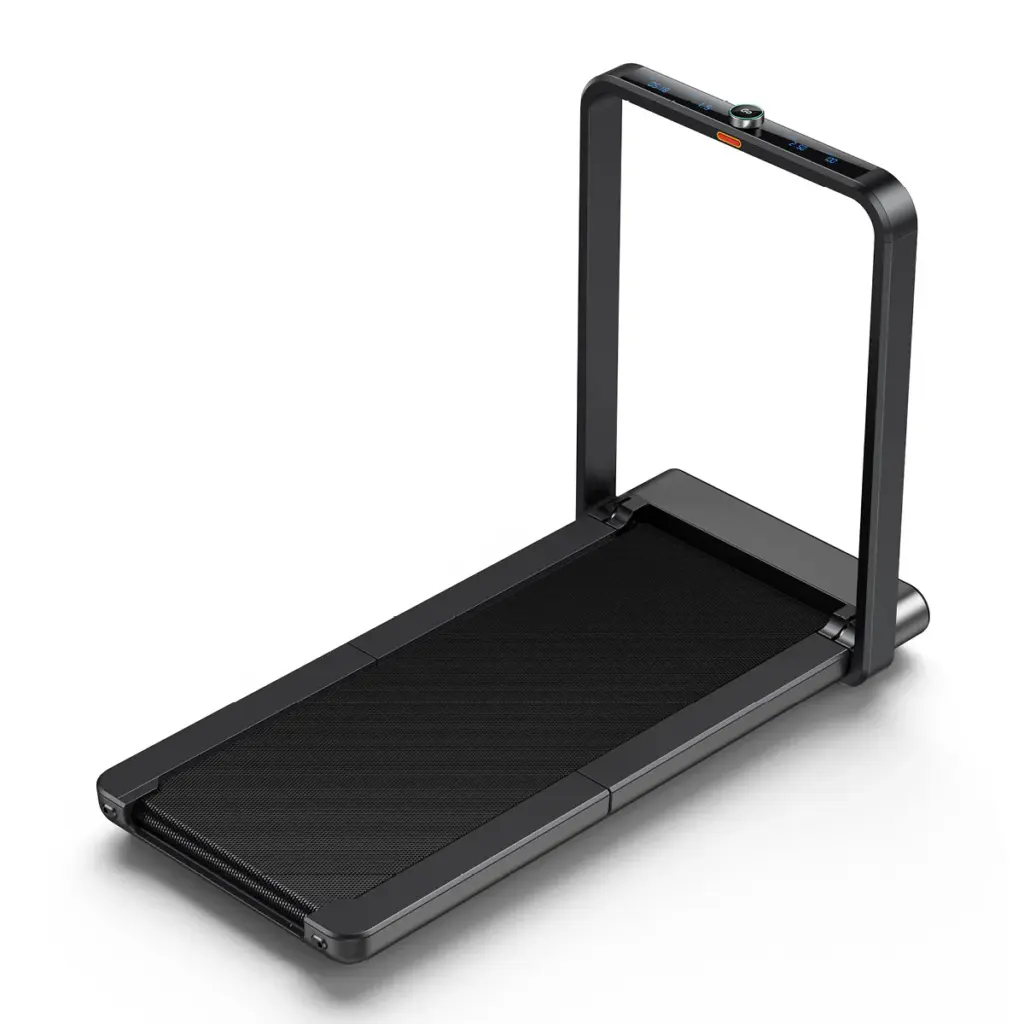
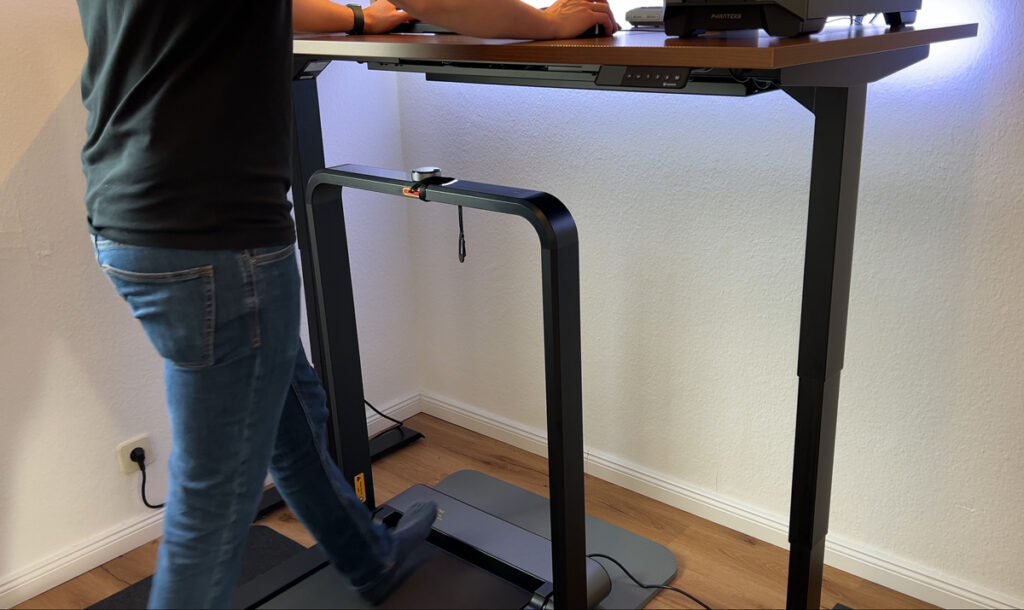
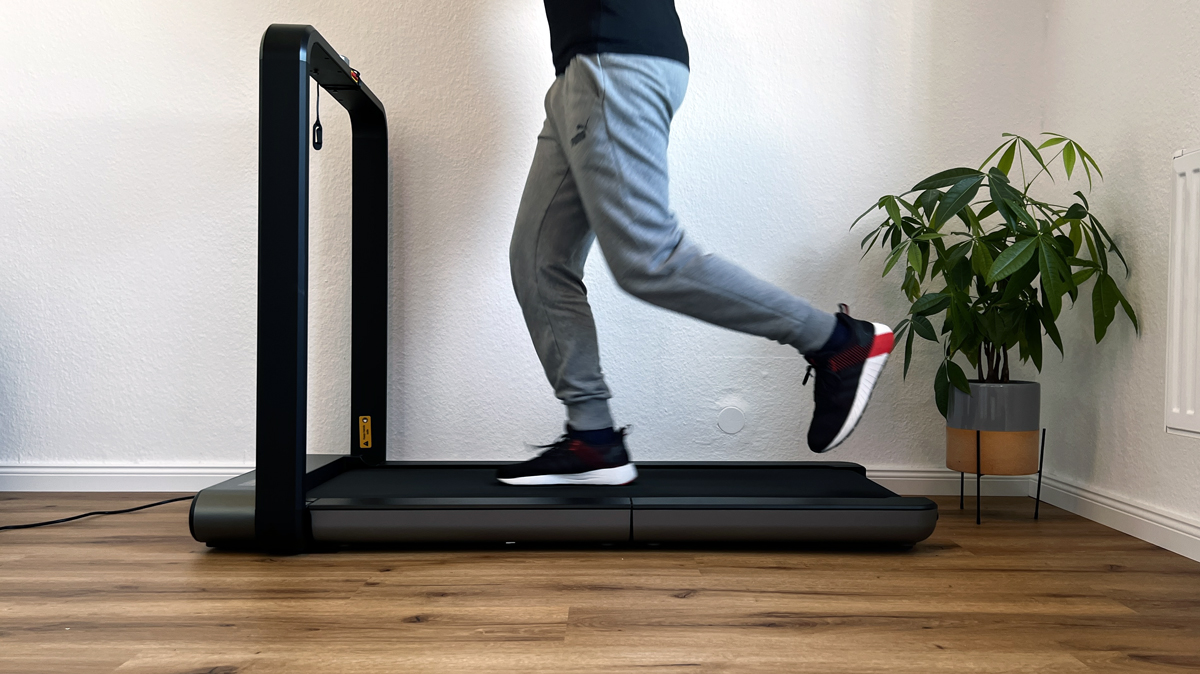
The WalkingPad X21 was the first with the brilliant folding running-surface mechanism. It’s still an excellent unit (up to 12 km/h/7.5 mph, NFC, OLED display).
But since its successor, the X214 (see #1), is quieter, has foldable handles and can be muted, I’d only buy the X21 today if it’s significantly cheaper in a clearance sale. Otherwise, go straight for the X214.
What I like
- Double-fold design, extremely space-saving
- 12 km/h/7.5 mph top speed, wider running surface
- Brushless motor, very smooth running
- NFC/app control &
- OLED display
What bothers me
- Small wheels, harder to move on carpet
- Loud beep when changing speed
- No classic remote control
| Specs | WalkingPad X21 |
|---|---|
| Max. weight capacity | 110 kg (243 lb) |
| Unit weight | 37 kg (82 lb) |
| Motor power | type | approx. 918 watts | brushless (1.23 hp) |
| Speed range | 1–12 km/h (0.6–7.5 mph) |
| Running surface (L x W) | 121 x 46 cm (47.6 x 18.1 in) |
| Size unfolded (L x W x H) | 142 x 71.1 x 100.7 cm (55.9 x 28 x 39.6 in) |
| Size folded (L x W x H) | 22.5 x 71 x 101 cm (8.9 x 28 x 39.8 in) |
| Foldable | (Double-Fold) |
| Storage | upright |
| Controls / connectivity | KS Fit app, NFC, handrail display |
| Display | OLED (in the handrail) |
| Special features | Double-Fold, NFC pairing |
Where to buy
WalkingPad X21
Test unit provided by the manufacturer. The review was not approved by them beforehand.
* Affiliate link. I earn a commission, the price stays the same for you.
10. KUIPERS K1: The Design Walking Pad With a Real-Wood Frame
Overall rating 4.6 / 5
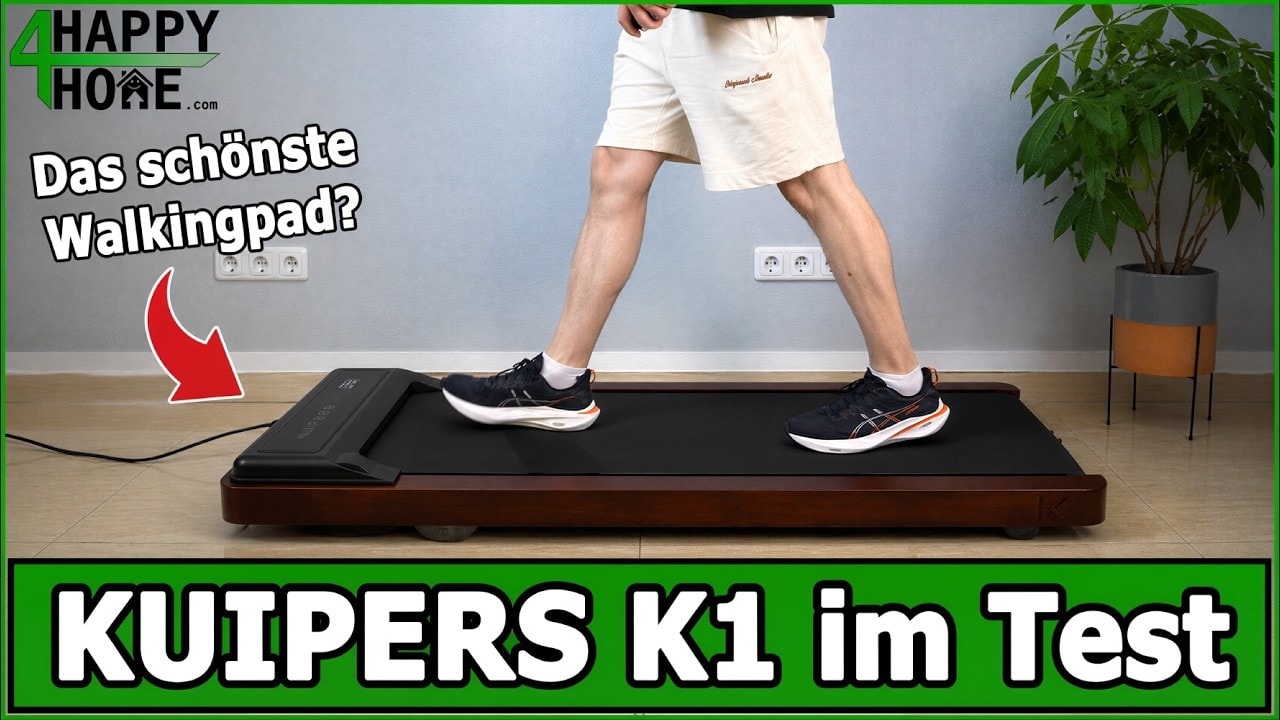
The KUIPERS K1 is the only walking pad in my test with a real-wood frame. It measures 121 × 54 × 13 cm (47.6 × 21.3 × 5.1 in), weighs 20 kg (44 lb) and carries up to 135 kg (298 lb). The effective deck height is around 7 cm (2.8 in), making it one of the flattest units at the desk.
The K1 in the hands-on test. 0.5 to 6 km/h (0.3–3.7 mph) in fine 0.1 km/h steps, a remote control, training programmes and a mute function for the beeps. Over roughly two hours of walking at my desk, it used 0.271 kWh. The feel underfoot and the cushioning are among the best in the test.
You do have to go without an app, Bluetooth or step counting, and the price sits above that of many simpler walking pads. If you want a unit that’s allowed to stand in the living room too, this is the best-looking model in my test.
What I like
- Real-wood frame, living-room-friendly
- Fine 0.1 km/h steps and mute mode
- Low power use: 0.271 kWh in 2 hours
What bothers me
- Max. 6 km/h/3.7 mph, no running workouts
- No app, no Bluetooth, no step counting
- Shut itself off once after 1 h 40 min on a hot day
| Specs | KUIPERS K1 |
|---|---|
| Max. weight capacity | 135 kg (298 lb) |
| Unit weight | 20 kg (44 lb) |
| Motor power | type | max. 1.5 hp (manufacturer figure) |
| Speed range | 0.5–6 km/h (0.3–3.7 mph) in 0.1 km/h steps |
| Running surface (L x W) | 105 x 41 cm (41.3 x 16.1 in) |
| Size (L x W x H) | 121 x 54 x 13 cm (47.6 x 21.3 x 5.1 in), deck height approx. 7 cm (2.8 in) |
| Foldable | (Not foldable) |
| Storage | flat, or permanently upright |
| Controls / connectivity | Remote control | training programmes | no app |
| Display | Speed, time, distance, calories |
| Special features | Real-wood frame, mute mode, silicone oil included |
11. Sperax Walking Pad (3-in-1): With Incline, but No Longer Recommended
Overall rating 4.2 / 5
Safety notice: on 16 April 2026 the US Consumer Product Safety Commission (CPSC) warned consumers to stop using Sperax walking pads and treadmills, models Pro, Q1, RM-01 and RM-02, citing reports of sudden speed changes and abrupt stops as well as overheating and fires. The warning covers units sold in the US. You will find the model name on the label near the power switch. Details are in the CPSC warning.
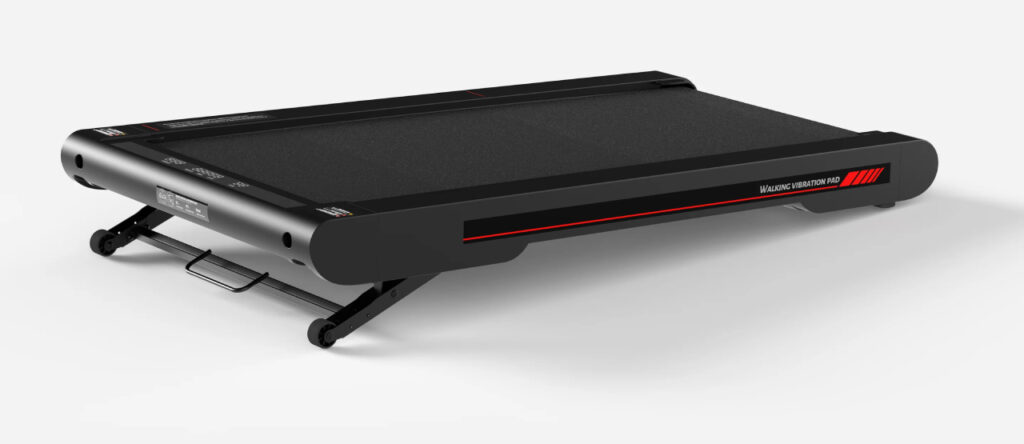
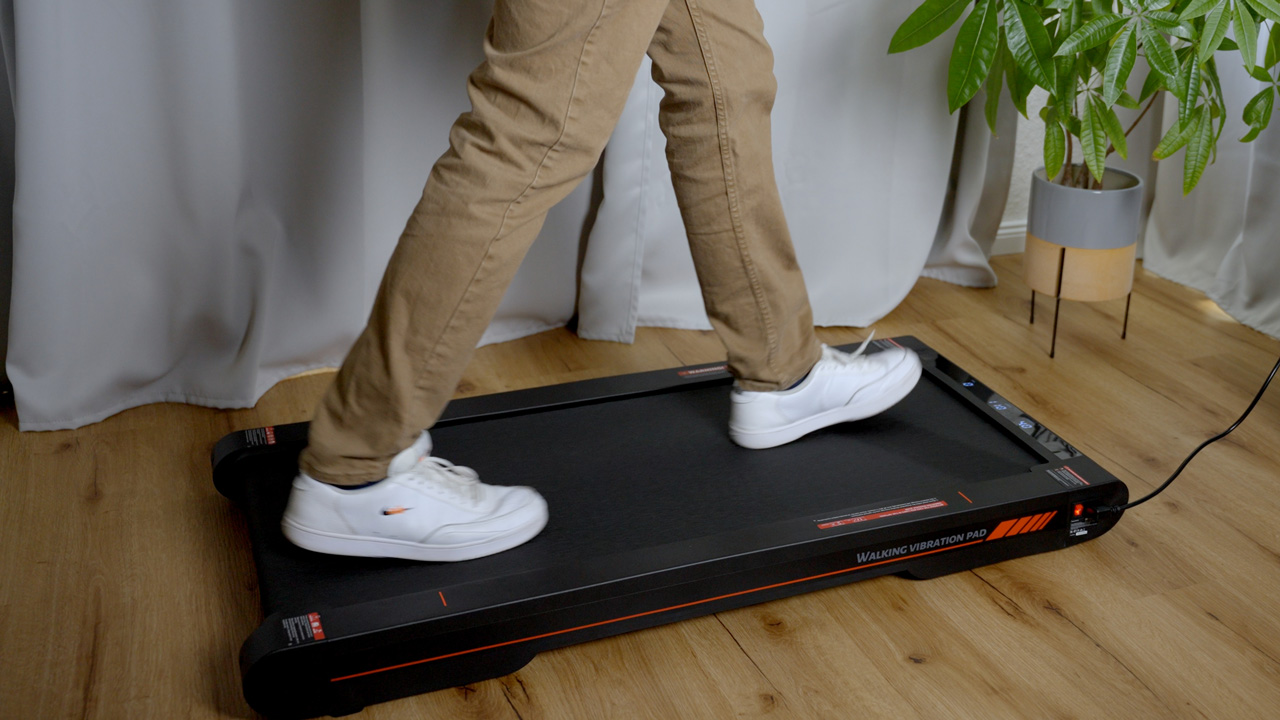
The Sperax walking pad is an interesting outsider in my test field. It’s not a KingSmith unit but was an Amazon bestseller that scored mainly through its low price and one special feature: incline.
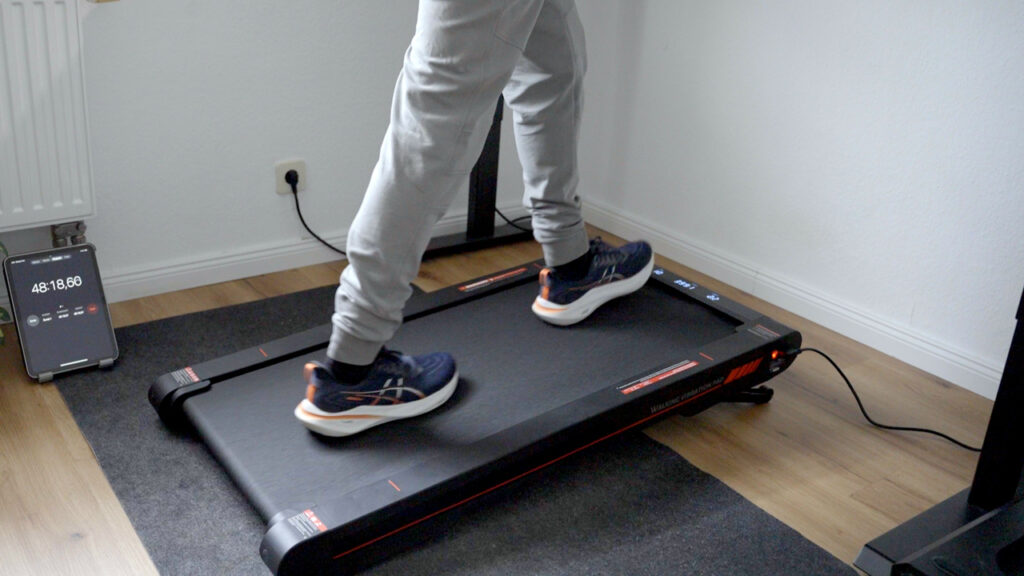
The Sperax in the hands-on test. The highlight is the manual incline of up to 10%. You do have to step off and lift the front until it locks at 5 or 10 %, but walking “uphill” burns noticeably more calories. Walking on an incline is noticeably more strenuous than on the flat.
It’s also feather-light at about 14 kg (31 lb) – you can move it with one hand. But you do notice the price: a lot of plastic (ABS), and the running surface is a bit narrower. The Sperax P2 Pro is no longer sold, and the US CPSC warns against several Sperax models, so I no longer recommend it. In the buy box below I link a comparable alternative with incline.
What I like
- Incline function: Manual incline for higher intensity
- Feather-light: Only 14 kg/31 lb – extremely portable
- Vibration: extra function for loosening up after walking
What bothers me
- Materials: Feels less premium than the competition
- Limit: Only up to 6 km/h/3.7 mph (walking only)
- Narrow: You need to walk in a focused way
| Specs | Sperax Walking Pad (3-in-1) |
|---|---|
| Max. weight capacity | 120 kg (265 lb, manufacturer figure) |
| Unit weight | approx. 14 kg (31 lb) |
| Motor power | type | 2.5 hp peak | DC motor (manufacturer spec) |
| Speed range | 0.3–6 km/h (0.2–3.7 mph) |
| Running surface (L x W) | approx. 105 x 42 cm (41.3 x 16.5 in) |
| Size unfolded (L x W x H) | 112.5 x 56.5 x 9.5 cm (44.3 x 22.2 x 3.7 in) |
| Size folded (L x W x H) | (Not foldable, flat storage only) |
| Foldable | (Single piece) |
| Storage | flat (under a sofa or bed) |
| Controls / connectivity | Sperax app, remote control |
| Display | LED on the deck – time, speed, distance, steps, calories |
| Special features | Manual incline, vibration plate, very light |
Where to buy
Sperax P2 Pro Walking Pad (no longer available)
Test unit provided by the manufacturer. The Sperax P2 Pro is no longer sold. As an alternative I link a comparable walking pad with 10 % incline on Amazon.
* Affiliate link. I earn a commission, the price stays the same for you.
More WalkingPad Models at a Glance: G1, MC21 and X23
Besides my top picks, which I covered in detail above, the market kept moving. KingSmith added a few interesting models in 2025. Here’s my walking pad comparison video and my rundown of these other models.
1. WalkingPad G1 (The Apple Watch Partner)
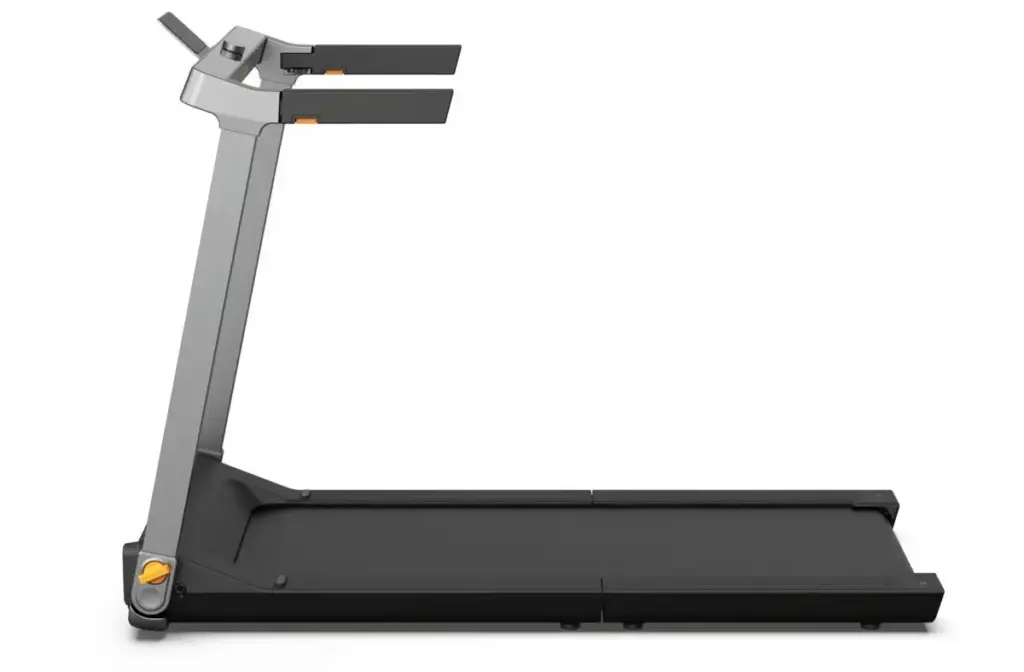
The G1 is the sportier sibling of the Z3 and has become a favourite among Apple users. It has a built-in phone holder and talks directly to the Apple Watch (heart rate without a chest strap). It’s controlled intuitively via a rotary knob on the handrail.
- Speed: 1–12 km/h (0.6–7.5 mph)
- Running surface: 120 x 44 cm (47.2 x 17.3 in)
- Weight capacity: Max. 110 kg (243 lb)
- Unit weight: 38 kg (84 lb)
- Size (unfolded): 143.7 x 73.9 x 105.3 cm (56.6 x 29.1 x 41.5 in)
- Highlight: Apple Watch support & rotary-knob control
2. WalkingPad MC21 (The Comfort Update)
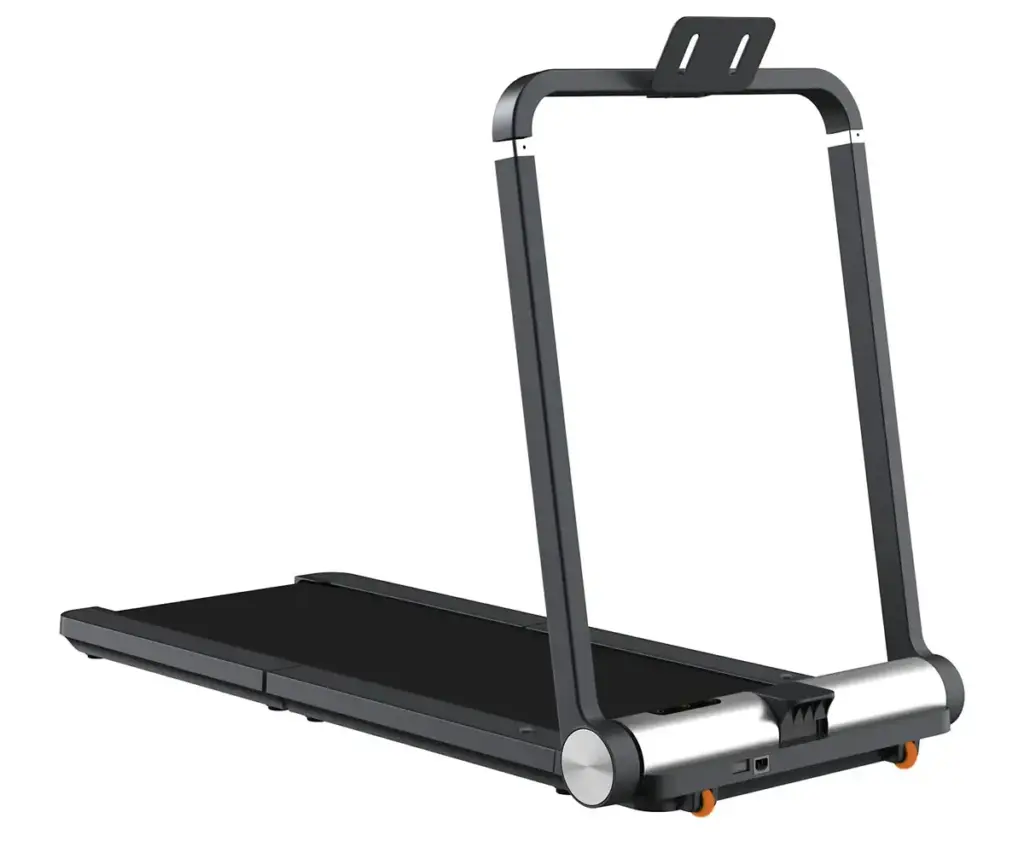
The MC21 has since replaced the older MC11. It uses new pressure sensors for an “auto mode” (the belt reacts to where you’re standing) and has a significantly improved folding mechanism for the support bar.
- Speed: 1–10 km/h (0.6–6.2 mph)
- Running surface: 120 x 44 cm (47.2 x 17.3 in)
- Weight capacity: Max. 110 kg (243 lb)
- Unit weight: 33 kg/73 lb (nice and light!)
- Size (folded): 102.5 x 70 x 15.5 cm (40.4 x 27.6 x 6.1 in)
- Highlight: Auto mode & folds very flat
3. WalkingPad X23 / X25 / MX16 (The Wide Giant)
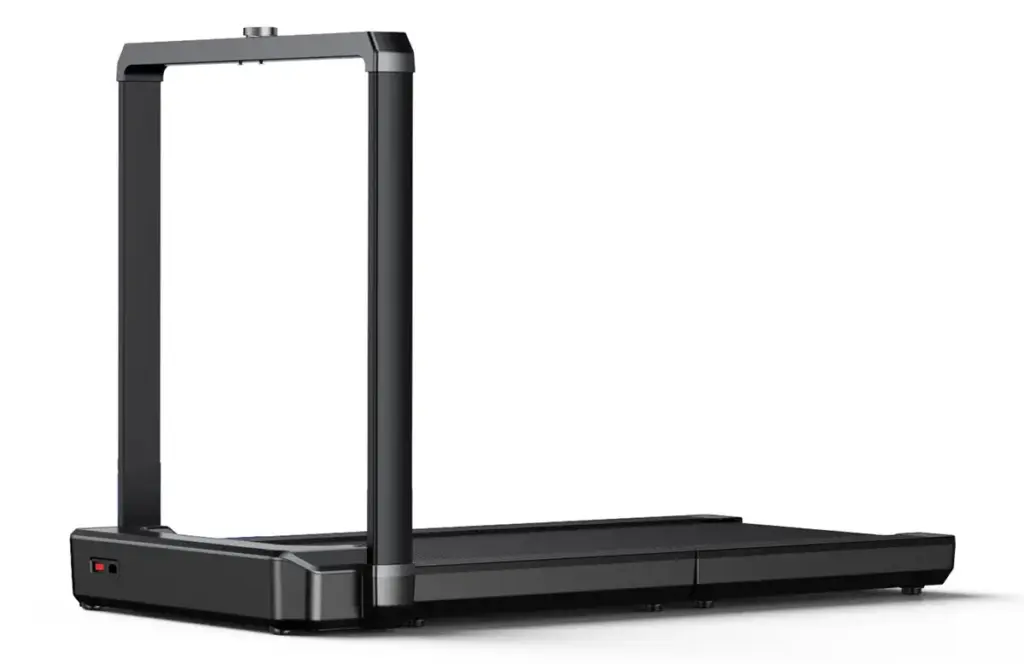
The X23 (often also sold as the X25 or MX16) has established itself as the solution for anyone who finds standard pads too narrow. With a 50 cm (19.7 in) wide running surface, it offers noticeably more secure footing and is rated for up to 136 kg (300 lb).
- Speed: 1–16 km/h (0.6–9.9 mph, running possible)
- Running surface: 132 x 50 cm (52 x 19.7 in, extra wide)
- Weight capacity: Max. 136 kg (300 lb)
- Motor: 1,125 watts (brushless)
- Unit weight: 47 kg (104 lb)
- Size (folded): 25.9 x 77.4 x 102.4 cm (10.2 x 30.5 x 40.3 in)
- Highlight: Premium design, very stable & wide
Full comparison of the WalkingPad X series (in German)
Table: G1, MC21 and X23 Compared
| Model | Max. Speed | Running surface | Highlight |
| G1 | 12 km/h (7.5 mph) | 120 x 44 cm (47.2 x 17.3 in) | Apple Watch support & rotary knob |
| MC21 | 10 km/h (6.2 mph) | 120 x 44 cm (47.2 x 17.3 in) | Auto mode & pressure sensors |
| X23 (MX16) | 16 km/h (9.9 mph) | 132 x 50 cm (52 x 19.7 in) | Wide running surface, up to 136 kg (300 lb) |
Buying Advice: What to Look Out for in 2026
The market is getting confusing. Here are my 4 most important tips so you don’t make a bad purchase:
1. Folding Mechanism & Space Requirements
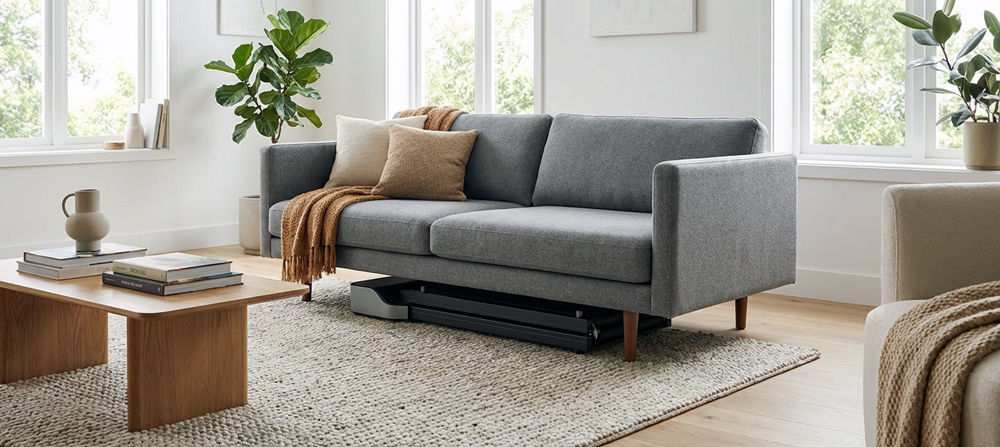
Do you have a fixed spot for it, or do you need to put it away every day? Almost all KingSmith walking pads fold, but in different ways.
- Folded in the middle: the P1, A1 Pro and Z1 fold in the middle down to about 82 cm (32.3 in) long and slide flat under a sofa or bed; the Z1 can also be stood upright.
- Upright against the wall: the X21, X214 and X218 fold twice (“Double Fold”) and then stand at a depth of 22.5 cm (8.9 in) or 29.5 cm (11.6 in) against a wall or behind a door.
- With a handrail: the R2, MC11 and Z3 Hybrid+ fold once to about 100 cm (39 in) long, with the handrail or grips folded down. The R2, MC11 and Z3 can also be stored upright.
- Important: the Sperax does not fold in the middle, only flat. Here you need its full length as storage space (e.g. under the sofa).
2. Speed & Intended Use
- Home office only (up to 6 km/h/3.7 mph): plenty if you only want the pad for movement while you work (e.g. P1, Z1, A1 Pro). You won’t walk faster than 4 km/h (2.5 mph) while typing anyway.
- Hybrid (up to 10–14 km/h/6.2–8.7 mph): if you also want to jog after work sometimes, you need at least 10 km/h (6.2 mph) and ideally a handle (e.g. X214, Z3 Hybrid+, MC11).
- Pro (18 km/h/11.2 mph): only the WalkingPad X218 offers real sprint training for ambitious runners.
3. Noise & Neighbours
All the models I tested are “quiet”, but footstep noise (your feet on the belt) is usually louder than the motor.
- My tip: always use a floor protection mat to absorb vibration. My decibel measurements are in the guide Walking Pad Noise.
- The quietest: the WalkingPad Z1 and the Z3 Hybrid+ are technically the quietest, since they have no fan. The X214 is also quiet when walking and can (finally!) be muted too (no beeping).
4. Weight Capacity & Body Weight
The eleven units in my test carry between 100 kg/220 lb (P1) and 136 kg/300 lb (A1 Pro and X218); the KUIPERS K1 manages 135 kg (298 lb). The figures for every model are in the comparison table above. I haven’t yet tested a walking pad rated for 150 kg (331 lb) or more. Which models make sense for heavier users is something I cover in the guide Walking Pad Weight Limit.
Is It Worth It? A Cost-Benefit Calculation

A question I get asked a lot: “Timo, are these things really worth the money?” Here’s the short version of my calculation for you:
A good walking pad is a fairly big purchase. Let’s compare it with a gym:
- Gym membership: you pay for this every month; a walking pad you buy once.
- Getting there & time: often the biggest obstacle (“Ugh, it’s raining today…”).
The upshot: the longer you use it, the more the walking pad pays off compared with a gym membership. But the biggest win isn’t financial: it’s time. You don’t have to go anywhere. You move while you work. You won’t get that 1–2 hours of daily movement anywhere near as efficiently at any gym in the world.
What Does the Science Say? The Key Study Results

I don’t just rely on gut feeling. Various studies have looked at treadmill use in the workplace. Here are the hard facts from two well-known studies:
- Reality check on weight loss (Oregon State University): A study by OSU found that users took on average more than 1,000 extra steps per day thanks to the treadmill. But watch out: after 12 weeks, the researchers found no significant weight loss. The reason: participants used the units for only 45 minutes a day on average – just half as often as planned.
- My takeaway: a walking pad isn’t a magic wand. It only helps if you actually use it regularly.
- Productivity & performance (University of Minnesota): Many bosses worry that work suffers while walking. A University of Minnesota study found the opposite: productivity dipped slightly at first (an adjustment phase) but then rose significantly. Employees’ overall performance improved noticeably over the course of a year. Participants also burned around 7–8% more calories per day.
- The discipline trap: the OSU study made clear that logistical hurdles were often the reason for low usage.
- My tip on this: that’s exactly why choosing the right unit matters so much. If you have to spend 10 laborious minutes setting up a treadmill, you won’t use it. Models like the WalkingPad P1 or X214, which are always ready to go, solve exactly this problem.
Walking Pads in the Office & Alternatives
Not everyone works from home. I’m often asked: “Timo, can I put this thing in an open-plan office too?” Here’s my take for companies:
Is it too loud for colleagues? In a quiet two-person office: probably, yes. Even quiet models (around 50 to 55 dB when walking) create a background hum and footstep noise. In a busy open-plan office: often not a problem. The noise gets lost in the general hum. But definitely check with your colleagues beforehand!
The alternative: an under-desk bike (DeskCycle) If a treadmill isn’t allowed in the office, there’s a quieter alternative: the under-desk bike.
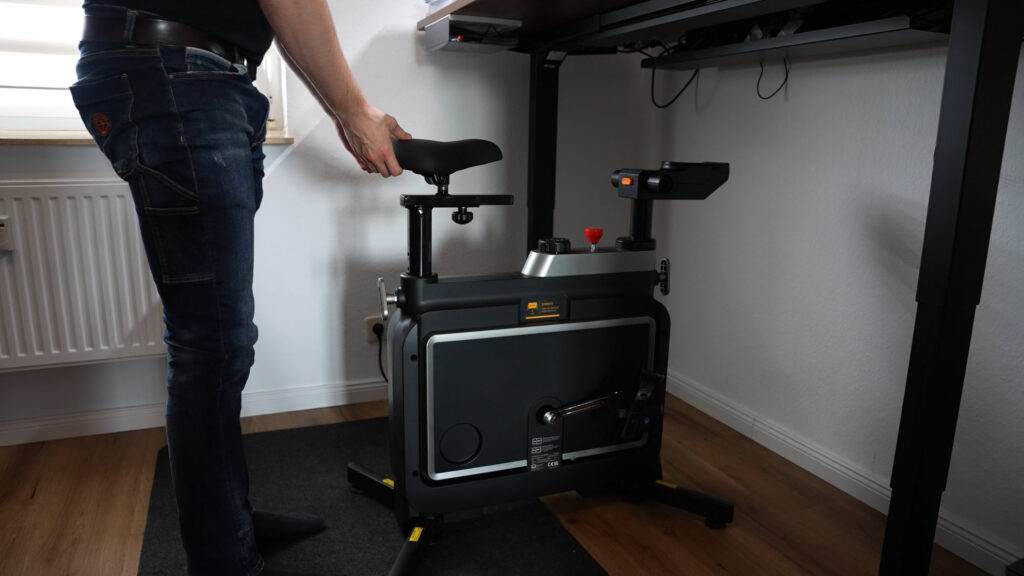
- Advantage of the bike: silent, fits under any desk, you stay seated (less of a “fidgeting” factor in the office).
- Advantage of the walking pad: genuine hip extension, better for back pain, a more natural movement pattern.
My expert tip for the office: I’m happy to recommend the WalkingPad Z1 here. Since it has no fan, it’s extremely quiet and won’t disturb any meeting. Important: according to the manufacturer, you should take a break after about 1 hour of continuous use with the Z1, to protect the motor (heat build-up with no fan). Just use that as a reminder for a short sitting break or lunch break. For a strict open-plan office, the bike is often the more diplomatic solution.
Walking pad guides
- 10,000 Steps at Your Desk: How to Get Them on the Side with a Walking Pad
- Floor Mat for Your Walking Pad: What It Does Against Footfall and What to Look For
- Walking Pad Without Electricity: Does It Exist? Manual Treadmills, Running Costs and Alternatives
- Walking Pad and Desk Height: How High Does the Desk Need to Go? Deck Heights of All Models
- Walking Pad Power Consumption: What Does an Hour of Walking Really Cost? Measured Values
- How to Oil, Centre and Maintain a Walking Pad: The Guide from Eleven Tests
- Walking Pad Speed: 6, 12 or 18 km/h? Which Pace You Really Need
- Foldable Walking Pads: Which Design Fits Your Home? All Folded Dimensions from My Tests
- WalkingPad Z1 vs. P1 vs. A1 Pro: Which Compact Walking Pad Is Right for You?
- Walking Pad Weight Limit: Which Models Carry 120, 135 or 136 kg (300 lb)?
- Walking Pad Noise: How Loud Are Under-Desk Treadmills Really? Measurements from My Tests
FAQ – The Most Common Questions About Walking Pads
Here I answer the questions I get asked most often under my YouTube videos.
Are walking pads too loud for the neighbours?
This is worry No. 1 in rented flats. The answer: the motor itself is very quiet on modern units (like the X214 or Z1). The Z1 doesn’t even have a fan, so it’s nearly silent. The problem for neighbours below you is usually footstep noise – the dull thud when your feet land on the belt. My tip: in a rented flat, always use a floor protection mat (about 3–6 mm/0.1–0.2 in thick). It absorbs some of the vibration and protects the floor. Avoid training late in the evening in old buildings with thin floors.
What has your everyday experience with walking pads been like?
After at least 10,000 steps on each of the eleven units, my takeaway is this: 3 to 4 km/h (1.9–2.5 mph) is plenty at the desk, since you won’t walk faster than that while typing anyway. Footstep noise is almost always louder than the motor; a floor protection mat helps. And what really matters is how quickly you can set the unit up and put it away again: a walking pad that’s awkward to store tends to sit unused. My experience with each individual model is in the linked reviews.
How often, and with what, do I need to oil the belt?
Maintenance matters for the belt’s lifespan. Friction between the belt and the deck generates heat. With what? Use only 100% silicone oil (usually included, or cheap to buy online). No WD-40 or anything similar! How often? I go by feel: as soon as you hear a “dragging” sound, or if the belt hasn’t been used for a while, add a little oil under the belt (roughly every 2–3 months, or every 30 hours of use). Important for the Z1: the WalkingPad Z1 comes without oil, and the manual does not call for oiling. I therefore don’t oil it; I keep the running surface clean and re-centre the belt when needed.
How much power does it really use?
I measured this myself on the newer models using a plug-in power meter. The X214 used just under 0.3 kWh in two hours at the desk at an average of 3.3 km/h (2.1 mph); the KUIPERS K1 used 0.271 kWh over about two hours; and the X218 used about 0.13 kWh for a 30-minute interval workout. How to translate that into your electricity cost is something I show in the guide Walking Pad Power Consumption.
Can I jog on a walking pad?
Yes, but not on all of them. Pay close attention to the speed:
- Walking only (up to 6 km/h/3.7 mph): units like the P1, A1 Pro or Z1 are designed purely for walking at the desk. Jogging isn’t recommended here because of the shorter running surface.
- Jogging (from 10 km/h/6.2 mph): if you want to jog, you need a model like the Z3 Hybrid+, X214 or MC11. These offer more space and a safety handle.
- Sprinting (18 km/h/11.2 mph): only the X218 is suited to real running training.
Can I put the treadmill on carpet?
I’d strongly advise against it. Deep-pile carpet can pull fluff into the motor or under the belt, which leads to overheating. The fans (underneath the unit) also need air to breathe. Always place the treadmill on a hard floor (parquet, laminate, tile) or use a firm floor protection mat as a base on the carpet.
Which walking pad is the quietest?
Technically the quietest are the WalkingPad Z1 and the Z3 Hybrid+, because they have no fan. The X214 is also quiet when walking and can be muted, so there’s no more beeping to hear. Footstep noise is usually louder than the motor; a floor protection mat helps with that.
Which walking pad has an incline?
In my test field, only the Sperax, with a manually adjustable 5% or 10% incline. It’s no longer sold, and the US CPSC warns against further use of several Sperax models. The KingSmith models have no incline.
Does a walking pad fit under any desk?
In my setup, all the models run under a height-adjustable desk with a maximum height of 127 cm (50 in). What matters most is the height of the handrail: on the R2 and the Z3 Hybrid+ you fold the handrail or grips away to work. On the X214, X218 and MC11 the handrail stays up, so the desk has to go up to about 127 cm (50 in). Flat models like the P1, Z1 or A1 Pro fit with no adjustment needed.
Is a walking pad the same thing as an under-desk treadmill?
Yes, both terms mean the same thing: a flat walking treadmill that fits under a desk and can be folded away or slid flat under a sofa for storage. The classic models like the Z1, P1 or A1 Pro reach up to 6 km/h (3.7 mph). Models with a handrail, like the Z3 Hybrid+, the R2 or the X series, run faster, with the X218 reaching up to 18 km/h (11.2 mph).
Conclusion and My Recommendation: Which Walking Pad Should You Buy?
The 2026 test makes it clear: KingSmith dominates the market with its folding technology for good reason, but there’s the right unit out there for every need.
- The all-rounder: want the best overall package for desk use and jogging? Go for the new WalkingPad X214. It’s quiet, compact, and has sensible upgrades (foldable handles, mute mode).
- Value & safety: the WalkingPad Z3 Hybrid+ is your winner if you want something to hold onto while jogging (sturdy handles) and want to save money.
- Quiet, please: for absolute silence in the office, the WalkingPad Z1 (no fan) is unbeatable.
Whichever model you choose: the most important thing is that you take the first step. Your back will thank you!
Enjoy your walking! If you have any questions, feel free to send me a message via the contact form.