Ad disclosure: Affiliate links (*). As an Amazon Associate, eBay Partner Network affiliate and member of other partner programs, I earn from qualifying purchases.
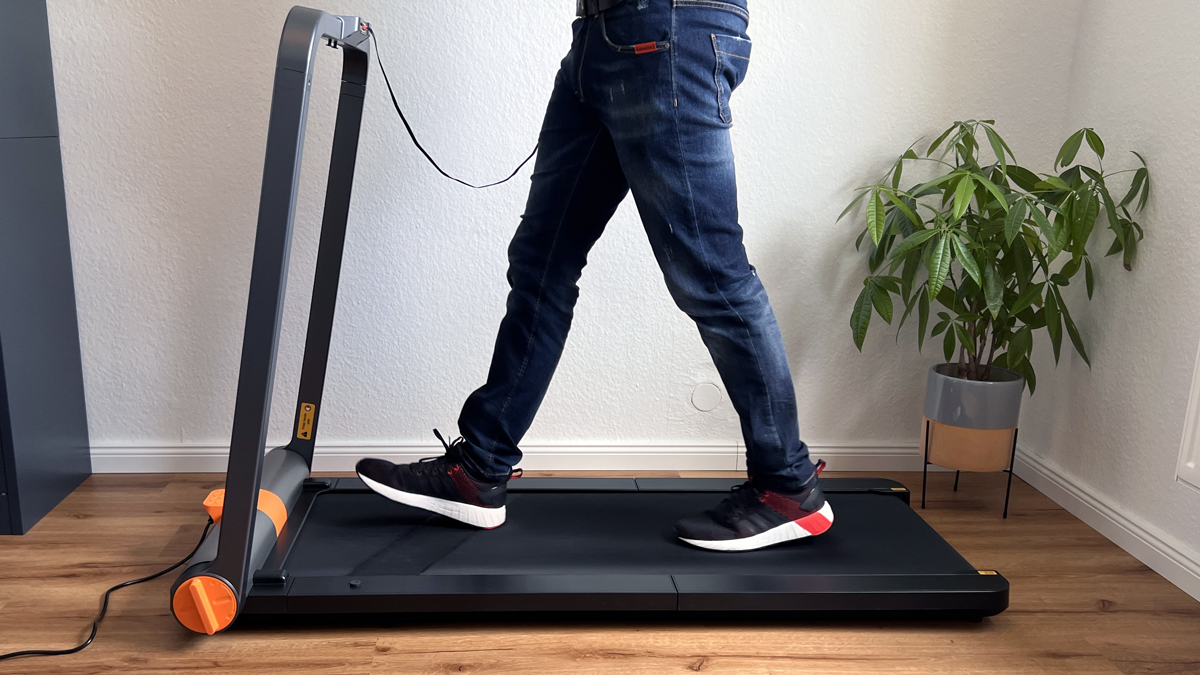
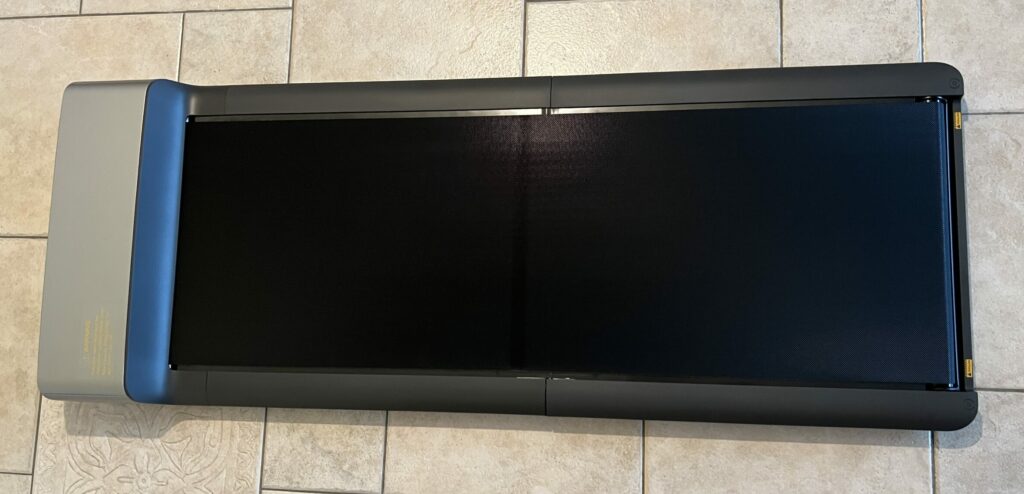
The WalkingPad MC11 is a folding treadmill from Kingsmith with a brushless motor that enables speeds of up to 12 km/h. It impresses with its modern design, high performance and easy handling. With a usability up to a body weight of 110 kg, it offers a comfortable and joint-friendly workout at home. For a long time it was my price-performance pick in the WalkingPad range, but that role has now gone to the WalkingPad Z3 Hybrid+.
My test video (10:12 min 🎥)
Watch the test video to get an overview and my personal conclusion!
The video is in English.
Specs
Manufacturer: Kingsmith
Color: Space gray
Motor type: Brushless motor
Motor power: 930 watts
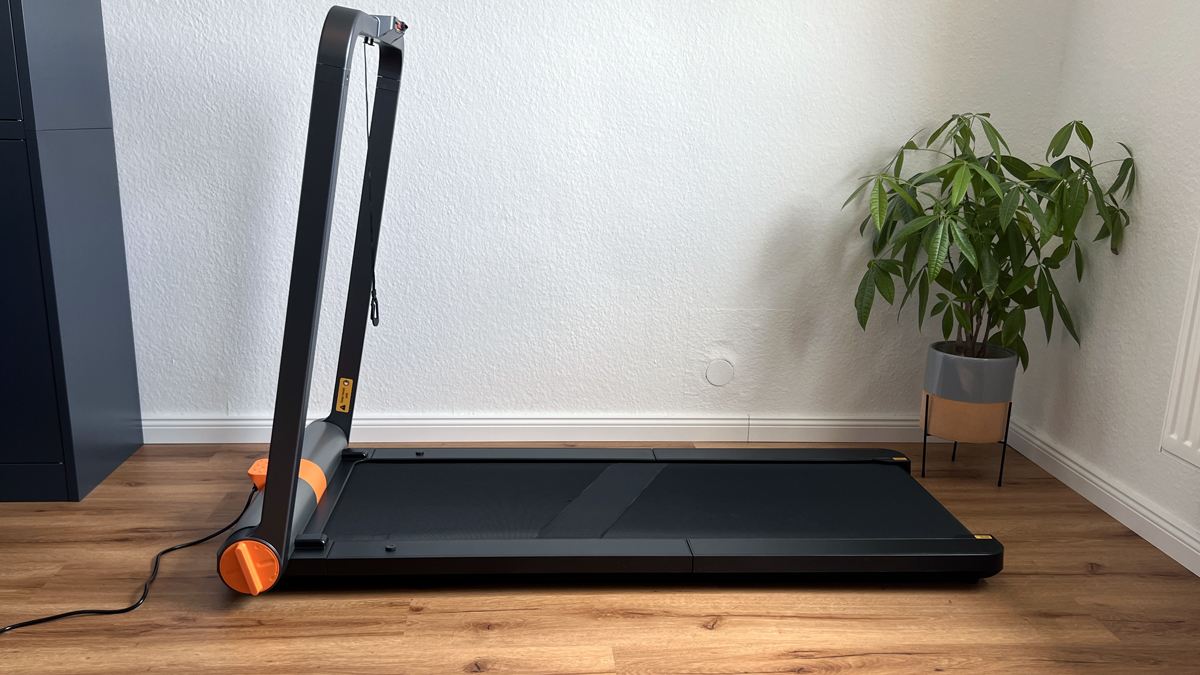
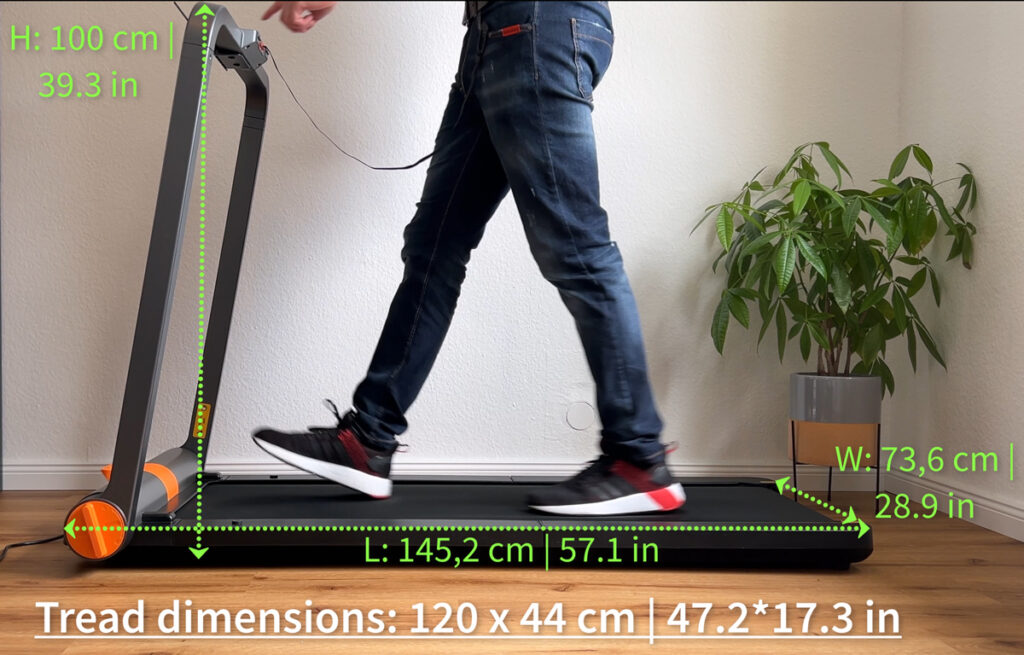
Dimensions unfolded: 145.2 x 73.6 x 100 cm
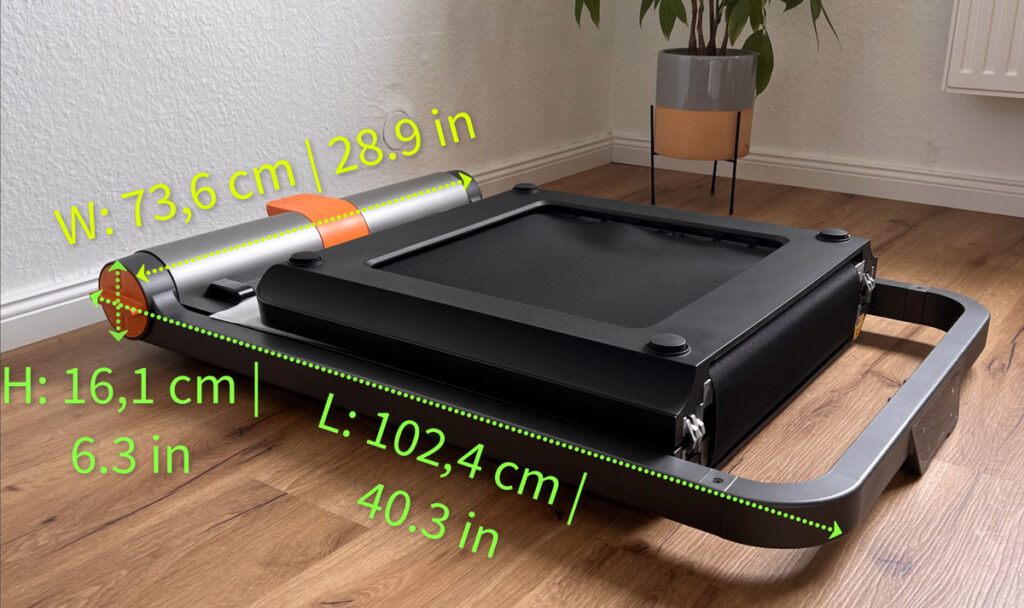
Folded dimensions: 102.4 x 73.6 x 16.1 cm
Running surface: 120 x 44 cm
Net weight: 35.5 kg
Speed range: 1 - 12 km/h
Gross weight (packed): 41.5 kg
Maximum user weight: 110 kg
Control: Touch display and app control
Displayed data: Time, speed, distance, calories & steps
Pros
Large transport rollers for easy moving
Attractive price for up to 12 km/h
Easy handling and immediately ready for use
Modern design and high-quality workmanship
High performance thanks to brushless motor
Smartphone and tablet holder
Overload protection
Child safety function
Cons
Touch control requires familiarization
Weight of 35.5 kg can be challenging when transporting to higher floors
Availability (as of 25 Sep 2026): the MC11 is currently not listed in the WalkingPad US or UK store. The closest model from my tests that you can buy is the WalkingPad X214: up to 14 km/h (8.7 mph), with foldable side grips for jogging and only 22.5 cm (8.9 in) deep when folded.
WalkingPad MC11 test report
Hello everyone, in this test I’d like to introduce you to the WalkingPad MC11. It is a folding treadmill in the WalkingPad series with a brushless motor that allows speeds of up to 12 km/h and can be used up to a body weight of 110 kg. As someone who regularly tests WalkingPads, I was very excited to see what the MC11 had to offer.
Key facts at a glance
1 to 12 km/h (0.6–7.5 mph), rated for up to 110 kg (242 lb), 930-watt motor with touch display.
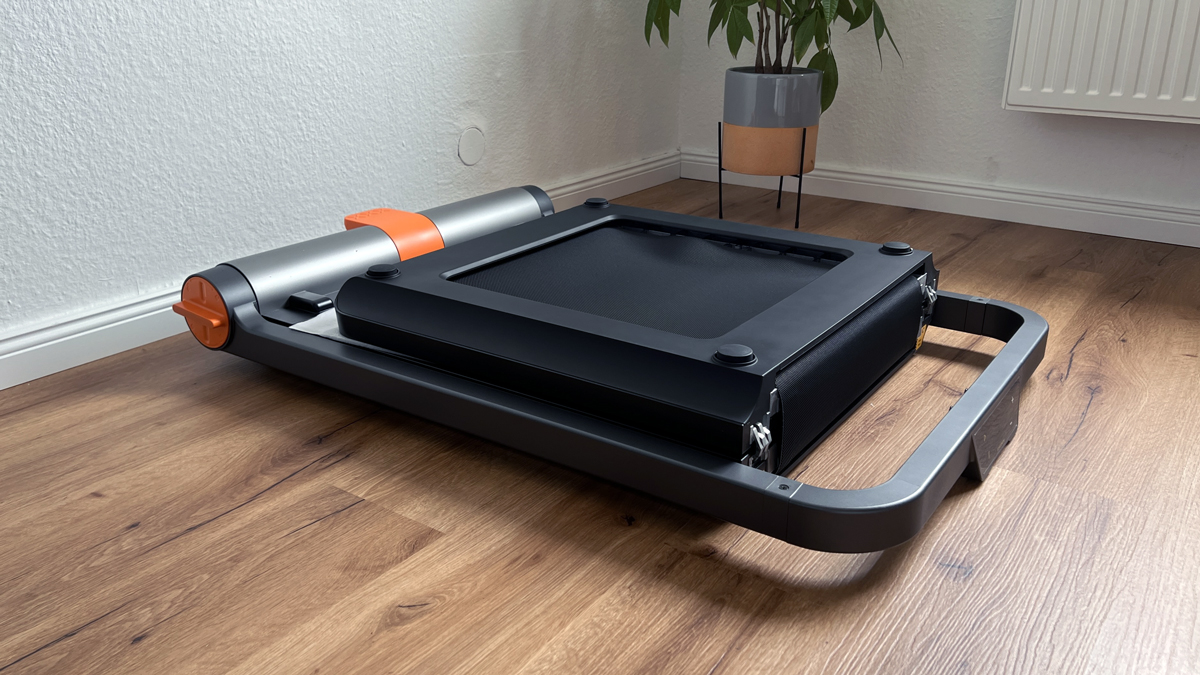
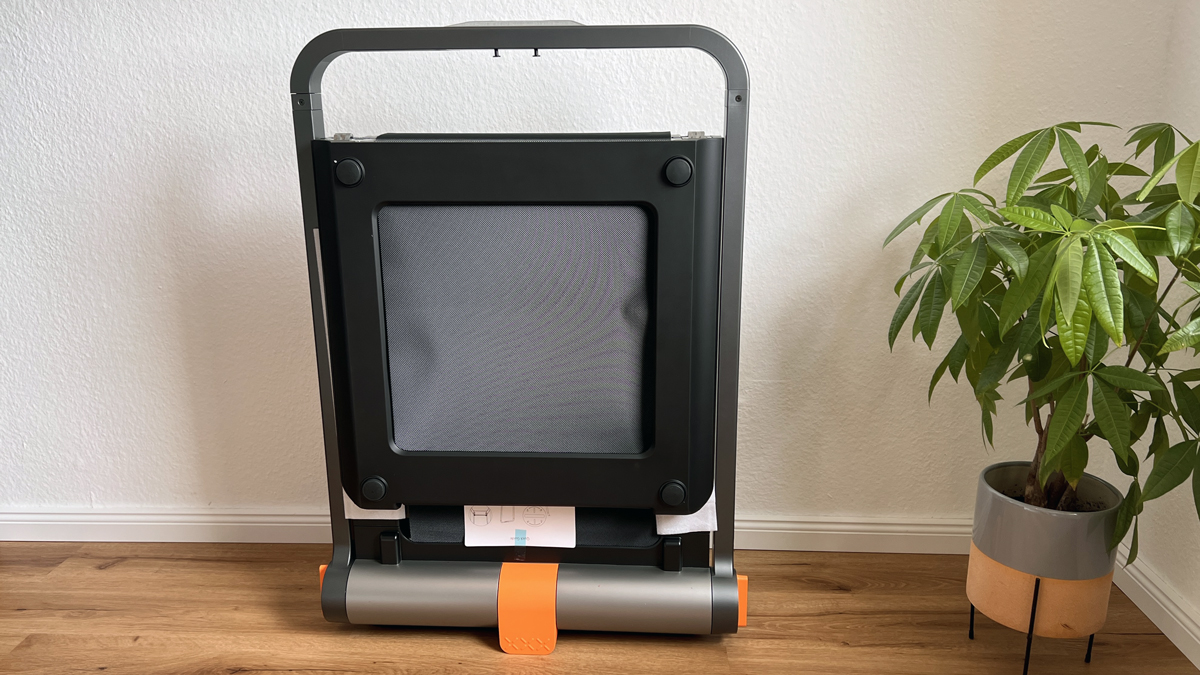
35.5 kg (78 lb), folds 180 degrees down to 102 cm (40.2 in), large wheels for moving it around.
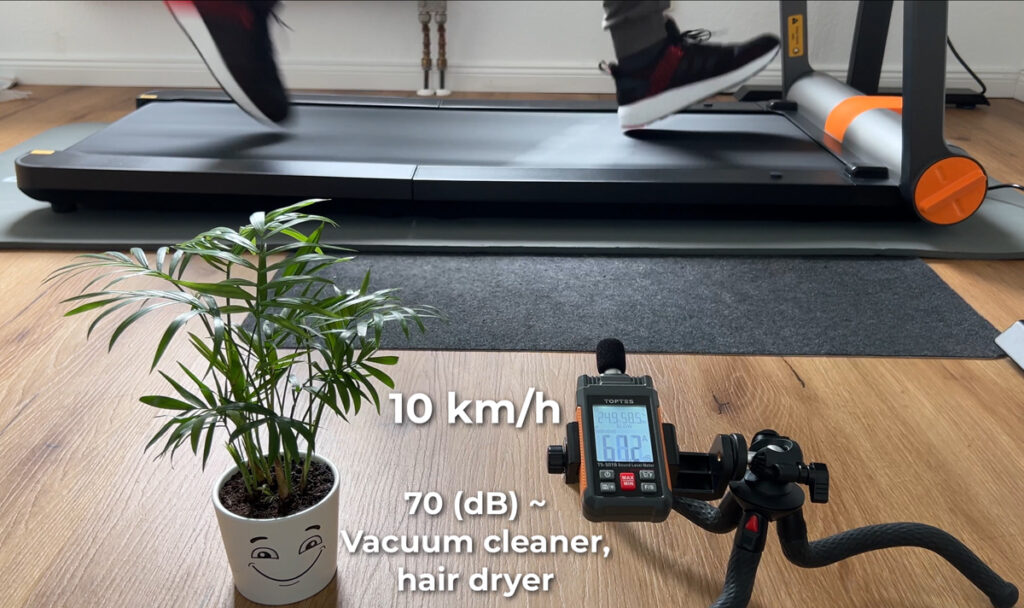
Measured: 48 to 70 dB depending on speed, quiet while walking.
For a long time my price-performance pick, now succeeded by the WalkingPad Z3 Hybrid+.
Design & Build Quality ★★★★☆ (4.6/5)
The WalkingPad MC11 impresses with its modern and robust design. The materials have a high-quality appearance and the workmanship is solid. Despite its weight of 35.5 kg, it is easy to move thanks to the large transport rollers.
Category
Rating
Comment
Material quality
4.7/5
High-quality materials, robust and durable
Design quality
4.6/5
Modern, appealing design
Workmanship
4.5/5
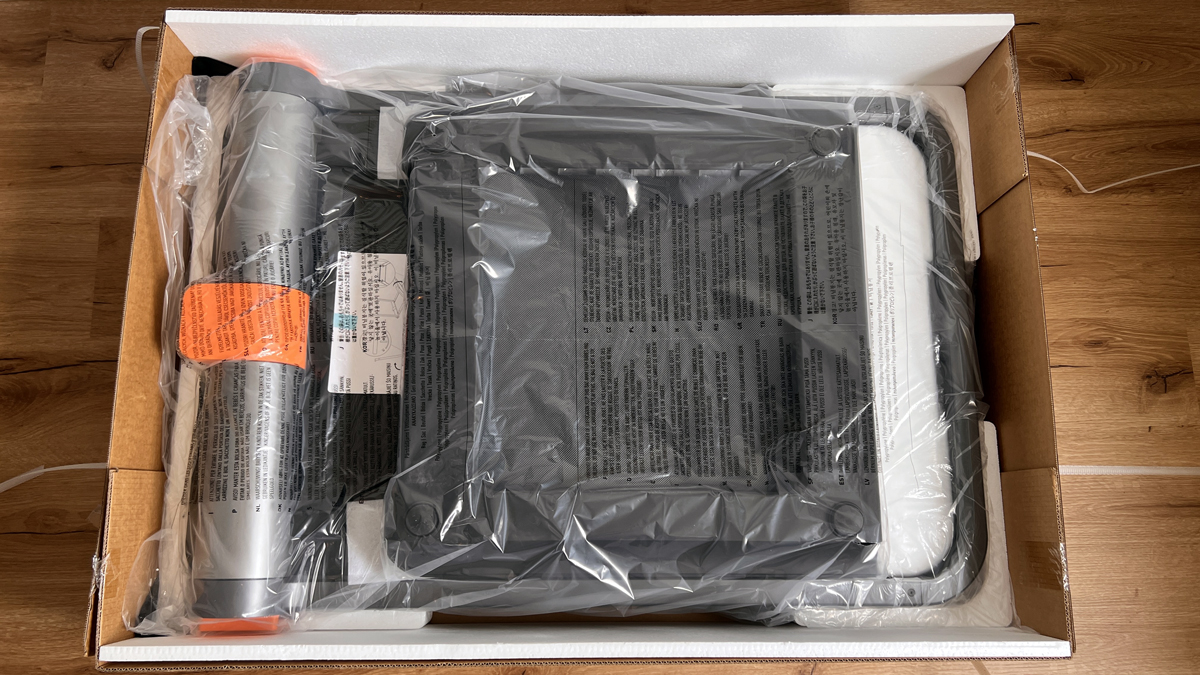
Clean workmanship, delivered well packaged
Transportability
4.5/5
Large transport wheels make transportation easier
Functionality ★★★★★ (4.7/5)
The treadmill offers extensive functions that are suitable for both beginners and advanced users. The combination of touch display and app control enables flexible use.
Category
Rating
Comment
Speed range
4.8/5
1 to 12 km/h, ideal for walking and running
Control options
4.6/5
Touch display and app control
Safety functions
4.7/5
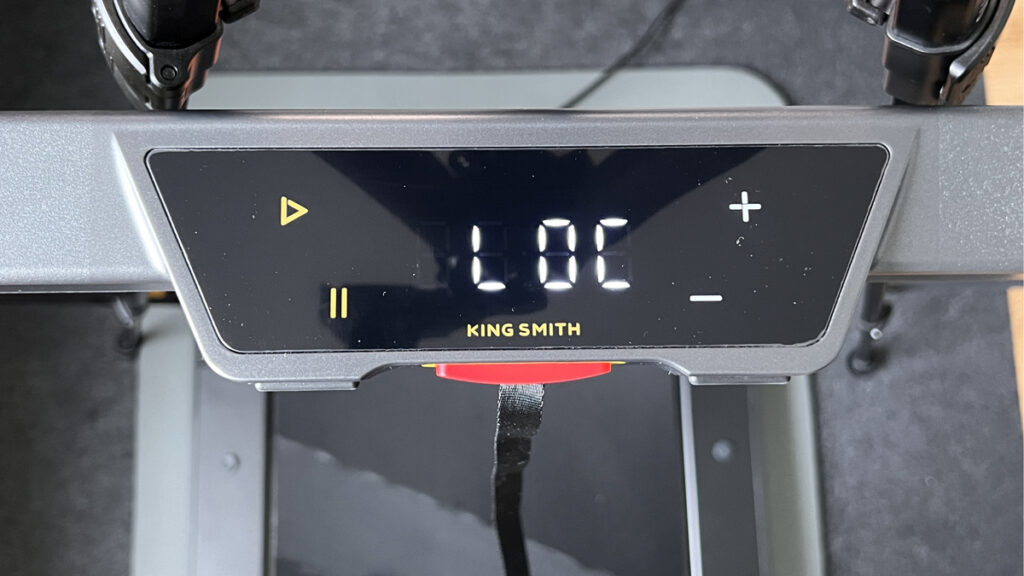
Safety plug, automatic stop, child lock (“LOC”)
Display
4.7/5
High-quality OLED display, easy to read
Ease of Use ★★★★☆ (4.5/5)
The handling of the WalkingPad MC11 is very good overall, but there are some minor drawbacks with the touch control, which takes some getting used to.
Category
Rating
Comment
Setup
4.8/5
No assembly necessary, ready to use immediately
Operation
4.5/5
Touch control takes some getting used to
Mobility
4.6/5
Easy to move thanks to large castors
Maintenance
4.5/5
No lubrication required, low maintenance
Performance ★★★★★ (4.8/5)
The treadmill’s performance is impressive across the board. The brushless motor enables a pleasant and efficient workout, even at higher speeds.
Category
Rating
Comment
Motor power
4.9/5
Brushless motor, quiet and efficient
Running feel
4.8/5
Comfortable and easy on the joints, even at 12 km/h
Stability
4.7/5
Robust construction, secure footing
Load capacity
4.8/5
Max. Weight of 110 kg, sufficient for most users
Noise ★★★★☆ (4.5/5)
The volume of the MC11 is pleasantly low, which is a particular advantage in living rooms. The background noise can be reduced even further with a rubber mat.
Category
Rating
Comment
Running noise
4.6/5
Quiet, even at higher speeds
Motor noise
4.7/5
Barely audible thanks to brushless motor
Vibrations
4.4/5
Low vibrations, especially with rubber mat
Overall impression
4.5/5
Low noise, does not disturb when working or watching TV
Value for Money ★★★★★ (4.9/5)
For a long time the MC11 was my price-performance pick, but that role has now gone to the WalkingPad Z3 Hybrid+. The MC11 still offers more functions than some more expensive WalkingPad models and remains the faster of the two at up to 12 km/h.
Category
Rating
Comment
Price
4.9/5
Cheapest treadmill up to 12 km/h in the WalkingPad range
Performance
4.8/5
High quality and functionality
Durability
4.7/5
Robust materials, long service life expected
Potential for improvement
4.8/5
Hardly any criticism, excellent overall package
Kingsmith WalkingPad MC11: what’s in the box and setup
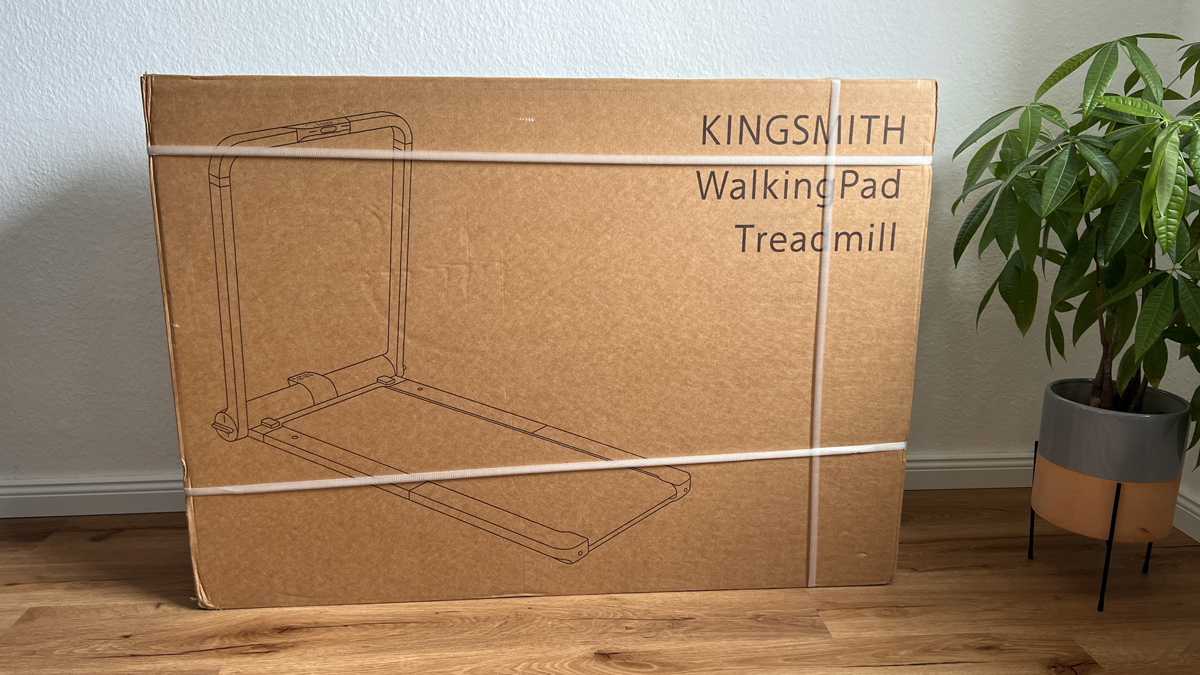
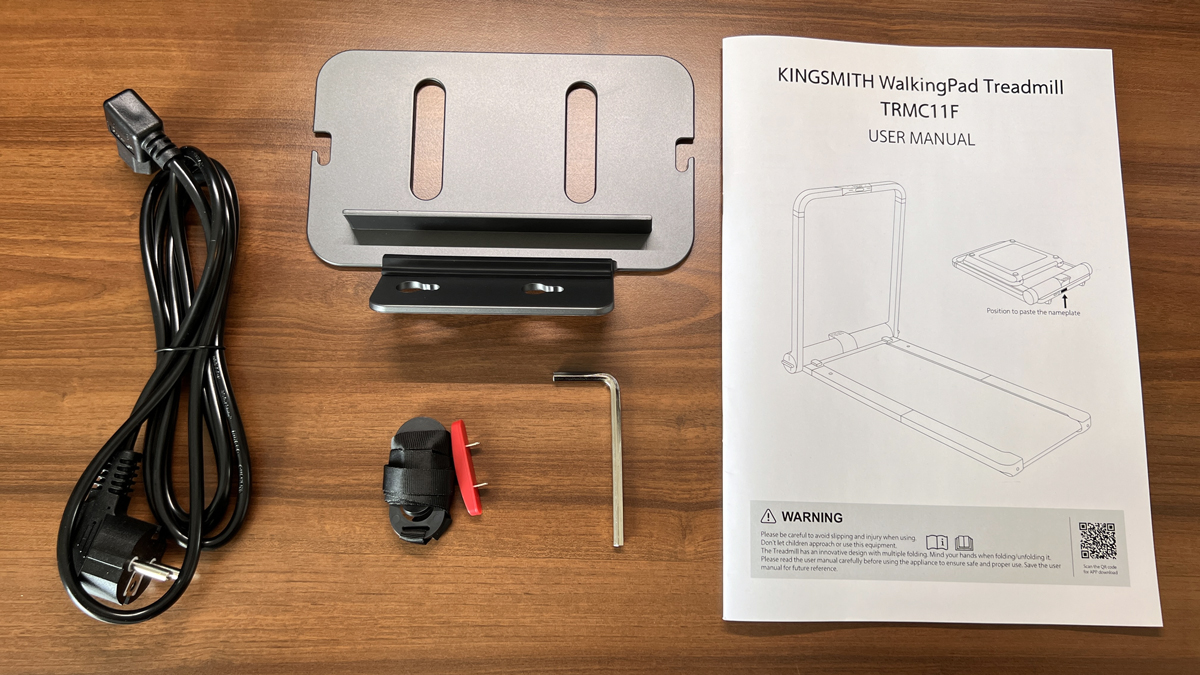
The package weighs 41.5 kg (92 lb); my carrier and I carried it up together, so plan for two people depending on the floor. The MC11 arrives in the box fully assembled and very well secured, along with:
Power cable
Safety key
Smartphone holder
User manual
Allen key for the rear belt tension
No lubricating oil is included; more on that under Maintenance below.
Setting up the MC11
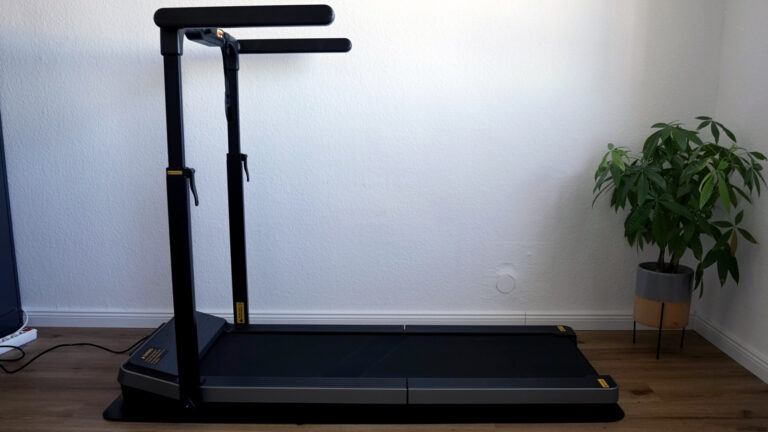
Loosen the rotary grips on the front left and right, raise the handrail, fold it up and tighten the grips again – it clicks noticeably into place. Then unfold the running surface and check that the belt sits centred at both the front and rear, otherwise it will rub against the side edges. Only connect the power once everything is fully unfolded, and unplug it again before folding the unit back up, otherwise you risk electronic damage. The MC11 will not start without the safety key at the front; clip the other end to your trouser pocket or waistband, though at slow speeds just holding it is enough.
WalkingPad MC11: build quality and stability
On the first start-up it rattled: the running surface knocked at the back because not all the feet had ground contact. If your MC11 clicks or rocks, disconnect the power first and look for the cause. You compensate for an uneven floor with the levelling feet – the six rear feet can all be screwed out; only the two front feet are fixed. Then press down on the back of the unit: once nothing rocks any more, you’re ready to start.
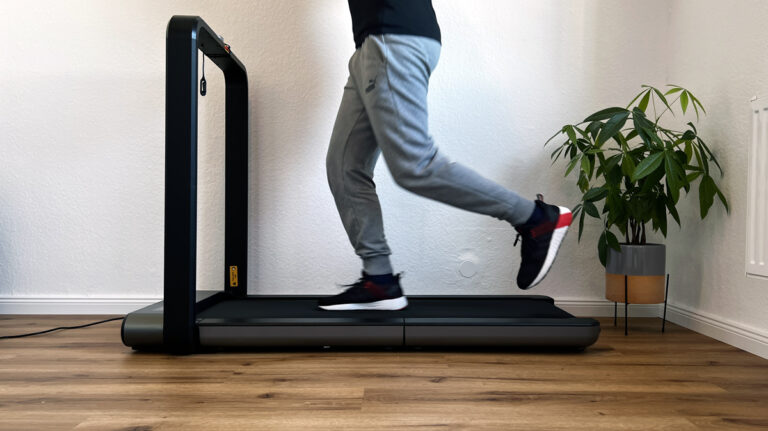
The middle feet matter most: on my first attempt they made friction noises that you don’t feel while walking but do hear. Set up correctly, the MC11 stands steady, and even at 12 km/h (7.5 mph) it feels secure. Two hard rubber pads protect the front of the handrail. It is rated for up to 110 kg (242 lb); more on that in my guide on weight limits for heavier users.
WalkingPad MC11: motor, speed and running feel
The brushless motor does without wear-prone brushes: longer service life, more efficiency, less maintenance and quieter running. After starting, the MC11 counts down for three seconds and sets off at 1 km/h (0.6 mph):
Control
What happens
Plus/minus on the touch display
0.5 km/h (0.3 mph) steps, up to 12 km/h (7.5 mph)
GO button in the KS Fit app
free running, 0.1 km/h (0.06 mph) steps
Pause button
the belt slows down smoothly and steplessly
Pulling the safety key
the belt stops immediately
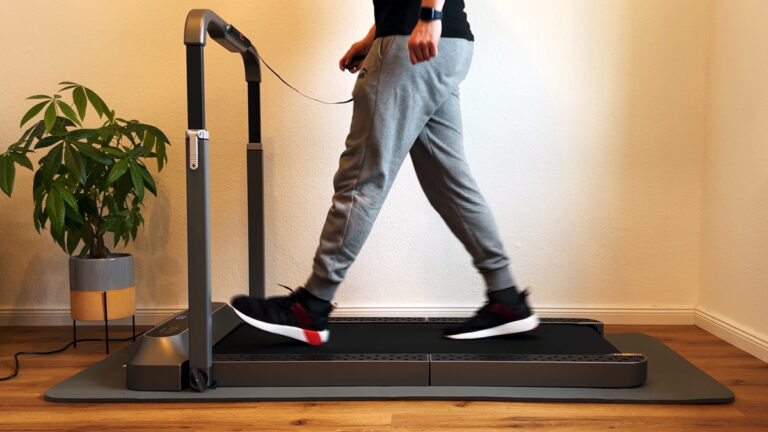
The running feel is pleasant and easy on the joints, and the faster stretches are genuinely fun. Compared with a pure desk treadmill like the WalkingPad Z1, setting it up takes more effort, but it runs more comfortably. Which speed you need for what is covered in my guide on Walking Pad speed.
WalkingPad MC11: handrail and desk height
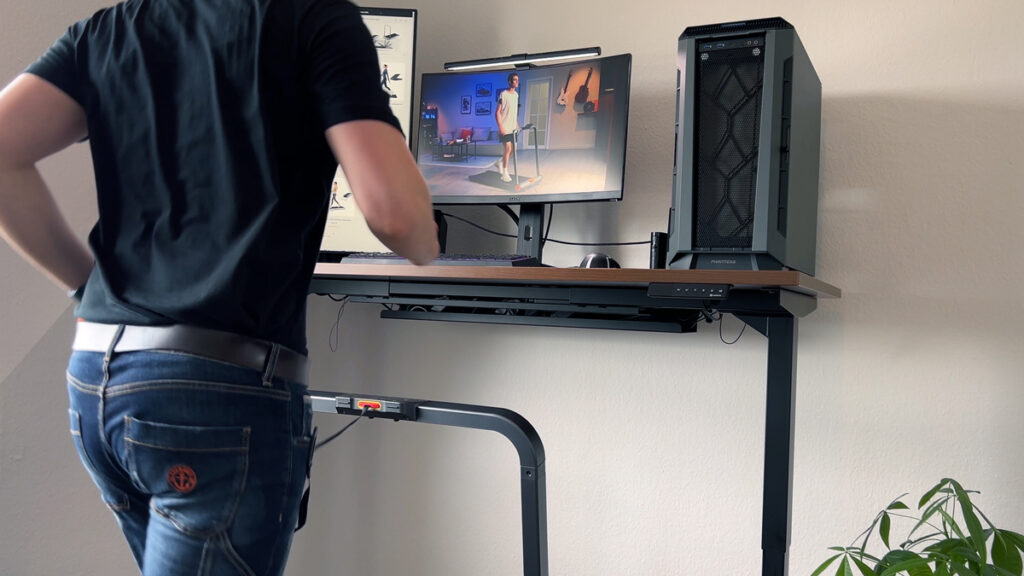
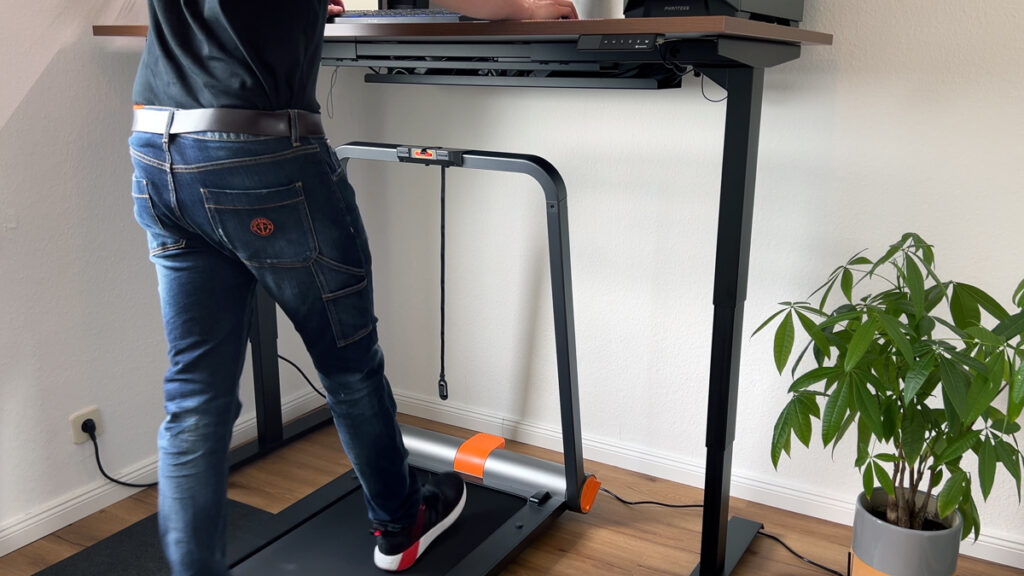
The handrail carries the display and stands fixed at 100 cm (39.4 in) during use. It cannot be height-adjusted; it only folds down for storage. Under a desk that means the tabletop has to clear the handrail, which works for me with my height-adjustable desk. The tabletop then blocks your view of the display, and since the buttons are pure touch surfaces, you can’t find them by feel. So at the desk you’ll control it via the app almost all the time.
If you want to walk faster while watching a video, move the treadmill a little further from the desk: then you can see the display and tap the handrail directly. I work out how high your desk needs to be for that in my guide on desk height and deck height.
WalkingPad MC11: touch display and KS Fit app
The OLED display is attractive and modern, showing time, speed, distance and calories while you walk. The touch controls work well but take some getting used to at first.
Connecting the KS Fit app
The power needs to be on. Tap the plus icon at the top right, search for the MC11, and connect via Bluetooth. After that you get:
No-load stop: the belt stops if no one has been on it for a few seconds. Can be switched off.
Child lock: locks the treadmill completely; the display shows “LOC”.
Goals by time, distance or calories.
Step count: the display on the unit shows time, speed, distance and calories; you only see your steps in the app.
Analysis: hold the stop button to send the data to your health app, Apple Health in my case.
I completed my 10,000-step test in a good two hours. How to fit that into your workday is covered in my guide on 10,000 steps.
WalkingPad MC11: volume in everyday use
As always, I measured with a rubber mat under the unit, with the meter positioned about one metre away. The range came out at 48 to 70 dB, depending on speed. While walking, the MC11 is quiet enough for videos or a film on the side; at fast running speeds it becomes noticeably louder. The mat dampens sound, vibration and impact forces, and in a multi-family building I wouldn’t want to go without it. All measured values compared side by side are in my guide on how loud walking pads are.
WalkingPad MC11: storage and transport
Folding it up works right at the desk too: disconnect the power, loosen the rotary grips, fold down the rear running surface, lay the handrail on the floor and tighten the grips again. Then you lift the MC11 and store it standing up or lying flat.
I have to praise the large transport wheels. They’re clearly better than on the WalkingPad X21 or R2; with them you can pull the treadmill even over a thick rubber mat and turn it easily – a genuine everyday upgrade. Which folding style suits your home is something I compare in my guide on foldable walking pads.
WalkingPad MC11: maintenance and care
No lubricating oil is included, and opinions differ on this: oil can harm the electronics of brushless motors, and they usually come optimally lubricated from the factory. Kingsmith does include a bottle when oiling is actually needed. So I haven’t oiled mine and plan to do the first lubrication only once I hear strong friction noises. In the meantime, you retighten the belt tension at the rear with the Allen key and keep the running surface centred. I show the exact moves in my guide on how to oil and centre a walking pad.
What the WalkingPad MC11 can’t do
Fine-tune speed on the unit itself: the touch buttons jump in 0.5 km/h (0.3 mph) steps; 0.1 km/h increments are only available via the app.
Be operated blind: the touch surfaces can’t be felt by touch, and you can’t see the display under a tabletop.
Lower the handrail: the 100 cm (39.4 in) height is fixed, so your desk has to clear it. Only the MC21 offers height adjustment.
Start up right away: without levelled feet, it rattles at the back.
Be carried alone: 35.5 kg (78 lb) net, 41.5 kg (92 lb) in the box.
Come with oil included: if you need some later, you’ll have to get it yourself.
Show your step count on the unit: for that you need the app.
Keep the price-performance crown: that now belongs to the WalkingPad Z3 Hybrid+. The MC11 is still faster, though: 12 km/h instead of 10 km/h.
Summary
The WalkingPad MC11 impresses with its outstanding performance, modern design and easy handling. The large transport rollers and brushless motor are particular highlights that make training more enjoyable. The touch display control takes a little getting used to, but works perfectly after a short period of familiarization.
Recommendation
If you are looking for a powerful treadmill for your home and can still find the MC11, it remains a good choice; it is currently not listed in the WalkingPad Stores US and UK. It is suitable for both walking and fast running and, thanks to its foldable design, also fits into smaller homes.
The WalkingPad MC11 in comparison
I have created a comparison video (in German) comparing the WalkingPad MC11 with the X21 and the R2.
WalkingPad MC11: availability
The MC11 is currently not listed in the WalkingPad Stores US and UK, so there is no discount code for it at the moment. The closest alternatives from my tests are the WalkingPad X214 (US store) and the WalkingPad Z3 Hybrid+ (US and UK stores).
If you would like to see my practical experience in more detail, you can watch my test video here:
If you have any questions or need more information, don’t hesitate to send me a message: Contact form.
You can find more reviews in the category Treadmills.
Kingsmith WalkingPad MC11: specifications
Feature
Value
Max. load capacity
110 kg (242 lb)
Unit weight
35.5 kg (78 lb)
Motor
930 watts, brushless
Speed
1 to 12 km/h (0.6–7.5 mph)
Running surface
120 × 44 cm (47.2 × 17.3 in)
Unfolded dimensions
145.2 × 73.6 × 100 cm (57.2 × 29.0 × 39.4 in)
Folded dimensions
102.4 × 73.6 × 16.1 cm (40.3 × 29.0 × 6.3 in)
Storage
Upright or lying flat
Controls
Touch display on the unit, KS Fit app
Display
OLED: time, speed, distance, calories (steps in the app only)
Special features
Large transport wheels, smartphone holder
Measurements from my test
What
Result
Noise level
approx. 48 to 70 dB with a rubber mat, depending on speed; quiet while walking
Deck height
approx. 10 cm (3.9 in) running surface, 100 cm (39.4 in) with the handrail; the handrail stays up during use, the desktop has to clear it
Folded size
102 × 74 × 16 cm (40.2 × 29.1 × 6.3 in), 35.5 kg (78 lb), store upright or lying flat
Test scope
at least 10,000 steps, walking and running (see comparison test)
How I test: every walking pad runs under my desk at home; wherever possible I measure the noise level from one metre away, and for newer tests the power consumption via a plug-in meter too.
Alternatives to the WalkingPad MC11
I have also tested these models, and they are the closest alternatives to the WalkingPad MC11. All eleven models I tested, with a comparison table, are in my big walking pad review. You can find more of my reviews in the walking pad category.
Frequently asked questions about the WalkingPad MC11
How fast is the WalkingPad MC11?
Up to 12 km/h (7.5 mph) thanks to a brushless 930-watt motor, rated for up to 110 kg (242 lb).
How heavy is the WalkingPad MC11?
35.5 kg (78 lb). Thanks to large transport wheels it is easy to move, but carrying it up to higher floors is a challenge.
What is the difference between the MC11 and MC21?
The MC21 adds pressure sensors with an automatic mode, a height-adjustable handle and easier setup. The running surface stays the same, the top speed drops to 10 km/h on the MC21 (MC11: 12 km/h).
Where to buy
WalkingPad MC11
Test unit provided by the manufacturer. The review was not approved by them beforehand. The MC11 is not listed in the WalkingPad Stores US and UK.
To provide you with an optimal experience, we use technologies such as cookies to store and/or access device information. If you consent to these technologies, we may process data such as browsing behavior or unique IDs on this website. If you do not give or withdraw your consent, certain features and functions may be impaired.
Functional
Always active
The technical storage or access is strictly necessary for the legitimate purpose of enabling the use of a specific service expressly requested by the subscriber or user, or for the sole purpose of carrying out the transmission of a communication over an electronic communications network.
Preferences
The technical storage or access is necessary for the legitimate purpose of storing preferences that have not been requested by the subscriber or user.
Anonymized statistics
Technical storage or access for statistical purposes only.Technical storage or access used solely for anonymous statistical purposes. Without a subpoena, the voluntary consent of your Internet service provider or additional records from third parties, the information stored or accessed for this purpose alone cannot generally be used to identify you.
Show YouTube videos
If you do not agree to this cookie, you will not be able to watch videos on the website.