Ad disclosure: Affiliate links (*). As an Amazon Associate, eBay Partner Network affiliate and member of other partner programs, I earn from qualifying purchases.
Electric height-adjustable desk with two motors, a solid steel frame and up to 160 kg (353 lb) of dynamic load capacity. I tested the white 120 × 80 cm version: height range 63.3 to 128 cm, three memory positions, anti-collision system, height limits, child lock and timer. It stays surprisingly stable at maximum height and also works well with a walking pad.
My test video 🎥
Here you can watch my full test of the Vernal Core3 (original audio in German; YouTube also offers an automatically dubbed English audio track under Settings → Audio track, plus English subtitles via the CC button).
Three memory positions, height limits, child lock and timer
Reliable, adjustable anti-collision system
Well thought-out assembly with pre-drilled desktop and sorted screws
Cable tray can be added later
15-year manufacturer warranty
Cons
Drawer only compatible with desktops from 140 cm
No cable grommet in the desktop can be configured
Menu items S3 and S4 are not explained in the manual
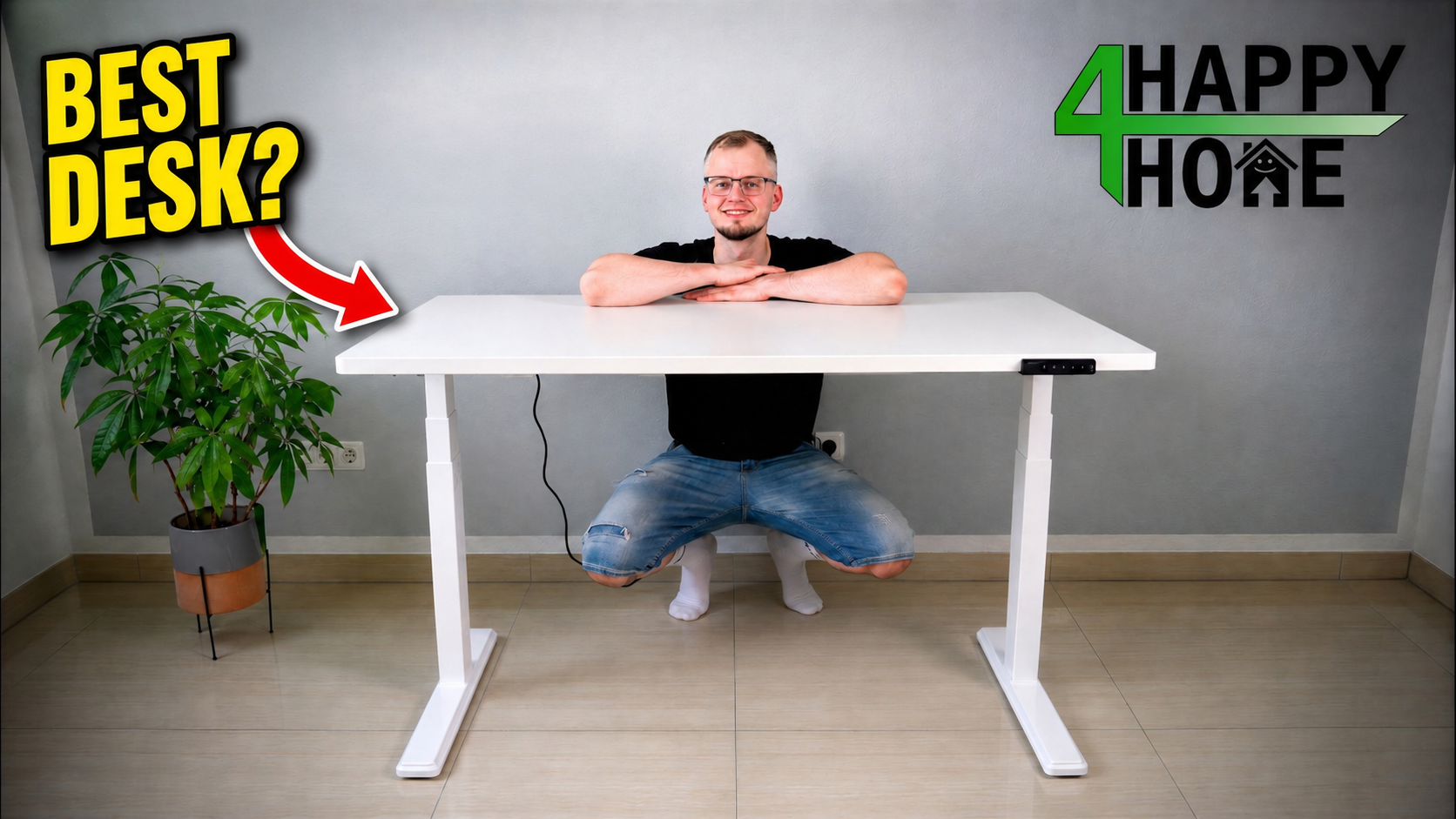
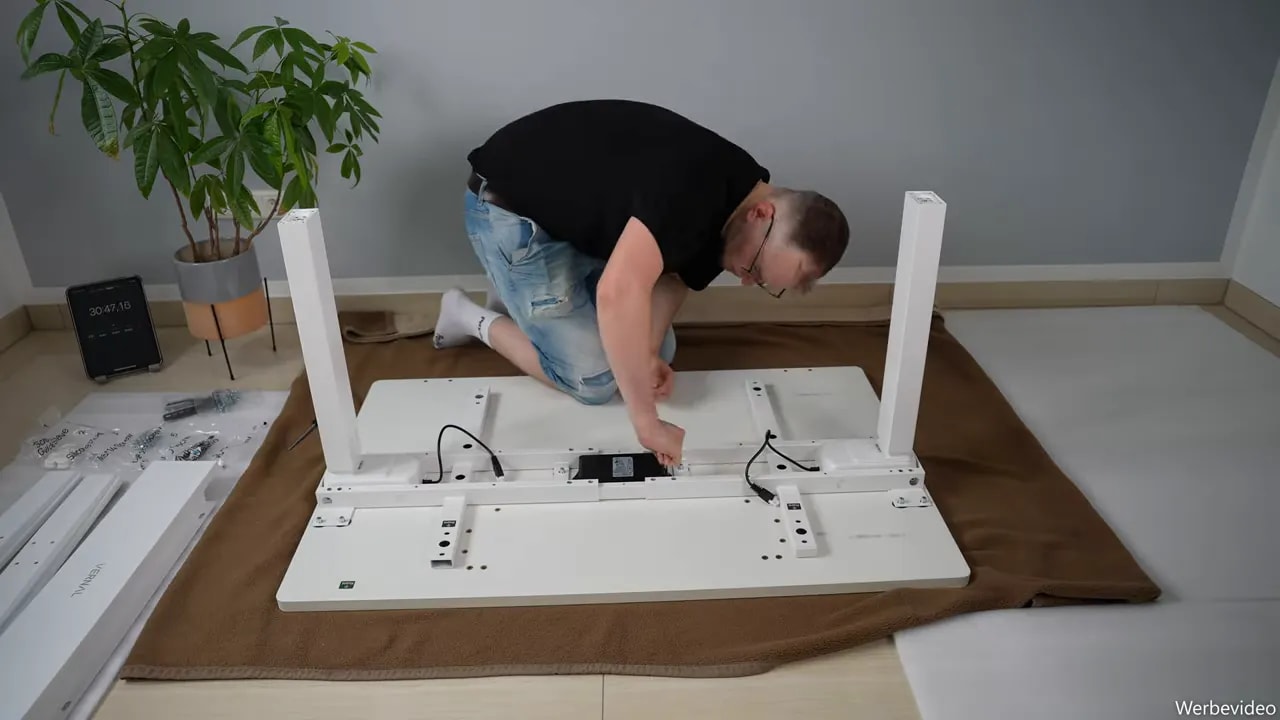
Cover image: a frame from my German test video; the German headline was translated into English with AI (ChatGPT), the photo itself is unchanged. All other photos on this page are unedited test photos.
The Vernal Core3 is an electric height-adjustable standing desk with two motors, a solid steel frame and a dynamic load capacity of up to 160 kg (353 lb). I tested the white version with a 120 × 80 cm (47 × 31 in) desktop and mainly wanted to know: how stable is it really, how pleasant is the assembly, and does it work in everyday life with a walking pad?
My test unit was provided free of charge by Vernal. This had no influence on the test procedure or my verdict.
Key takeaways
The Vernal Core3 reaches a height of 128 cm (50.4 in) and remains remarkably stable at the top.
Three memory positions, height limits, a timer and a child lock make it very practical to use every day.
The anti-collision system reacted reliably at every level I tested and should stay switched on.
The 120 × 80 cm version offers plenty of space, while the optional drawer only fits desktops from 140 cm.
The most important specs of the Vernal Core3
Tested version: white with a 120 × 80 cm desktop
Drive: electric height adjustment with two motors
Height range: 63.3 to 128 cm (24.9 to 50.4 in)
Load capacity: up to 160 kg (353 lb) dynamic load
Speed: 40 mm (1.6 in) per second
Memory positions: three freely programmable positions
Safety features: anti-collision system, height limits and child lock
Desktop sizes: available up to 200 cm (79 in) in length
Warranty: 15-year manufacturer warranty
On paper, the Core3 already brings everything I expect from a serious home-office desk. What matters, of course, is how these specs feel during assembly and in daily use.
What is in the box: very well prepared
Because of its size and weight, the desk arrives in several boxes. The desktop is delivered separately, as are the lifting columns, feet, frame parts, control box and accessories.
What I find practical is that the important mounting positions are already prepared on the underside of the desktop. You do not have to transfer measurements or look for holes, you can start assembling right away.
The package also includes:
a detailed, well-structured assembly manual
two heavy, electrically adjustable lifting columns
the control panel with display and memory buttons
connection cables and the central control box
sorted screws and mounting hardware
parts for the cable management
covers for the electronics and the frame
Vernal emblems for the sides
a small drink coaster as a bonus
Especially pleasant: screws and small parts are neatly sorted and assigned to the individual assembly steps. That saves a lot of searching during the build.
Assembly: just under 58 minutes without extra tools
For the assembly I protected the floor and the desktop with a blanket. I would strongly recommend that for a desk this large and heavy.
I used only the tools supplied and needed 57 minutes and 19 seconds for the complete build. For a desk of this size and weight class, I think that is perfectly fine.
The manual guides you logically through the process: first the base frame, lifting columns and wide feet are connected. Then comes the electronics. The two motors are connected to the central control box, and finally the cables and covers are mounted.
One small detail I particularly liked: for some screw connections, an insert is pressed into the metal profile, which closes the cavity. If a screw drops while you position it, it does not disappear inside the frame. That sounds trivial, but it is worth its weight in gold during assembly.
Assembling the desk alone is no problem. Turning the fully assembled desk over is of course faster and more relaxed with two people.
Optional accessories: cable tray and drawer
Vernal offers matching accessories. I took a closer look at the cable tray and the drawer.
Cable tray for a tidy setup
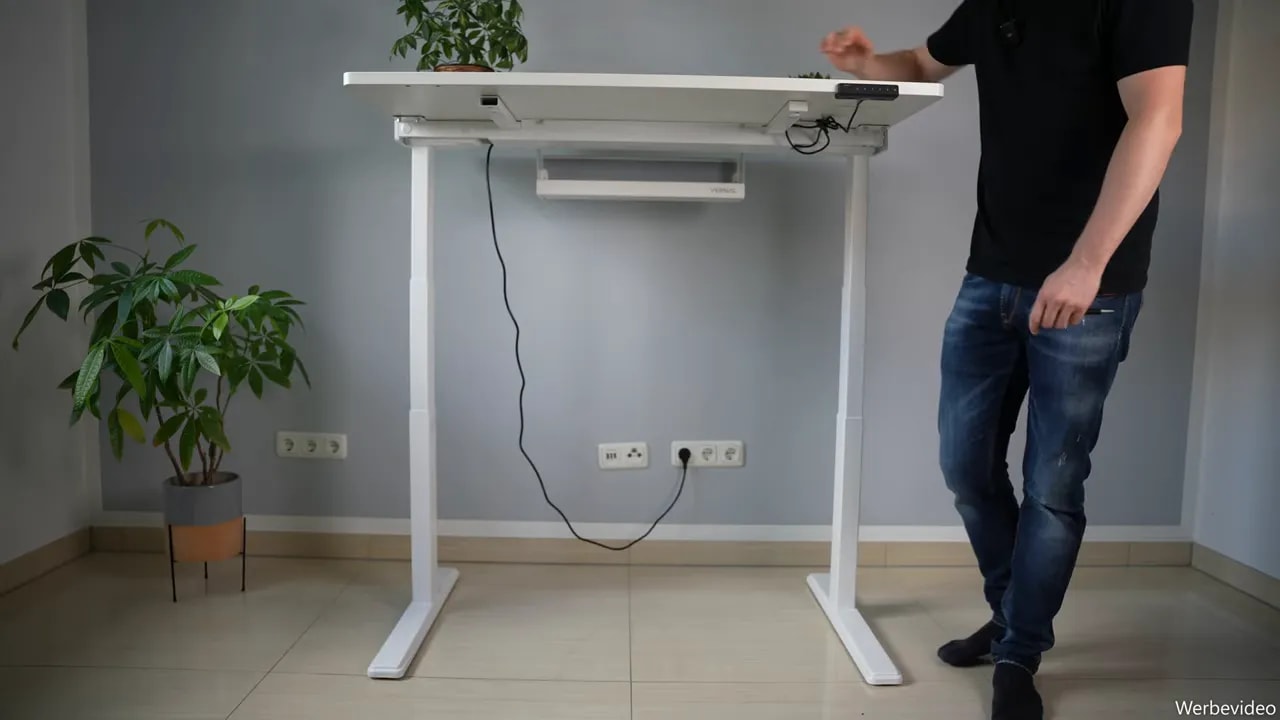
The cable tray offers enough space for power supplies, a power strip and excess cables. That matters with a height-adjustable desk, because loose cables under the desk not only look untidy, they can also get in the way when the desk moves up and down.
Very practical: the cable tray can also be mounted later on a desk that is already standing. If you want to expand your setup later, you do not have to turn the desk upside down again.
Drawer with felt inserts
I like the optional drawer as well. Inside there are felt inserts that let you sort small items clearly, and they do not lie directly on the hard metal base.
There is one important point, though: the drawer is only compatible with desktops from 140 cm (55 in) in length. I could not mount it on my 120 × 80 cm test version. If you want the drawer, keep that in mind when choosing the desktop size.
Control panel: small, discreet and surprisingly comprehensive
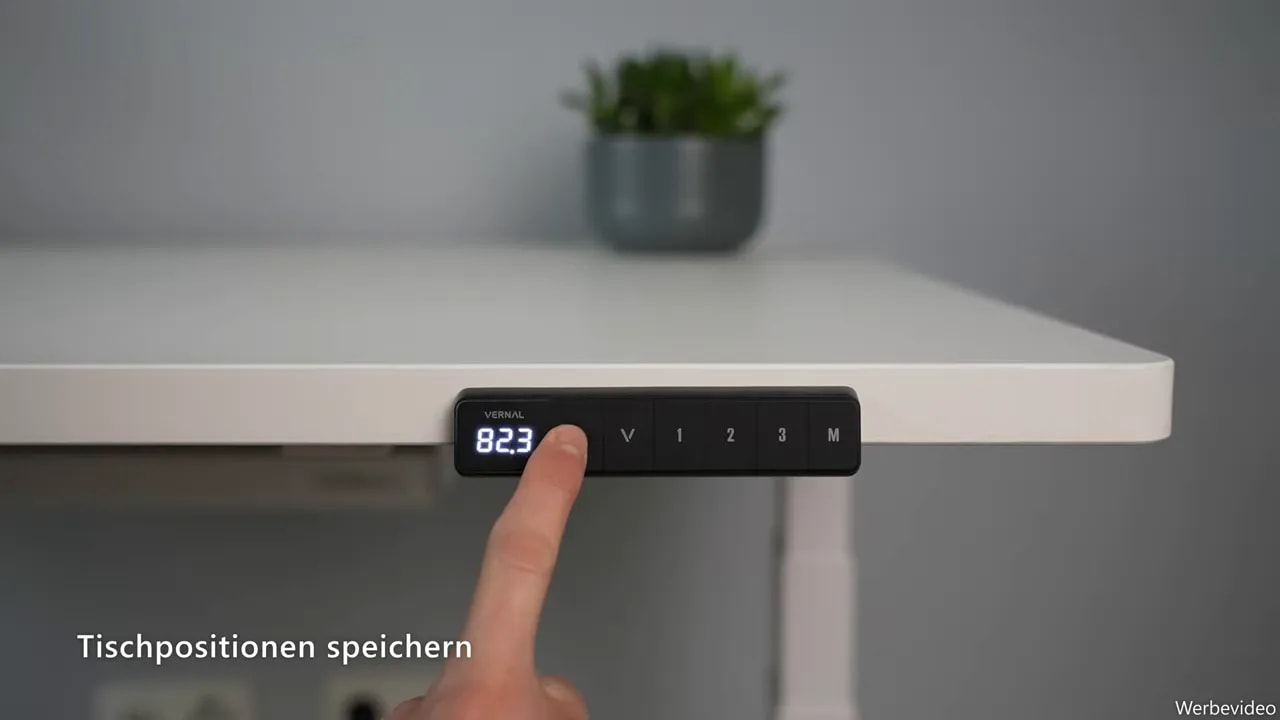
The control panel sits discreetly under the desktop. At first glance it looks simple, but it offers far more functions than I expected.
Setting up three memory positions
Operation is straightforward: first I move the desk to the desired height. Then I press M and choose a memory slot from 1 to 3. After that, a short press on the respective button is enough and the Core3 moves automatically to the stored position with one touch.
For my daily routine, at least two memory positions make sense: one sitting height and one standing height. The third slot can be used for a walking pad or a second person in the household, for example.
Setting minimum and maximum height
A very useful safety feature is the freely adjustable height limits. I first move to the desired minimum or maximum height and then hold the up and down buttons together for five seconds. A beep confirms the setting.
The desk stores two limit values. Values below 98.5 cm (38.8 in) are treated as the lower limit, values above as the upper limit. That is practical if there are pieces of furniture, a pedestal or other obstacles in the movement range.
Child lock and timer
The child lock is activated by holding M and the up button together for five seconds. The display then shows “Loc” and no button responds. To unlock, I hold M and the down button for five seconds.
There is also a reminder timer. It is activated via buttons 1 and 3 and can be set to the desired time. When it runs out, a beep sounds five times and the timer then switches itself off. It is a simple reminder to change position or take a short break.
More settings in the menu
Holding the M button for five seconds opens the settings menu. Among other things, I find the following items here:
S1: switching between centimetres and inches
S2: sensitivity of the anti-collision system from 0 to 8
S3 and S4: settings for the power cut-off when moving up and down
S5: tilt angle or flexibility of the desktop
For S3 and S4, it was not clear to me what exactly is being measured, and the manual does not explain these values in more detail either. I would simply leave them at the factory settings.
For the tilt angle, a range from 0.5 to 4 degrees can be set. Higher values let the desktop give a little more, lower values make it noticeably firmer. For me this is more of a fine adjustment, but it shows how many options are packed into this compact control panel.
Stability test: surprisingly secure even at maximum height
The Core3 goes up to 128 cm. That is actually the highest maximum height I have tested on a height-adjustable desk so far.
It is also clear that a two-leg desk cannot be completely immobile at full height. That is simply physics. What matters is whether it feels safe when typing, leaning on it or after an accidental bump.
And it does. At 128 cm there is a slight give, but the desk still stands stable. Even with sideways bumps or stronger pressure, I never had the feeling that it would tip or become unsafe.
The lower the desk, the more stable it naturally becomes. In the lowest position at 63.3 cm practically nothing moves any more. At my sitting height of 75.4 cm (29.7 in), the desk was also very firm and gave me a good feeling while working.
The stated load capacity of up to 160 kg seems plausible to me. I weigh around 86 kg (190 lb) and even with considerable load on the desk I never felt uneasy. Still, the usual rule applies: you should not sit or stand on a desktop. Such load tests are not a usage recommendation.
Everyday use sitting and standing
The smallest version with 120 × 80 cm is perfectly sufficient for many home-office setups. The depth of 80 cm in particular makes a difference, because it leaves enough distance to the monitor and space for keyboard, laptop or other accessories.
If you use several large monitors or a lot of equipment, you can configure the Core3 with a desktop up to 200 cm long.
Switching between sitting and standing is pleasantly quick. At 40 mm per second the desk moves briskly without seeming hectic. The motors are audible while moving, but not disturbingly loud. As soon as the desired height is reached, it is quiet again.
For me at 1.86 m (6 ft 1 in), the most ergonomic standing position was around 124 cm (48.8 in). With the maximum height of 128 cm, people up to about 1.90 m (6 ft 3 in) should be able to work comfortably at the desk in my estimation.
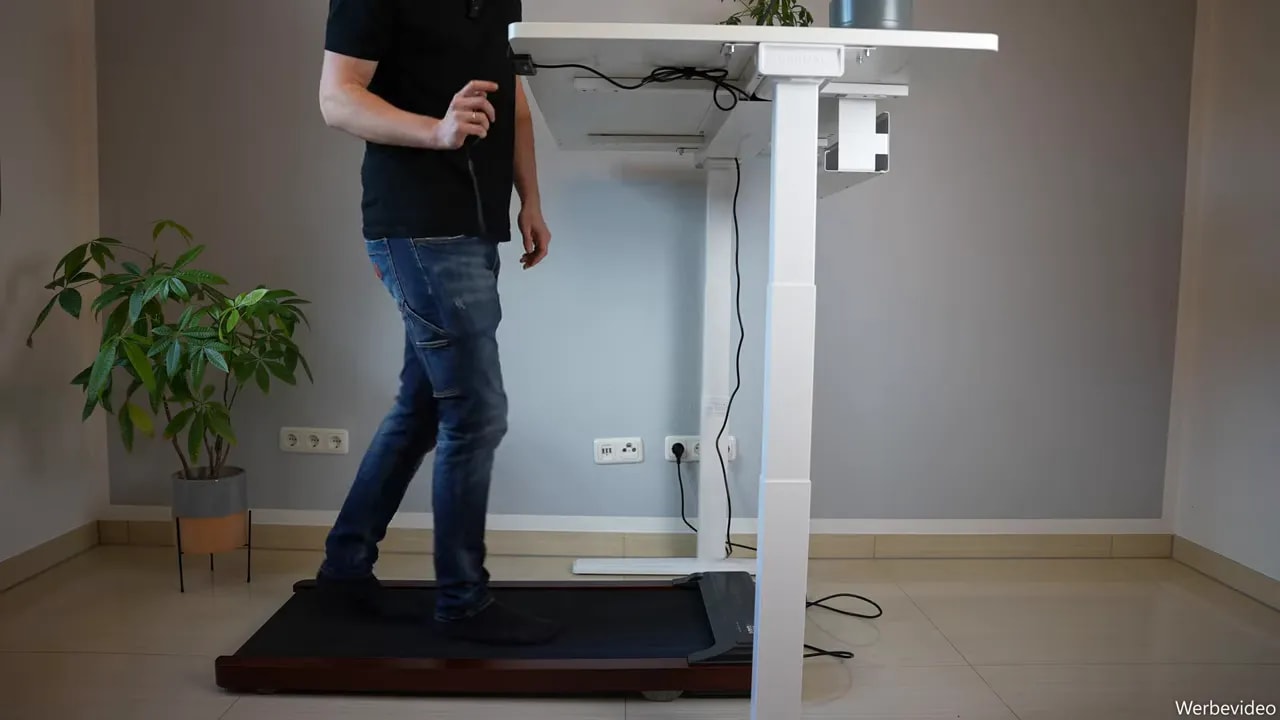
With a walking pad: the Core3 handles movement in the home office too
For me, a height-adjustable desk does not only have to work sitting and standing. That is why I also tried the Core3 with a walking pad.
At the maximum height of 128 cm the desk fits my height very well. My arms can rest comfortably, and thanks to the high stability the workstation also feels safe while walking. If you briefly lose your balance, you can support yourself on the desk without feeling that you are pulling the whole setup along.
After walking, the walking pad can be stowed away quickly and the desk moved back to sitting height via the memory position. That is exactly how a flexible home-office workstation should work.
Anti-collision system in the test
I tested the anti-collision system at several levels. At level 8, the most sensitive setting, the desk reacted immediately when I left the chair under the desktop and moved to a lower memory height.
With a simulated obstacle from above, the desk also stopped without any noticeable force. At level 4 the reaction was similar, at level 1 I had to create noticeably more resistance. But the protection worked at every level I tested.
My clear recommendation: do not deactivate the anti-collision system. Level 0 switches it off, and I would not do that. For my daily use I set it to the highest level so that it reacts to obstacles as early as possible.
Even so, the anti-collision system does not replace attention. Cables, furniture, body parts and other objects should never be in the movement range of the desk.
My verdict on the Vernal Core3
For me, the Vernal Core3 is a clear step forward compared to its predecessor. Although the design stays similar, the frame feels even more stable. The desk convinced me especially at standing height.
What I like most are the solid construction, the large height range, the high load capacity and the comprehensive control panel. Add to that a very well thought-out assembly, good accessories and the option to mount the cable tray or other accessories later on the finished setup.
The only small point I see neutrally: the predecessor still offered a cable grommet in the desktop. On the Core3 I could not find this option in the configurator. That is not a big problem, but it could be a practical choice for some setups.
All in all, I get a very stable, quiet and quickly adjustable desk with strong safety features and a 15-year warranty. If you are looking for a height-adjustable desk for your home office, office or walking pad setup and value stability above all, you should definitely take a closer look at the Core3.
From 63.3 to 128 cm (24.9 to 50.4 in) at 40 mm per second. 128 cm is the highest maximum height I have tested on a height-adjustable desk so far. At 1.86 m (6 ft 1 in) my standing position was around 124 cm (48.8 in), so people up to about 1.90 m (6 ft 3 in) should be able to work comfortably at the desk.
How long does it take to assemble the Vernal Core3?
It took me 57 minutes and 19 seconds using only the supplied tools. Assembly is doable alone, but a second person is helpful for turning the finished desk over.
Does the drawer fit every desktop size?
No, the optional drawer is only compatible with desktops from 140 cm in length. It cannot be mounted on the 120 × 80 cm version. The cable tray fits and can also be added later while the desk is standing.
Is the Vernal Core3 stable enough for a walking pad?
Yes. Even at the maximum height of 128 cm the desk gave only slightly and never felt unsafe while I was walking. If you briefly lose your balance you can support yourself on it.
Is the Vernal Core3 available outside Germany?
Vernal runs an international store at vernalspace.com in addition to its German store. Availability and desktop sizes may differ by region.
Where to buy
Vernal Core3
Test unit provided by the manufacturer. This had no influence on the test procedure or my verdict.
To provide you with an optimal experience, we use technologies such as cookies to store and/or access device information. If you consent to these technologies, we may process data such as browsing behavior or unique IDs on this website. If you do not give or withdraw your consent, certain features and functions may be impaired.
Functional
Always active
The technical storage or access is strictly necessary for the legitimate purpose of enabling the use of a specific service expressly requested by the subscriber or user, or for the sole purpose of carrying out the transmission of a communication over an electronic communications network.
Preferences
The technical storage or access is necessary for the legitimate purpose of storing preferences that have not been requested by the subscriber or user.
Anonymized statistics
Technical storage or access for statistical purposes only.Technical storage or access used solely for anonymous statistical purposes. Without a subpoena, the voluntary consent of your Internet service provider or additional records from third parties, the information stored or accessed for this purpose alone cannot generally be used to identify you.
Show YouTube videos
If you do not agree to this cookie, you will not be able to watch videos on the website.